

uname -r
People use the word Linux both for a core piece of software and for a whole operating system like Ubuntu. That core piece, the Linux kernel, connects your programs to the computer’s hardware, and a distribution bundles it with the desktop and apps you work in.
In this piece, I’ll explain how the kernel and a distribution fit together and where Linux-based systems run.
What is Linux?
Linux is the kernel at the center of a family of operating systems, though everyday speech also uses Linux for a complete system built around that kernel, such as Ubuntu or Debian.
An operating system connects applications to hardware and organizes shared resources. A distribution then combines the Linux kernel with the other software that makes a computer usable.
The kernel is not the whole system. A distribution adds the user interface and programs you interact with.
| Layer | What it does |
|---|---|
| Hardware | Processor, memory, storage, and connected devices |
| Linux kernel | Coordinates access to hardware and system resources |
| User-space software | Services, libraries, system tools, and applications |
| Distribution | Integrates the kernel and software into an installable system |
What the Linux kernel does
The kernel sits between software and hardware because applications and system services use its interfaces to access devices. It schedules processes and manages memory.
When an application reads a file, it requests the operation through system interfaces and the kernel coordinates access to storage. The application does not manage the storage device directly.
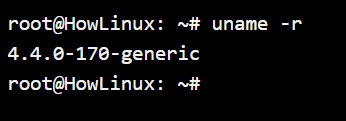
Run uname -r in a terminal to print the running kernel release. Its output here was 6.17.0-1020-oracle, the release on this system rather than a version shared by every Linux computer.
uname -r

How a Linux distribution forms a complete system
A distribution, or distro, integrates Linux with software that makes a computer usable. The bundle varies by project.
Distribution maintainers choose how these components are assembled and updated. A kernel name alone therefore cannot tell you which applications or desktop you will find.
| Component | Role in the distribution |
|---|---|
| System libraries and services | Support applications and shared system functions |
| Package manager | Installs and maintains software from configured sources |
| Desktop environment | Provides a graphical session when the edition includes one |
| GNU utilities | Supply common tools in distributions that include them |
Ubuntu and Debian include GNU user-space utilities, while other Linux-based systems can assemble different components. Puppy Linux is another distribution with its own selection of software and goals.
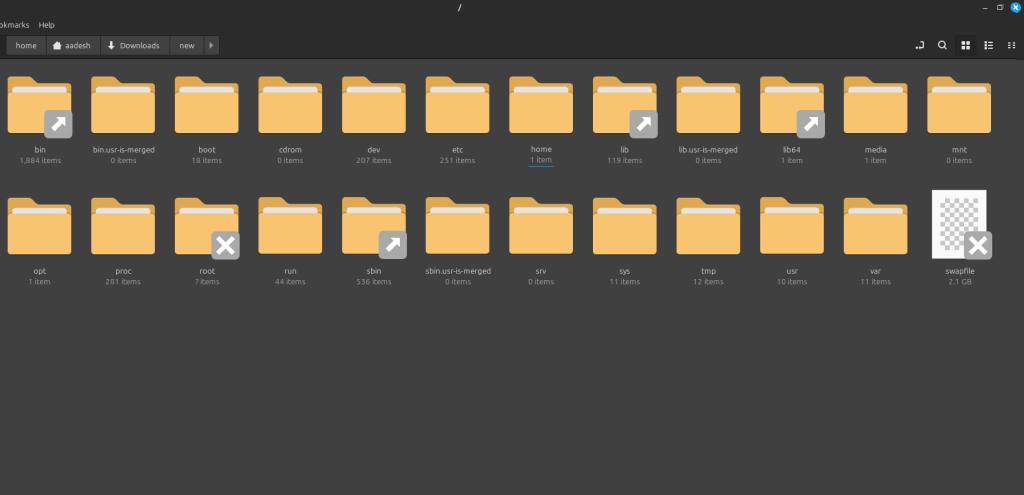
The Linux Mint view shows its root directory. Directory contents vary by system, so this image is one example rather than a template.
Arch Linux uses the Pacman package manager for software, while an AppImage on Linux follows a separate delivery format.
Where Linux-based systems are used
Linux-based systems run on desktop and server computers as well as specialized embedded devices. The included software differs, from an interactive graphical session to background services tailored to the machine’s job.
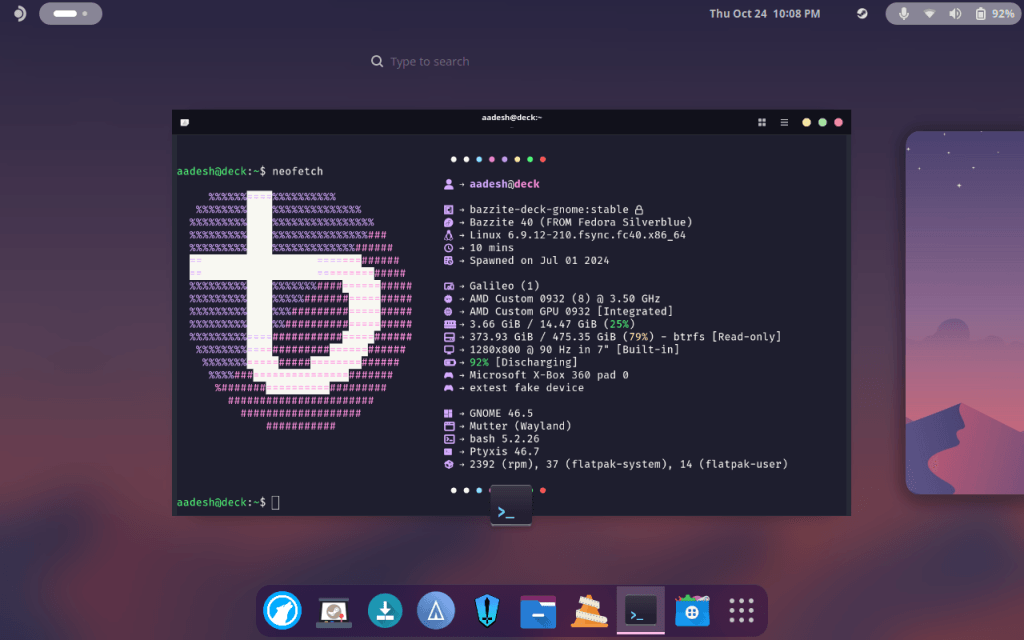
This Bazzite screenshot shows GNOME, a desktop environment supplied by the distribution rather than the Linux kernel.
The man command opens Linux manual pages when you need help with a command. Try a terminal-based Linux text editor to explore another desktop-independent tool.
Choose a distribution by the task
Your distribution determines the integrated tools and interface, so choose one according to the job the computer must do and the software it needs.
- For a hands-on desktop, try a beginner-friendly distribution in a virtual machine before changing a computer’s installed system.
- For an existing Linux system, identify its distribution and software manager before following installation instructions.
Linux basics questions
What is Linux in simple terms?
Linux is the kernel at the center of a family of operating systems. In everyday speech, Linux also means a complete system built around that kernel, such as Ubuntu or Debian.
Is Linux the same as an operating system?
Strictly, Linux names the kernel. A Linux distribution combines that kernel with user-space software to provide a usable operating system, though people commonly call the full system Linux.
What is a Linux distribution?
A Linux distribution is an integrated operating system built around the Linux kernel with system tools, libraries, software management, and, for desktop editions, a graphical environment.
How can I check the Linux kernel version?
Run uname -r in a terminal. It prints the release of the kernel currently running on that machine.