
I ran touch empty.txt and stat reported empty.txt as 0 bytes, then checked writes, appends, standard input, and editor-based creation. Choose the method by the result you need: a blank file, controlled text, typed input, or an interactive editing session.
Choose the method that matches the job
Linux creates a file when a command opens a new pathname for writing. The command you choose decides whether the file starts empty, receives text immediately, accepts typed input, or opens in an editor.
| Need | Use | What happens |
|---|---|---|
| Blank file | touch filename | Creates a zero-byte file if it does not exist |
| One or more known lines | printf ‘text\n’ > filename | Creates or replaces the destination |
| Typed text from the terminal | cat > filename | Reads standard input until you press Ctrl+D |
| Edit while creating | nano filename or vim filename | Opens a new buffer and saves it as the pathname |
Create a blank file with touch
Use touch when the file only needs to exist. It creates an empty file when the pathname is missing and updates timestamps when the file already exists, so it is not a safe choice for preserving an existing timestamp.
touch empty.txt
stat -c '%n %s bytes' empty.txt

The stat command checks the result instead of relying on the command prompt. A zero-byte size confirms that the pathname exists and has no content.
You can pass several pathnames to touch when the files share the same creation step. Use Linux file system basics when you need to decide where those pathnames belong.
Write text with printf and redirection
Use printf when the file should contain known text from the start.
The greater-than operator opens the destination for writing, creates it when needed, and replaces its previous content when it already exists.
printf 'first line\nsecond line\n' > notes.txt
cat notes.txt

Use two greater-than signs when you want to append instead of replace. This distinction prevents a logging or notes command from deleting content that is already there.
printf 'third line\n' >> notes.txt
cat notes.txt
printf is preferable to echo for repeatable text because its format string handles newline characters directly. For more shell behavior, see Linux command-line basics and keep the write operator visible in every command.
Create a file from terminal input with cat
Use cat with a write redirection to type several lines without opening a full-screen editor.
The shell keeps reading standard input until you press Ctrl+D on an empty line.
cat > report.txt
created with standard input
Ctrl+D
cat report.txt
- Run cat > report.txt.
- Type each line you want to keep.
- Press Ctrl+D on an empty line to close standard input.

cat > filename replaces the destination when you run it, just like the printf example. Use cat >> filename to add input after existing content, so the operator records whether you intend replacement or append.
Create a file with nano or Vim
Use an editor when the file needs several edits, readable formatting, or a quick review before saving. Both editors can open a missing pathname and create it when you save the buffer.
nano settings.conf
In nano, type the content, press Ctrl+O to write the file, confirm the pathname, then press Ctrl+X to leave. The Linux file-editing walkthrough covers the same save flow with more context.
vim settings.conf
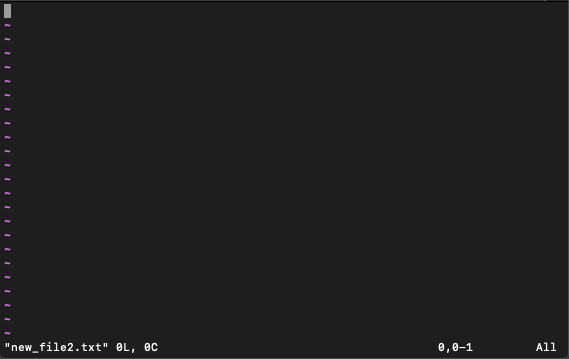
Vim starts in normal mode. Press i to insert text, press Esc to return to normal mode, then type :wq and press Enter to save and exit. These Vim exit commands explain the control flow when you are finished editing.
Check the file and avoid accidental replacement
Use ls, stat, and cat to check the pathname, size, and content after creation. This small check catches a misspelled directory, an empty write, and an operator that replaced content instead of appending it.
ls -l notes.txt
stat -c '%n %s bytes' notes.txt
cat notes.txt
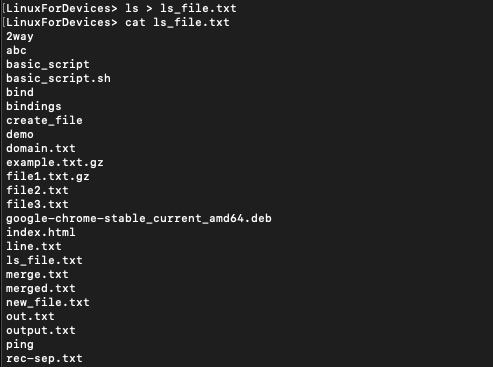
A permission error means the directory or file mode blocks the operation, not that the creation syntax is wrong. Check Linux chmod and chown commands before changing permissions, and use the file-count command when you need to confirm how many entries a directory contains.
What is the quickest way to create an empty file in Linux?
Run touch filename. It creates a zero-byte file when the pathname does not exist.
How do you create a file and add text in Linux?
Use printf with > for known text, or cat > filename when you want to type the lines in the terminal.
Does > replace a file in Linux?
Yes. The > redirection operator replaces the destination contents, while >> appends to the existing file.
Use touch for an empty pathname, printf for controlled text, cat for typed input, and an editor when the file needs several revisions. Check the result with ls, stat, or cat before you move on to permissions or automation.