

Making technical drawings or 3D models on Linux calls for CAD (computer-aided design) software. Some Linux CAD apps draw in 2D, while others build 3D models whose dimensions you can change later.
This list covers five free tools and the kind of work each one fits.
What Makes a CAD App Fit Linux?
Computer-aided design (CAD) software creates or edits technical drawings and models. A Linux CAD app can make a 2D drawing or a parametric 3D model.
Some tools instead generate solids from code, so choose by what you need to draw and revise.
I chose five tools by how they represent geometry, because the job matters more than a universal ranking.
| Tool | Start here when you need | Modeling approach | Boundary to know |
|---|---|---|---|
| FreeCAD | Parametric mechanical parts | Features and dimensions remain editable | A broad 3D modeler, not a dedicated 2D-only drafting app |
| LibreCAD | 2D technical drawings | Direct drafting with drawing entities and layers | It is not a 3D solid modeler |
| OpenSCAD | Repeatable solid models described in code | Script defines the geometry | Not a mouse-first drafting workflow |
| SolveSpace | Constraint-driven sketches and parts | Dimensions and constraints govern geometry | Choose it for its focused parametric workflow |
| BRL-CAD | Constructive solid geometry and analysis | Solids are combined with Boolean operations | Its modeling representation differs from feature-history tools |
Each project presents its software as free to use or free and open source. These pages do not compare paid support contracts, so the table records the software terms rather than a subscription plan.
| Software | Project cost and license |
|---|---|
| FreeCAD | Open source with no licensing fees |
| LibreCAD | Free software with no required payment |
| OpenSCAD | Free software under the GNU General Public License version 2 |
| SolveSpace | Free software under the GNU General Public License version 3 |
| BRL-CAD | Free and open source under Open Source Initiative-approved terms |
1. FreeCAD for Parametric Mechanical Design
Parametric modeling keeps design dimensions and feature relationships editable, so changing one value can update dependent geometry in FreeCAD.
Choose FreeCAD for a mechanical part whose dimensions may change, and check the official downloads page for its Linux builds. It lists stable release 1.1.4 and AppImages for x86_64 and aarch64.
The Linux installation guide covers setup, and the AppImage walkthrough explains that package format.
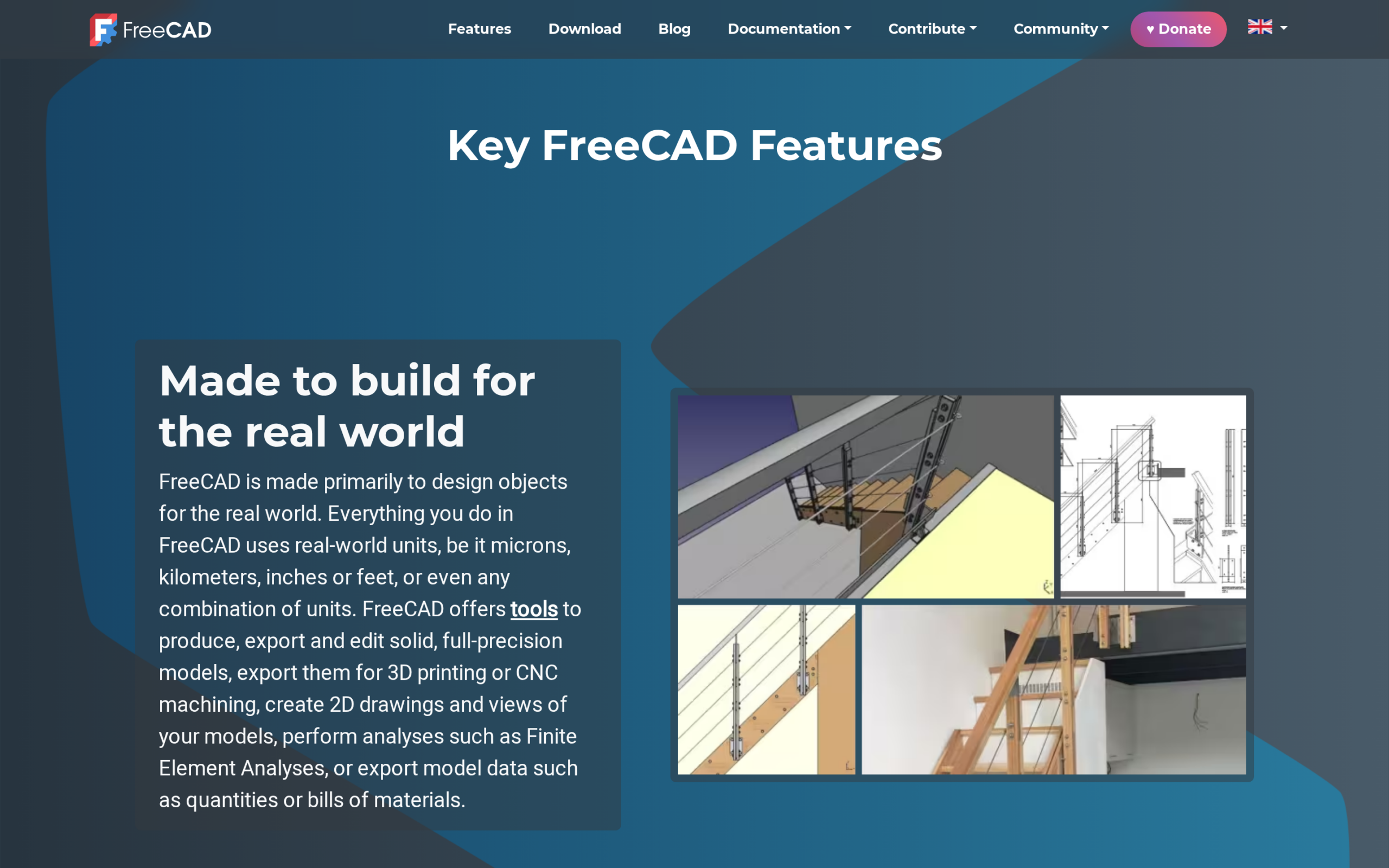
FreeCAD’s features page shows a model beside its technical drawing, which connects the 3D object to its documentation.
The FreeCAD Part workbench view shows an array model beside its object tree. Its property panel shows the array counts that produce the repeated geometry.
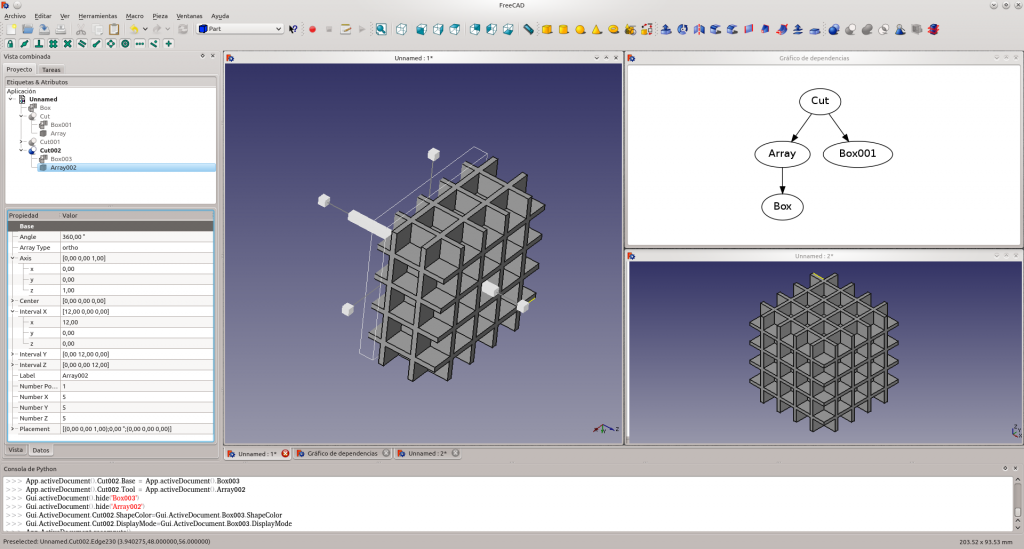
The visible array settings connect the repeated geometry to its editable model objects.
2. LibreCAD for 2D Technical Drafting
LibreCAD is the direct pick when your deliverable is a 2D drawing rather than a 3D solid. Its official site describes a free, open-source CAD application for Linux.
The feature list covers DWG/DXF input, plus DXF and vector-file exports.
A Linux.org poster asked for a “simple intuitive 2D drafting program for Linux.” That request points to LibreCAD’s scope, not OpenSCAD’s code-first modeling, and the distinction matters before you spend time learning a tool.
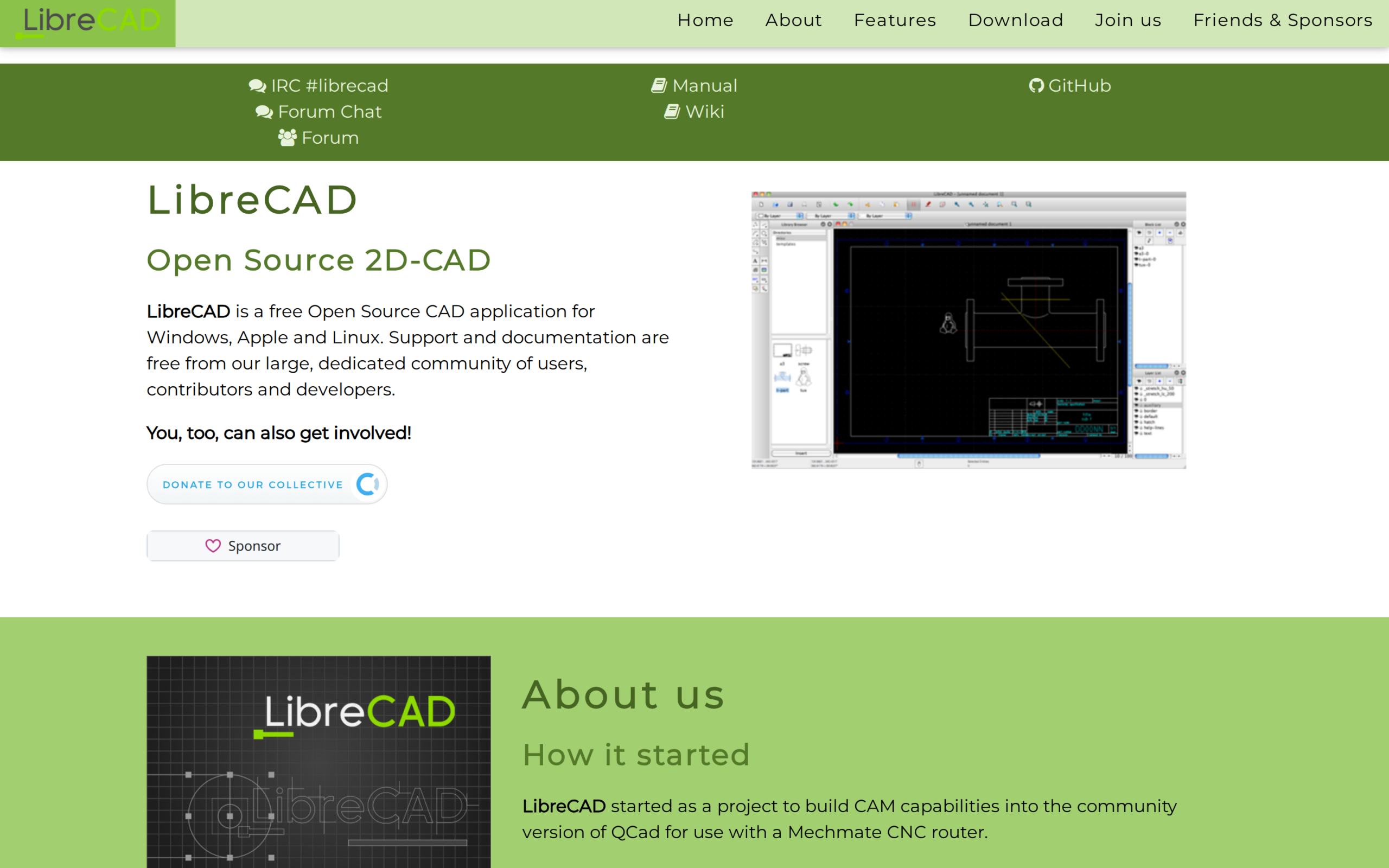
LibreCAD’s official page pairs its 2D description with an image of the drawing interface.
| Your deliverable | Does LibreCAD fit? |
|---|---|
| Dimensioned 2D drawing | Yes, this is the tool’s focus |
| 3D solid with editable feature history | No, compare FreeCAD or SolveSpace instead |
LibreCAD’s Linux installation manual warns that distro packages may lag the current release, so compare your package version with the project’s download information when a specific feature matters.
3. OpenSCAD for Script-Defined Solids
OpenSCAD builds a solid 3D model from a text script. You edit the description and render a preview, so the same parameters can define a family of related parts without redrawing each one by hand.
OpenSCAD’s official page describes Linux support and shows the script editor beside its rendered model.
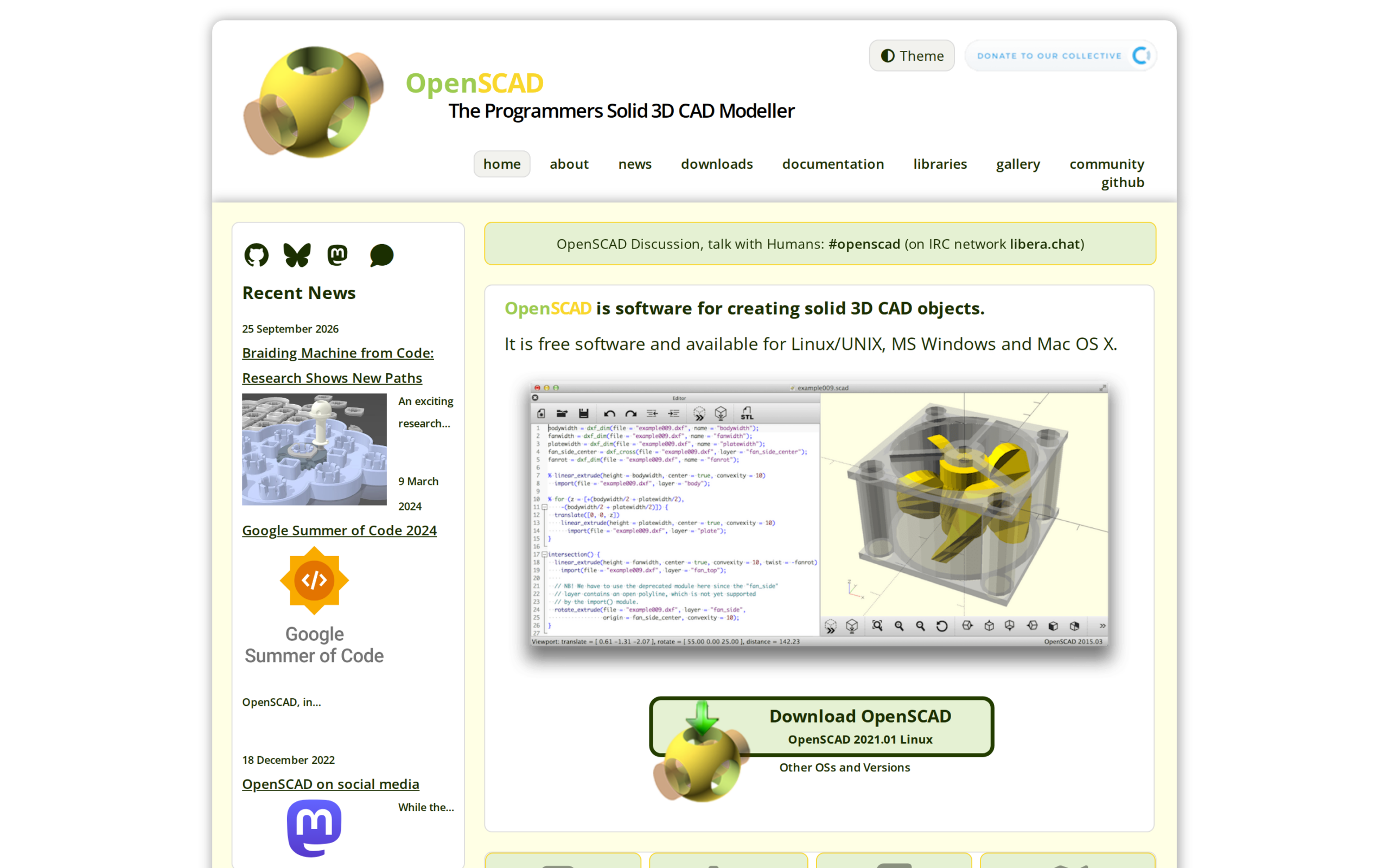
If you want to describe geometry with code, start with OpenSCAD’s user manual and the separate Linux download options. If you want to draw a measured 2D line with drafting tools instead, LibreCAD is the closer fit.
For package setup, follow the LinuxForDevices OpenSCAD installation guide.
4. SolveSpace for Constraint-Driven Parts
SolveSpace is a parametric 2D and 3D CAD tool built around geometric constraints. A horizontal constraint, for example, keeps a sketch line horizontal as you revise its dimensions.
You can extrude or revolve the sketch into a solid, and assembly constraints can connect parts.
The official downloads page lists stable release 3.2 for Linux and says the release adds an optional Qt front end for Linux. Check that page for the package route available on your distribution.
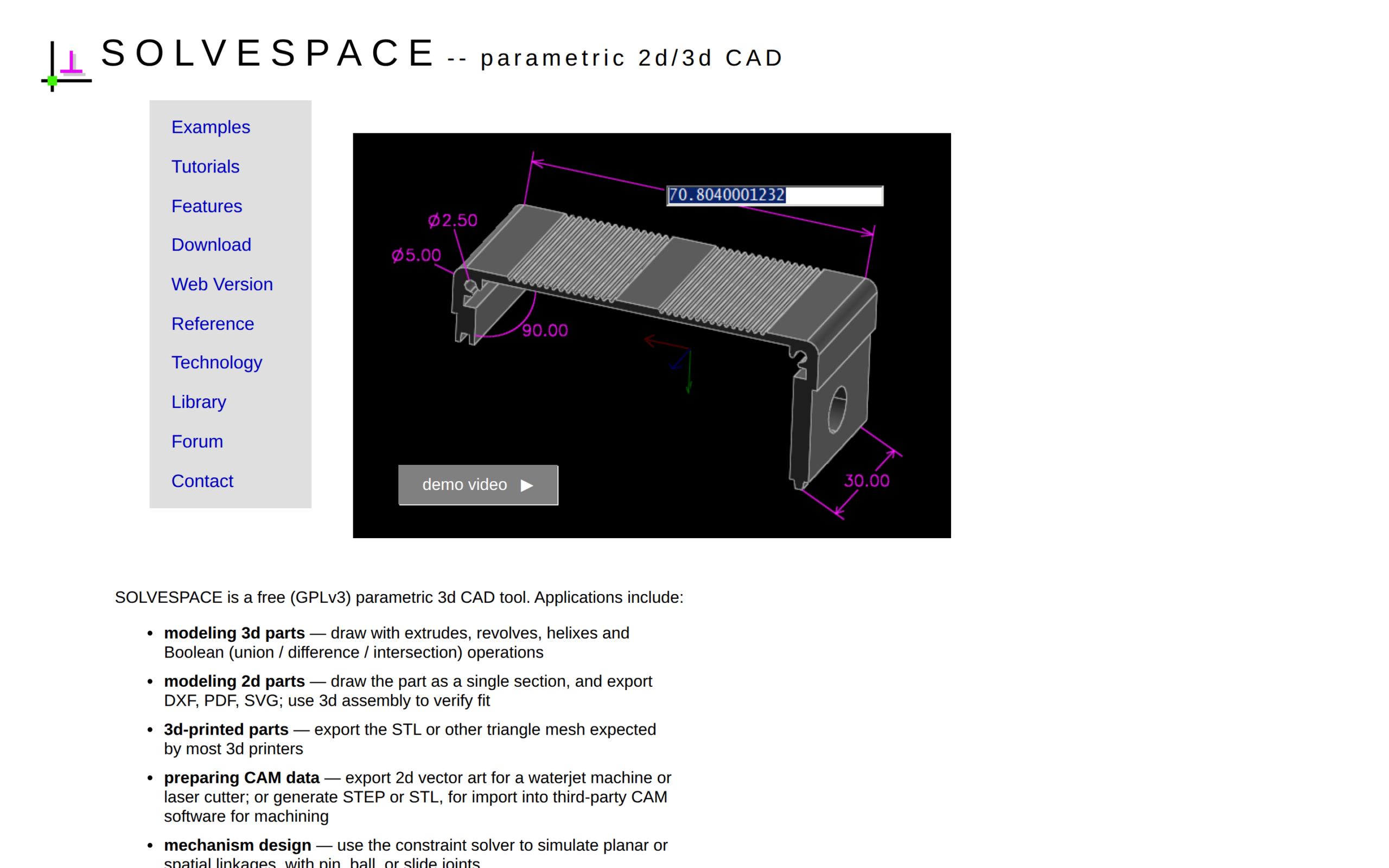
The dimension callouts on SolveSpace’s official page show the constraint-driven approach on a part, not a freeform sculpting workflow.
- Use SolveSpace when a sketch should remain controlled by dimensions and constraints.
- It can extrude or revolve a sketch and export geometry such as STEP or STL.
- For a large multi-workbench engineering workflow, compare FreeCAD’s broader feature set before choosing.
5. BRL-CAD for Constructive Solid Geometry
Constructive solid geometry (CSG) defines a solid by combining simpler shapes with Boolean operations. BRL-CAD’s project describes a hybrid CSG and boundary representation (B-rep) kernel, alongside interactive geometry editing and geometric analysis.
BRL-CAD supports Linux and is free, open-source software. Its official tutorials begin with primitive shapes and then introduce Boolean expressions, so this pick suits readers who want that geometry model rather than a sketch-and-feature sequence.

The BRL-CAD format guide contrasts subtracting a cone from a cylinder with joining boundary surfaces to make the same shape.
| Representation | How it describes a model | When it helps |
|---|---|---|
| CSG | Combines primitive solids with Boolean operations | Useful when the part is naturally expressed as unions or cuts |
| B-rep | Describes a solid through its boundary surfaces | Useful when the surface geometry and boundaries are central to the model |
BRL-CAD is a focused recommendation, not a default replacement for every other item here. Its distinctive CSG workflow is the reason to choose it, while the interface and file handoff should be checked against the rest of your toolchain.
Match the Export to the Next Tool
A model that looks correct in one application may still arrive in a form the next tool cannot edit. Pick the export format by what the next tool must do with the model.
| Format | What it carries | Good next step |
|---|---|---|
| Drawing Exchange Format (DXF) | 2D drawing geometry | Continue drafting or share a technical drawing |
| Standard for the Exchange of Product model data (STEP) | 3D CAD geometry for exchange between modelers | Open the part in another CAD tool and check its geometry |
| STL | A triangle mesh of a 3D surface | Slice the model for 3D printing, then send the job to a printer workflow |
LibreCAD’s feature list identifies DXF as a read/write format. SolveSpace’s export list includes DXF and STEP exports, plus STL mesh output. The BRL-CAD format guide explains how CSG and B-rep describe solids differently.
Carry One Sample Through the Handoff
Before committing a project to a new modeler, take one representative part through the edit you expect to make next. That check tells you more than a product label because it tests the actual drawing or geometry your next application must receive.
- Choose a small drawing or part and save it in the format the next person or program needs.
- If it is a printable model, prepare the exported mesh with the LinuxForDevices Cura installation guide.
- When the model is ready to print, use the OctoPrint setup guide for the printer-control step.
CAD Software Questions
What is CAD software?
Computer-aided design software creates or edits technical drawings and models. Some CAD tools focus on 2D drafting, while others build parametric 3D parts.
Which Linux CAD app should I use for 2D drawings?
LibreCAD is the 2D-focused pick in this comparison. Its project describes Linux support, and its manual lists common drafting entities.
Does OpenSCAD require coding?
Yes. You describe the model in OpenSCAD’s scripting language and render a preview, so it suits code-defined solids rather than mouse-first 2D drafting.
Can FreeCAD run on Linux?
Yes. FreeCAD’s downloads page lists Linux x86_64 and aarch64 AppImages and identifies 1.1.4 as the stable release.
For a printable part, verify the mesh in a slicer before sending it to a printer. The Cura guide is the next step after your CAD choice.