
Choosing a Linux system to install means picking a distribution, and Zorin OS is one built on Ubuntu. It takes Ubuntu’s long-term-support base and adds Zorin’s desktop layouts and bundled apps, in free and paid editions.
I’ll go through what each edition includes and the hardware it needs, so you can pick the right download.
What Zorin OS Adds to Ubuntu
Zorin OS is an Ubuntu-based Linux distribution with a customized desktop, bundled applications and its own set of desktop layouts. It uses Ubuntu’s long-term-support base while presenting a different desktop and software selection from standard Ubuntu.
That distinction matters when you choose software or look up help. Zorin OS supports Ubuntu packages alongside Flatpak, Snap, .deb and AppImage formats, but the desktop tools and default choices come from the Zorin project.
- Choose Zorin OS if its desktop choices and included applications match how you want to use a computer.
- Check Ubuntu compatibility when following a command or troubleshooting guide, then account for Zorin-specific menus and defaults.
What Zorin OS 18.1 Is Based On
Zorin OS 18.1 uses Ubuntu 24.04 LTS as its base system. Zorin lists software updates and security patches through 1 June 2029 for this release.
The base supplies a familiar foundation for Ubuntu software and support material, while Zorin adds its desktop experience and repositories. Zorin’s technical details list GNOME Shell for Core and Pro, XFCE for Lite, and Linux kernel 6.17 for version 18.1.
| Detail | Zorin OS 18.1 |
|---|---|
| Base | Ubuntu 24.04 LTS |
| Support listed by Zorin | Through 1 June 2029 |
| Desktop | GNOME Shell for Core and Pro, XFCE for Lite |
| Supported processor architecture | 64-bit Intel or AMD |
If you need to confirm which Ubuntu release underlies a different Ubuntu installation, use the Ubuntu version check as a separate diagnostic. To compare desktop variants, see Ubuntu vs Lubuntu. Zorin publishes its base directly in its technical details.
Zorin OS Editions Compared
The current download page lists Core, Education and Pro for Zorin OS 18.1. Lite has its own download link from the same page, while Pro Lite appears in Zorin’s technical details. Check the official page before choosing because editions and download listings can differ.
| Edition | Price / audience | Documented distinction |
|---|---|---|
| Core | Free | Standard applications and four basic desktop layouts |
| Pro | Paid | Premium layouts, creative apps, productivity tools and setup support |
| Education | Free | Educational software for schools and students |
| Lite | Download through the official Lite page | XFCE desktop. Check current requirements and download availability |
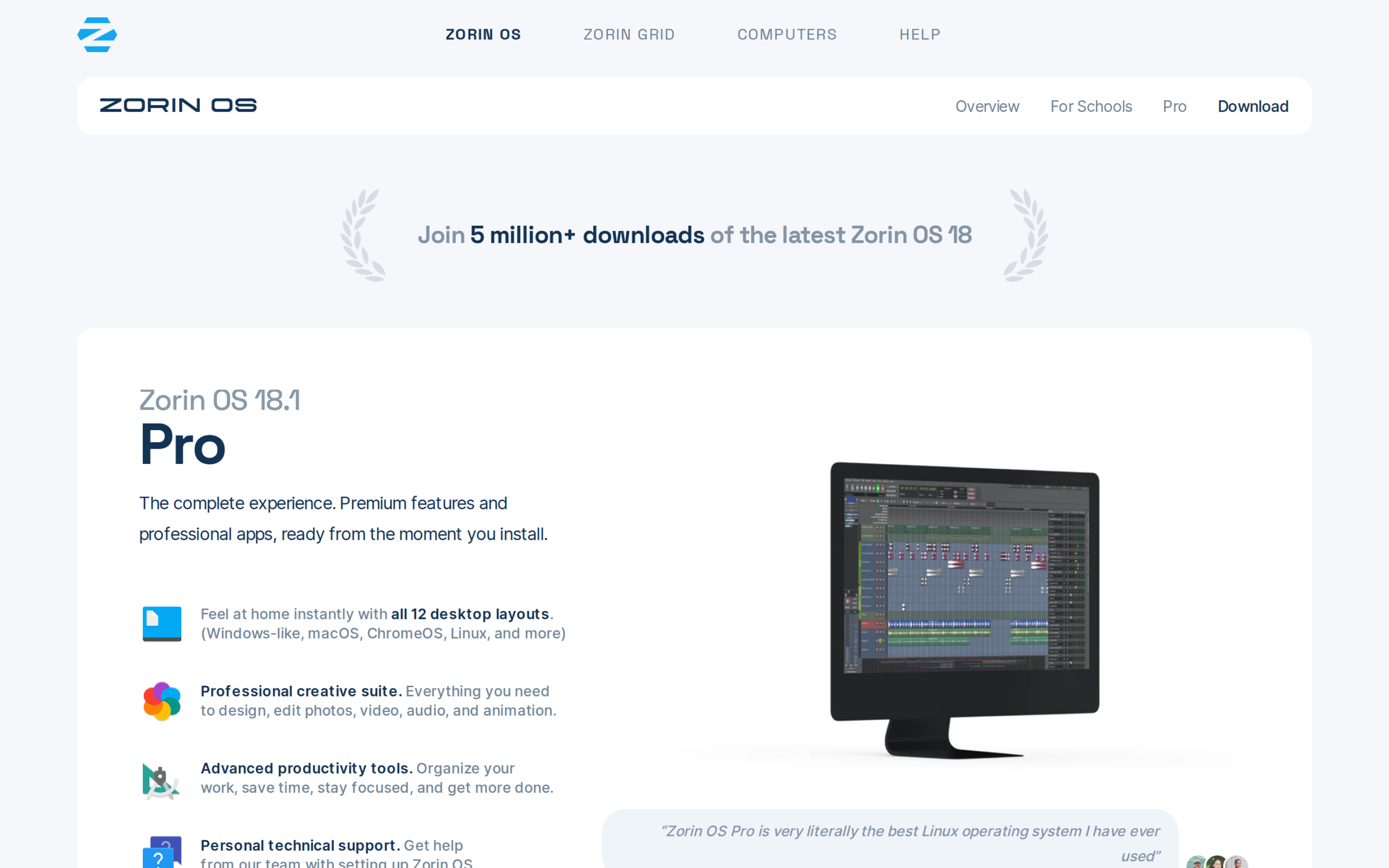
Core covers the standard desktop without a purchase. Pro adds curated layouts and applications, so pay for those extras only if you want them or want to contribute through the purchase. Education targets school use.
Zorin’s listed software formats include Snap, Flatpak, .deb and AppImage. If you are deciding how to install a specific program, start with its own Linux support notes and Zorin’s current repositories.
What Your Computer Needs to Run Zorin OS
Zorin Help lists a 1 GHz dual-core 64-bit Intel or AMD processor, 2 GB of RAM and an 800 × 600 display as minimum requirements. Storage depends on the edition.
| Edition | Minimum storage listed |
|---|---|
| Core | 15 GB |
| Education | 35 GB |
| Pro | 45 GB |
These are minimum specifications, not a promise about performance for a particular workload. Check the official system requirements for the edition you plan to install, and compare the required disk space with the storage available on your computer.
If you are deciding between Ubuntu desktop variants rather than between editions of Zorin, the Ubuntu vs Lubuntu comparison explains a separate desktop choice.
Choose Zorin OS for Its Desktop, Not a Speed Claim
Zorin’s main choice is its desktop experience, edition-specific applications and layouts. The official requirements tell you whether your hardware meets the published minimum, but they do not establish how quickly a particular machine will run your apps.
For a direct comparison with another Ubuntu-based desktop, read about elementary OS and Ubuntu or Kubuntu and Ubuntu. If the choice is about desktop environments, compare KDE and XFCE as well.
- Confirm the minimum processor, memory and storage requirements for your selected edition.
- Check that your essential applications and peripherals support the Linux environment you plan to use.
Before installing, read Zorin’s installation guide and back up files you need to keep. The guide’s USB-drive requirements vary by edition.
Keep the Ubuntu Base in View
Zorin OS pairs an Ubuntu LTS foundation with a distinct desktop and edition lineup. If that combination suits your software needs, compare the current edition downloads and minimum requirements before selecting an ISO.
For a package distributed as a local Debian file, the guide to installing .deb files on Ubuntu provides a related next step. Confirm the package’s own compatibility notes before installing it on Zorin OS.
Check Zorin’s download page and technical details together, since the specific edition and release determine what you download.
| Before downloading | Confirm |
|---|---|
| Edition | Included desktop layouts and applications |
| Hardware | Published minimum requirements for that edition |
Zorin OS Questions
What is Zorin OS based on?
Zorin OS 18.1 is based on Ubuntu 24.04 LTS. Zorin lists software updates and security patches through 1 June 2029.
Is Zorin OS free?
Zorin OS Core and Education are listed as free downloads. Pro is a paid edition with additional layouts, applications and setup support.
Does Zorin OS support gaming?
Zorin OS supports Linux application formats and has optional Windows App Support, but that alone does not establish compatibility or performance for a particular game. Check the game’s requirements and the current Steam on Linux guidance before choosing an operating system.