
Considering which Linux distro to install and confused between Elementary OS vs Ubuntu? Your search ends here. Linux has gained a lot of popularity since its release. It is becoming one of the most used Operating Systems and increasing its userbase very rapidly. It is a very powerful operating system and is very powerful and secure. As compared to other operating systems like Windows, and Mac, it takes fewer resources and has lesser bugs, and one of the most defining features of Linux is its open-source nature.
Here, we are going to take a look at the two most popular Linux distros namely Ubuntu & Elementary OS in-depth, and compare both of them to decide which one is suitable for you.
Elementary OS vs Ubuntu – Background Information
Ubuntu
- OS Type: Linux
- Based on: Debian
- Origin: Isle of Man
- Architecture:
armhf, ppc64el, riscv, s390x, x86_64 - Desktop: GNOME, Unity
- Category: Desktop, Server, Live Medium
The word ‘ubuntu’ is an ancient African word that means ‘humanity’. It is an open-source Debian-based Linux distro. It is one of the most popular operating systems and is very commonly used. It has one of the largest open-source communities. Rated 7.6 out of 10, it is among the top 10 distros according to distrowatch.
Elementary OS
- OS Type: Linux
- Based on: Debian, Ubuntu
- Origin: USA
- Architecture:
x86_64 - Desktop: Pantheon
- Category: Desktop, Live Medium
Elementary OS is an open-source Linux distro built on Ubuntu. It is one of the best-looking distros. It is also a Debian-based distro and has most of the features that Ubuntu provides. However, Elementary OS lacks some of the essential features, repositories, and packages that Ubuntu has.
Since it is built on Ubuntu, we can call it a beautiful-looking Ubuntu with some of the features removed in simple terms. As of now, Elementary OS is ranked 13th and is rated 6.8 out of 10 on distrowatch.
Now with the background information out of the way, let us compare the two distros in different categories.
The user interface
What is a desktop environment?
Desktop environment refers to the collection of all the software elements that make up the Graphical User Interface (GUI). This includes icons, files, folders, navigation panels, etc. The Desktop Environment is responsible for the Text Editor, File Manager, and Wallpapers that are pre-included in the Operating System.
Some common Linux desktop environments are GNOME, KDE, Cinnamon, etc. The default Desktop Environment for Ubuntu is GNOME and for Elementary OS, it is Pantheon.
Let’s compare Elementary OS vs Ubuntu
The Desktop:
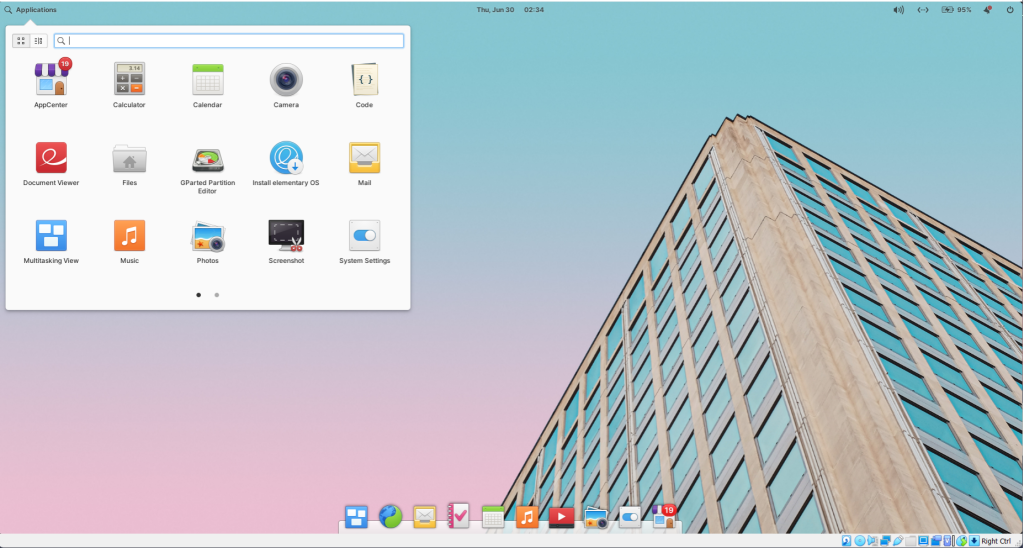
The Desktop in ElementaryOS is much prettier as the UI & the design in Pantheon Desktop Environment are inspired by macOS. Ubuntu has a beautiful desktop too but when it is compared to the Elementary OS, it falls behind. Elementary OS has clear and crispy-looking icons, fonts, and navigation panes.
The application dock on Ubuntu is located on the left side (by default) but you can change it according to your preference. In elementary, the application dock is located at the bottom of the desktop.
The application menu:
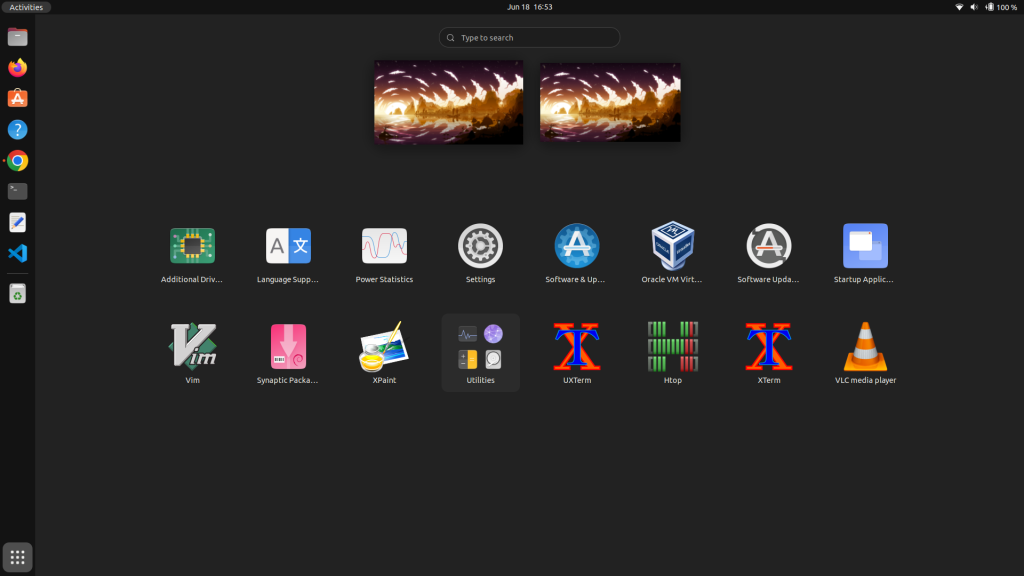
In Ubuntu, the application menu has more animations and is kind of more resource consuming whereas, Elementary OS has a more stylish and smoother application menu.
The file browser:
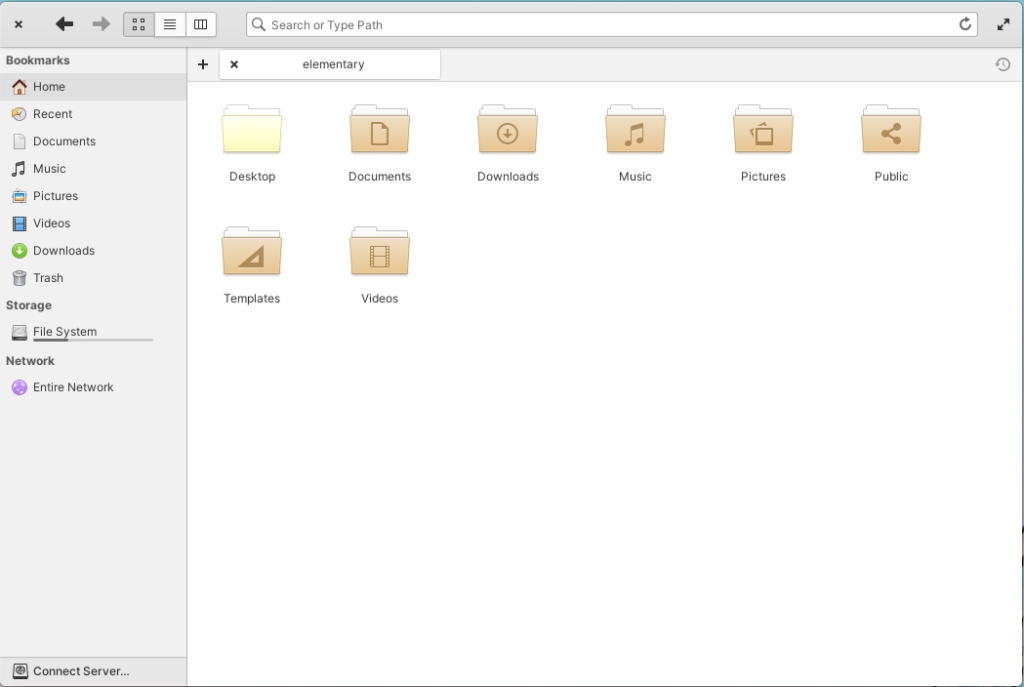
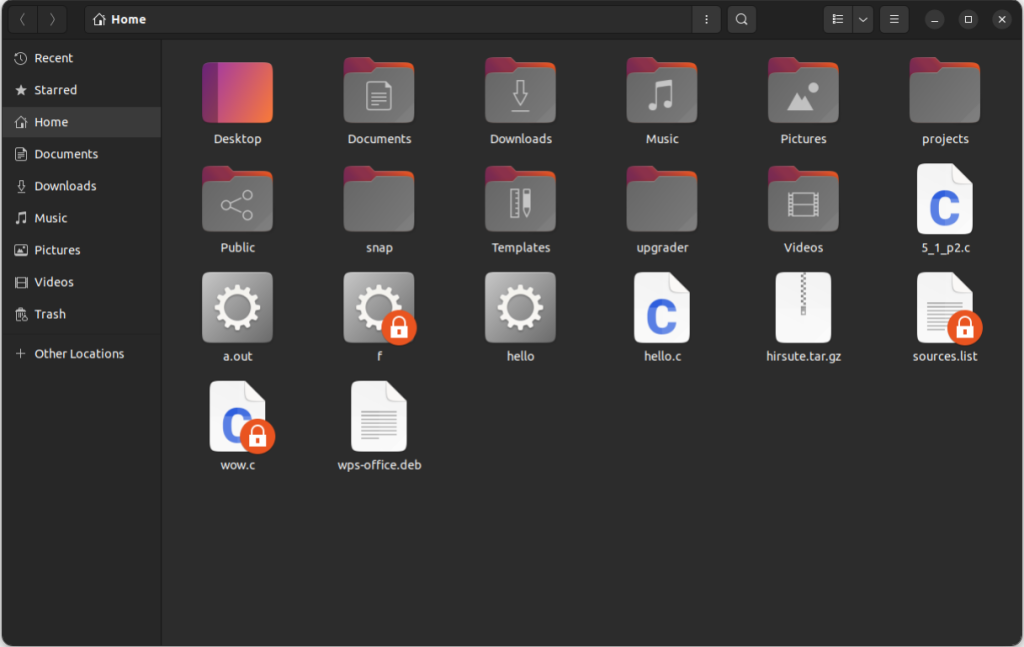
In my opinion, the file browser in Elementary OS is better than that of Ubuntu. In Elementary OS, the animations are good, and the navigation is quite smoother and is much easier to use as compared to Ubuntu.
Performance
The most important part of an OS is its performance. In this fast-paced world, we want an OS with a better performance that provides a better workflow. Performance-wise, Ubuntu is the clear winner. Ubuntu has less intense graphics and fewer animations but, it is faster than Elementary OS.
Through testing, it is clear that Ubuntu consumes less CPU and Memory resources than Elementary OS. Thus, I would prefer Ubuntu when it comes to performance and workflow.
Although when it comes to heavy tasks such as code compilation, video editing, rendering, and gaming, both the operating system will show similar performance as both have similar codebase.
Community & Support
Both of these distros have a wide variety of applications and packages available. You can get these packages in their official repositories. However, Elementary OS lacks some of the applications & packages as it is a minimal version of Ubuntu. Also, the support system for Elementary OS lags behind that of Ubuntu obviously as Ubuntu is arguably the best distro when it comes to customer support and services.
In Ubuntu, the LTS (Long Term Support) is a very crucial release. The LTS guarantees 5 years of support which is available for everyone and is free of cost. Because of Ubuntu LTS releases and frequent updates, it is deemed one of the most reliable distros.
Games and Software
Both of the operating systems have the same suite of games and software, so you won’t be missing any of your favorite applications if you are making a switch.
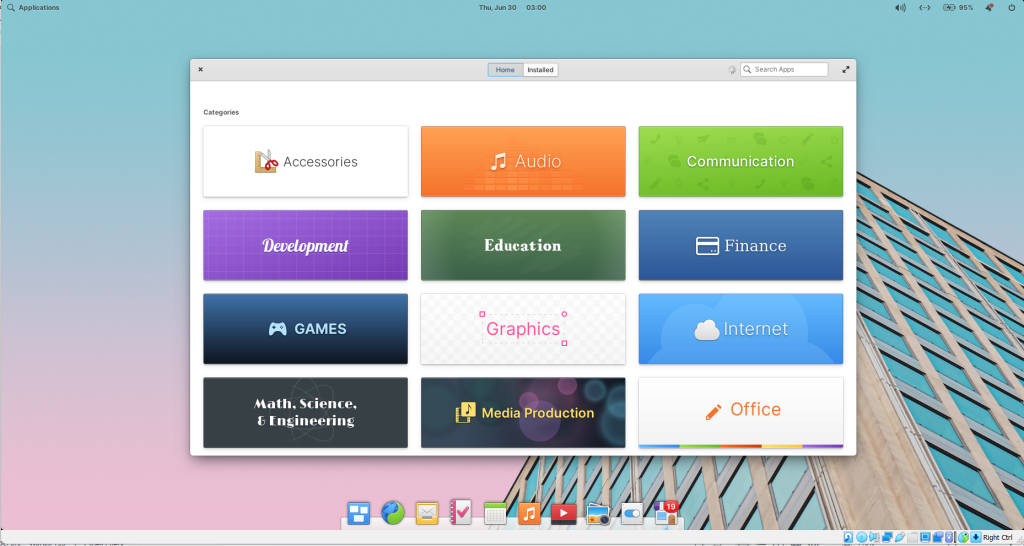
Now if we look at the Application Centre, elementaryOS has a smoother App Centre and it consumes less memory. Navigating and finding Applications in elementaryOS is much easier and faster.
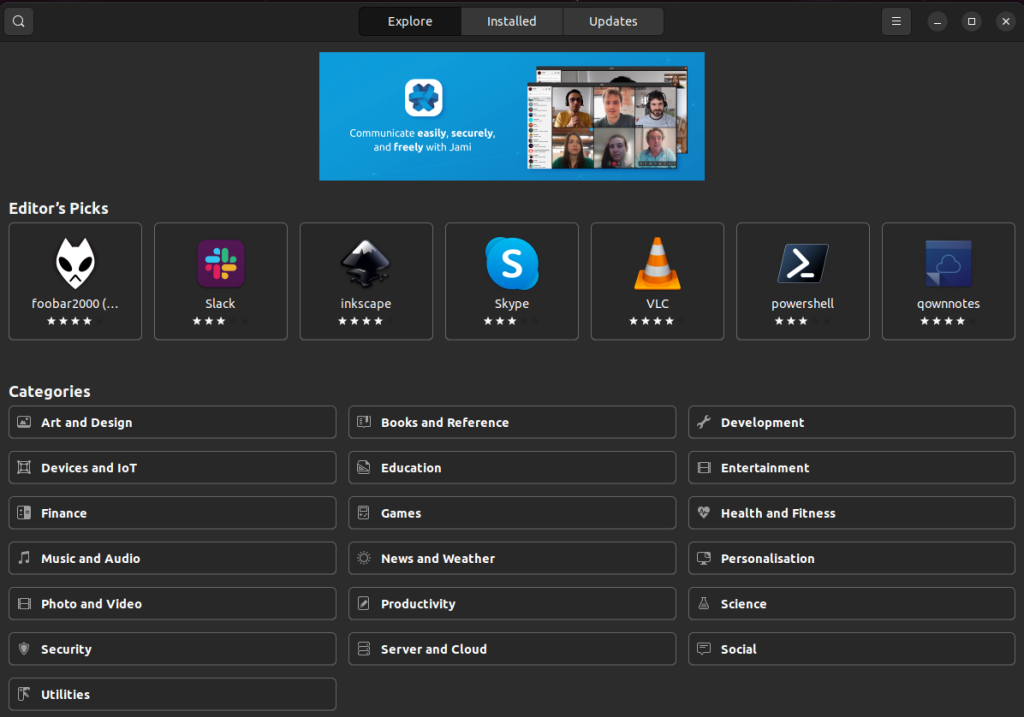
On the other hand, the Ubuntu Software application is notorious for its clunkiness but it still gets the job done.
In my personal experience, using Ubuntu software was not very pleasant due to the UI incongruencies. Thus, Elementary OS takes the win here.
Final take
Both of these distros are one of the best in Linux distros. Both of these provide stability, and performance and have huge communities. So the question is, which one to choose between them? I’d say, if you want better performance and can compromise the visuals, you should choose – Ubuntu. And, if you want something lightweight with better visuals and smooth UI, you should go for Elementary OS.