
You may have a sensor reading and want to see it or act on it. An IoT Raspberry Pi project connects a physical device or sensor to a network, where its readings can be stored, viewed or used to trigger an action.
I’ll walk through Raspberry Pi IoT project ideas and show how to plan a build.
TL;DR: Raspberry Pi IoT project ideas
Choose a Linux Raspberry Pi for a local server or dashboard. Consider Pico W for a small wireless sensor endpoint. Start with one reading, then decide where to send it and how to use it.
- Ideas include a weather station, plant monitor, smart-home hub, leak alert or device-health display.
- Local data and automations can avoid public-cloud dependence.
- Hobby sensors are not certified safety or security alarms.
What Is an IoT Raspberry Pi Project?
An IoT project connects a physical device or sensor to a network. That connection lets readings be stored, viewed or used to trigger an action.
Pico W adds Wi-Fi but runs its own firmware rather than Raspberry Pi OS. The official computer documentation and Pico documentation describe the difference.
| Board class | Fits when | Typical role |
|---|---|---|
| Raspberry Pi computer | The project needs Linux services, several integrations, storage or a richer local dashboard. | Local hub, broker, web server or data display. |
| Pico W microcontroller | A small device reads a sensor and sends a measurement over Wi-Fi. | Wireless endpoint that reports to another computer or service. |
New to the small-board route? Start with this Pico MicroPython guide.
Raspberry Pi IoT Project Ideas You Can Build
The projects below cover home control, sensor readings, alerts, monitoring and networked movement.
1. Build a local smart-home hub
Run Home Assistant on a Raspberry Pi computer to bring supported lights, switches and sensors into one local interface. Check each device’s integration and radio requirements. The Pi may need a separate coordinator for its wireless protocol.
Use the official setup guide for the current hardware recommendation. It specifies Pi 4 or 5, at least 2 GB RAM, a 32 GB microSD card and Ethernet for installation. Home Assistant OS is its recommended install type.
2. Measure local weather
Collect temperature, humidity and pressure. Add wind or rain sensors only if needed. For a simple station, send readings from a Pico W to a Pi computer that stores them and hosts the dashboard.
Enclosure, placement and calibration affect results, so compare readings with a nearby reference. Raspberry Pi’s weather-station project offers one design example.
3. Track plant soil moisture
Use a soil-moisture sensor to remind you to inspect a plant. Calibrate in the potting mix with a sensor designed for repeated soil use, then set a threshold for that plant and soil. Changes in the reading can be more useful than a single snapshot.
4. Watch indoor temperature and humidity
Record readings in several rooms and chart daily changes. Send a sensor’s measurements to a broker and show the time series in a dashboard. Keep the sensor away from sunlight, heaters and vents so it reflects room conditions rather than a local heat source.
5. Track energy use with certified meter data
Use readings from a supported smart meter or certified monitoring plug, then chart usage on a Pi. Keep power (watts) separate from energy accumulated over time (watt-hours) so the graph answers the right question.
Before buying, check how a meter exports readings and whether it needs cloud access or account setup. Keep mains voltage off GPIO.
6. Make a freezer-temperature reminder
Send a reminder when a probe stays above a threshold long enough to filter brief fluctuations. Store the readings alongside the alert so you can see whether the change was gradual or sudden.
Choose a probe rated for the environment. A hobby temperature reminder cannot establish whether food remained safe during a power loss.
7. Detect water near a leak-prone appliance
Place a low-voltage leak sensor near an appliance and make the Pi log or announce an event. A wireless endpoint needs its own power plan. Test the alert and decide what happens when the network fails.
A leak sensor can report water but cannot close the supply. Add a purpose-built shutoff where automatic isolation is required.
8. Log door and window state
A magnetic contact reports whether a door or window is open. Publish changes with a timestamp for the local dashboard. Check board limits, switch bounce and magnet alignment.
For intrusion protection, use a purpose-built security product.
9. Make a motion-triggered wildlife camera
Use motion detection to save images when wildlife passes a garden or feeder. A Pi computer can capture and store them locally. Lighting, weather protection and false triggers affect results.
Point the camera only at suitable areas, avoid recording neighbours or public spaces, and set a retention period.
10. Monitor a Pi or home server
Chart uptime, free storage and temperature from a Pi that runs local services to spot disk pressure or repeated reboots. Grafana visualizes a configured data source. A separate collector must provide hardware readings.
For a custom page, see this Flask server guide. For local apps, see the Pi Linux server guide.
11. Make a live information display
Fetch a public data feed such as weather forecasts or transit arrivals, then show selected fields on a local screen or web page. Request the feed on a schedule and cache its last successful result.
Show an update timestamp and a clear stale or unavailable state. Check provider terms and refresh limits, keep credentials out of source files and display only the fields needed. A Linux Pi with a browser-based dashboard suits this job better than a battery-powered sensor board.
12. Control a small networked rover
Use a Pi computer to receive a local control request and show camera status for a small low-voltage rover. A separate motor driver handles the motors, while the Pi provides the network interface and application logic.
Keep the project on a clear test surface and start with a physical power cutoff. Restrict control to the intended local users.
- Set a control timeout that returns the rover to a stop state if its connection drops.
- Check the motor driver’s voltage and current ratings against the motor and power supply specifications.
- Test at low speed on a clear, controlled surface. Confirm the stop behaviour before adding remote control.
How to Plan a Raspberry Pi IoT Project Step by Step
This three-stage example turns one project concept into a board choice, a data path and a sample event. I ran this script with bundled sample values. It prints a plan rather than sensor readings or network messages.
Step 1: Choose the sensor and board role
Decide whether the device only sends a reading or also hosts Linux software. This example uses a Pico W endpoint and a separate Pi for the broker and dashboard. Its values are examples.
import argparse
import json

SAMPLE = {
    "sensor": "room-temperature",
    "board": "Pico W",
    "location": "study",
    "temperature_c": 24.7,
    "alert_threshold_c": 28.0,
    "transport": "MQTT",
    "dashboard": "local dashboard",
}


def main():
    parser = argparse.ArgumentParser(description="Show a sample IoT project plan")
    parser.add_argument("--stage", choices=("board", "flow", "event"), required=True)
    stage = parser.parse_args().stage

    if stage == "board":
        print(f"Sensor: {SAMPLE['sensor']}")
        print(f"Board: Raspberry Pi {SAMPLE['board']}")
        print("Reason: a wireless sensor endpoint does not need a Linux host")
    elif stage == "flow":
        print(
            f"Data path: {SAMPLE['sensor']} -> Raspberry Pi {SAMPLE['board']} "
            f"-> {SAMPLE['transport']} -> {SAMPLE['dashboard']}"
        )
    else:
        payload = {
            "location": SAMPLE["location"],
            "temperature_c": SAMPLE["temperature_c"],
            "alert": SAMPLE["temperature_c"] >= SAMPLE["alert_threshold_c"],
        }
        print(f"Topic: home/{SAMPLE['location']}/temperature")
        print("Payload: " + json.dumps(payload, sort_keys=True))


if __name__ == "__main__":
    main()
Save the source as iot_project_plan.py. The same file prints each planning stage without installing packages:
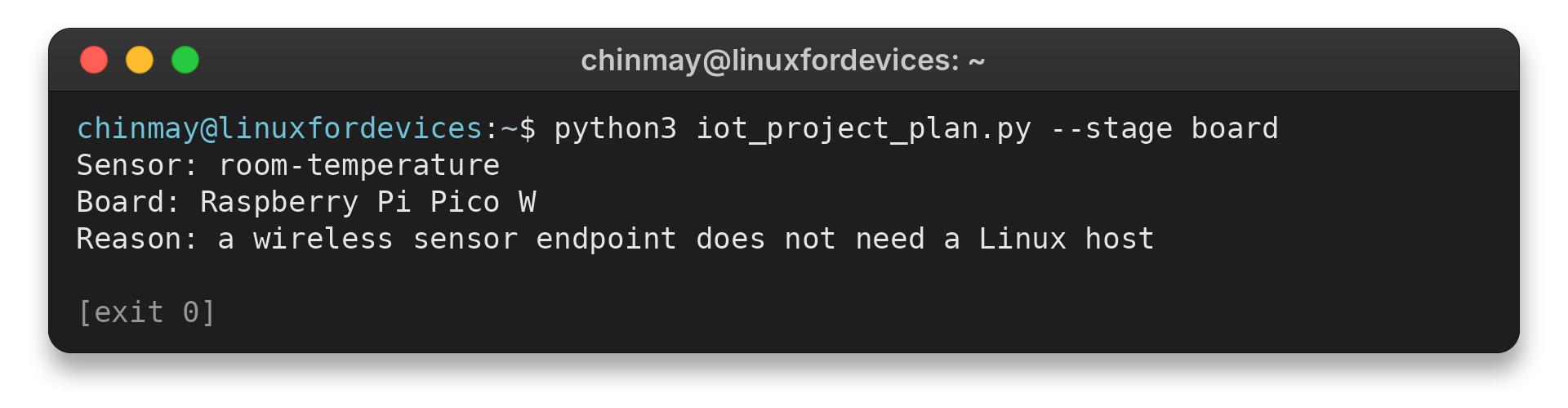
Run this command to print the board choice:
python3 iot_project_plan.py --stage board
Sensor: room-temperature
Board: Raspberry Pi Pico W
Reason: a wireless sensor endpoint does not need a Linux host
Step 2: Draw the data path
Map each handoff: sensor to endpoint, endpoint to broker, then broker to dashboard. MQTT carries messages and a broker such as Mosquitto routes them.
A dashboard reads a configured data source. Node-RED can transform or route events. Each tool has a separate role.
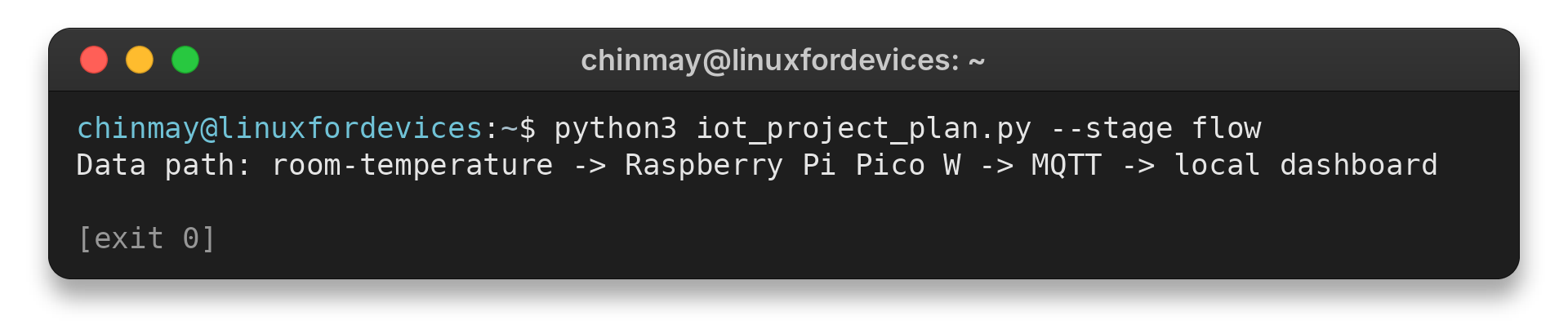
Run the flow stage:
python3 iot_project_plan.py --stage flow
Data path: room-temperature -> Raspberry Pi Pico W -> MQTT -> local dashboard
Step 3: Define one event and its limit
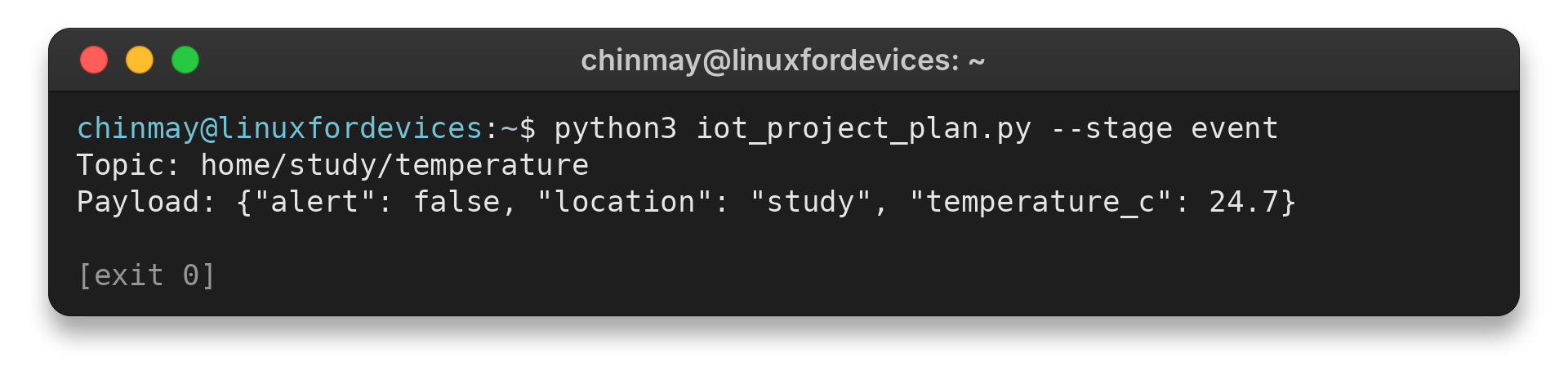
Choose a topic, a small payload and an explainable threshold. The script compares its sample 24.7 °C value with a 28.0 °C threshold and prints a false alert flag. It sends no sensor data and exercises no broker or notification.
Run the event stage:
python3 iot_project_plan.py --stage event
Topic: home/study/temperature
Payload: {"alert": false, "location": "study", "temperature_c": 24.7}
For a Linux board, follow the Imager guide to prepare boot media. A headless Pi can be reached using the remote connection guide. The sample script changes no system settings.
Raspberry Pi IoT Project Limits and Next Steps
Check the common failure cases before leaving a prototype unattended. Enclosure, placement and outages can change its behaviour.
| Failure case | What you may notice | Practical response |
|---|---|---|
| Power supply is undersized | Unexpected restarts or unstable accessories | Match supply to the board and attached devices. Raspberry Pi lists the Pi 5 recommendation on its product page. |
| Sensor interface is mismatched | Missing or implausible values | Check signal and voltage limits before connecting. Keep mains voltage off GPIO. |
| Network or notification service is down | Remote alert arrives late or not at all | Decide what local behaviour remains and test the offline path. |
| History grows without a retention plan | Storage fills and writes may fail | Set a sample interval, retention period and backup path. |
| Camera or dashboard is exposed | Private data is visible beyond intended users | Restrict access and limit stored camera or occupancy data. |
| Sensor drifts or freezes | Values stop changing or disagree with a reference | Calibrate in place and check for stale readings. Decimal precision alone does not establish accuracy. |
| Prototype used for a safety decision | A missed event creates a risk to people or property | Use maintained certified smoke, security, medical, leak or food-safety products for protection. |
Add one feature at a time: a chart, local automation or secured remote view. The LinuxForDevices Pi server guide covers local services. Its Grafana guide covers a data-source-backed graph.
Conclusion: Match the Board to the Project
Build just enough to answer one useful question. Add a chart or notification only when its source reading is trustworthy.
Follow the official Pi computer, Home Assistant or Node-RED guide for the chosen project.
FAQ
Board and service choices determine how a first connected-device build works.
Is Raspberry Pi good for IoT?
Yes, a Raspberry Pi computer suits projects that need Linux services, storage or a local dashboard. Pico W suits a smaller wireless sensor endpoint.
Which Raspberry Pi is best for IoT projects?
Choose by workload. Use a Linux Raspberry Pi for a hub or dashboard, and consider Pico W for a small Wi-Fi sensor controller.
Is Arduino better than Raspberry Pi for IoT projects?
Neither is always better. Compare the exact controller, power needs, libraries and whether the project needs Linux.
Can a Raspberry Pi IoT project work offline?
Many local readings and automations can work on the home network without internet. Remote notifications, cloud APIs and outside access may still need a connection.