
XMRig is a command-line miner and benchmark for RandomX, KawPow, CryptoNight, and GhostRider workloads. Install it only on hardware you own or administer with explicit permission.
Choose the installation path
Use the official prebuilt archive when you need a supported XMRig binary without compiling. Build from source when you need to inspect or change the build, or when the download page does not provide an archive for your distribution and architecture.
| Path | Use it when | What you need |
|---|---|---|
| Official archive | You run a listed Ubuntu release or the static Linux x64 build. | A matching architecture and the checksum from the download page. |
| Source build | You need a locally built binary or a different build configuration. | Compiler tools, CMake, and the documented development libraries. |
The official download page lists Ubuntu archives for 24.04, 22.04, and 20.04, plus a static Linux x64 archive. Match the archive to your operating system and CPU architecture rather than substituting a filename from an older release.
Match the archive to the system.
Install the official Linux archive
Start by checking the architecture that the archive must support. The Linux command-line basics cover navigation and file commands if you need a quick refresher before extracting an archive.
uname -m
For an x86_64 system, download the current static Linux x64 archive from XMRig’s download page. Use curl with the published URL and keep the archive in a dedicated directory, not a shared download folder.
The archive name must match the architecture output.
mkdir -p ~/xmrig-install && cd ~/xmrig-install
curl -LO https://github.com/xmrig/xmrig/releases/download/v6.26.0/xmrig-6.26.0-linux-static-x64.tar.gz
tar -xzf xmrig-6.26.0-linux-static-x64.tar.gz
cd xmrig-6.26.0
If you prefer wget, use the matching URL with the wget download command. The archive approach stays useful when your distribution package is older than the current upstream release.
Extract first, then inspect the binary.
Verify XMRig before configuration
Run the version command from the extracted directory. It confirms that the file can start and identifies the build before it receives any mining configuration.
./xmrig --version
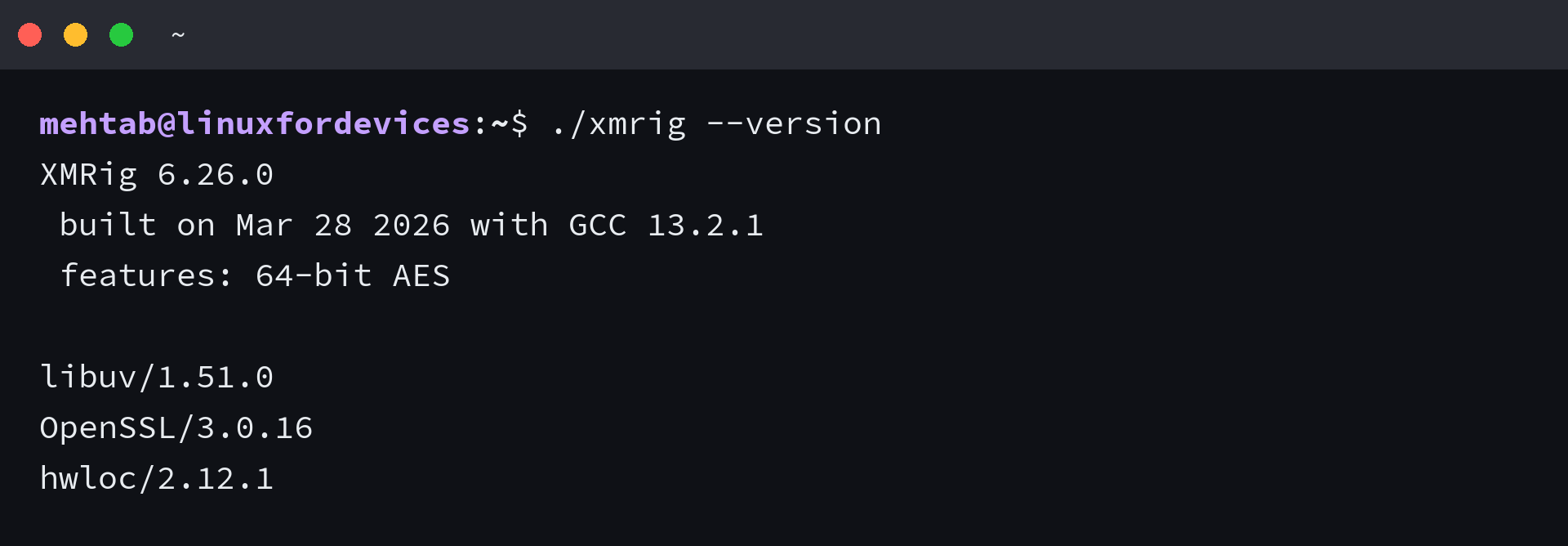
The command reported XMRig 6.26.0 for the official static Linux x64 archive used for this refresh. Version output does not begin mining, and it does not expose a wallet address or pool endpoint.
Stop here if the version command fails.
Build XMRig from source on Ubuntu
XMRig documents a basic Ubuntu build that uses Git, build-essential, CMake, libuv, OpenSSL, and hwloc development packages. Read the Linux package management guide before installing development packages if you need to confirm how apt manages repositories and packages.
sudo apt install git build-essential cmake libuv1-dev libssl-dev libhwloc-dev
git clone https://github.com/xmrig/xmrig.git
mkdir xmrig/build && cd xmrig/build
cmake ..
make -j$(nproc)
The documented build lists hwloc as a required dependency. If CMake cannot find HWLOC, install libhwloc-dev and rerun the configuration step instead of treating the incomplete build directory as an XMRig installation.
Resolve missing build dependencies before compiling again.
Add a configuration without exposing it
Use the XMRig configuration wizard or the project configuration documentation to create config.json for your pool and wallet. Treat that file as sensitive operational data, and do not paste it into a public issue, chat, or shared shell history.
Keep the binary and config.json in the same extracted directory, then launch XMRig only after you have reviewed the pool endpoint, wallet address, and thread settings. The Linux users and permissions guide helps you decide which account should own that directory.
Check resource use while XMRig runs
Mining can use substantial CPU capacity and increase heat and electricity use. Monitor the host from a separate terminal, and stop the workload if it interferes with services or exceeds the limits you set for the machine.
top
Use the CPU, disk, and memory monitoring guide when you need more than a quick process view. If you download a new archive later, the curl download guide explains options for saving and inspecting files from the terminal.
What to verify before you run a workload
- You selected an archive that matches your Ubuntu release or Linux architecture.
- The XMRig version command completes from the extracted directory.
- Your config.json contains only a pool and wallet you are authorized to use.
- You have a resource-monitoring plan and permission to use the host.
Keep the official download page bookmarked and verify the archive name, checksum, and supported operating system before every fresh installation.