

The Komikku manga reader on Linux lets you browse, download and read manga and comics without opening a browser. Unlike the Koodo e-book reader (which only opens files you already own), Komikku pulls series from online servers straight into your library.
It is a free GNOME app written in Python. This guide shows how to install it on Fedora, Arch Linux and any other distro, then covers its main features and a few setup tips.
What is the Komikku manga reader?
Komikku is a free manga reader for GNOME built with Python, GTK4 and libadwaita (GNOME’s UI toolkit and style library). Valéry Febvre maintains it on Codeberg under the GPLv3+ license and it is a GNOME Circle app. The name comes from コミック, the Japanese word for comics.
It runs only on Linux. The app looks best on the GNOME desktop environment but works on any desktop. The adaptive layout also scales down to phones, so it runs on Linux phones too.
Install Komikku on Linux
Fedora and Arch Linux ship Komikku in their official repositories. Every other distro can use the Flatpak build (a sandboxed app package that works across distros) from Flathub, which usually has the newest release.
Install Komikku on Fedora
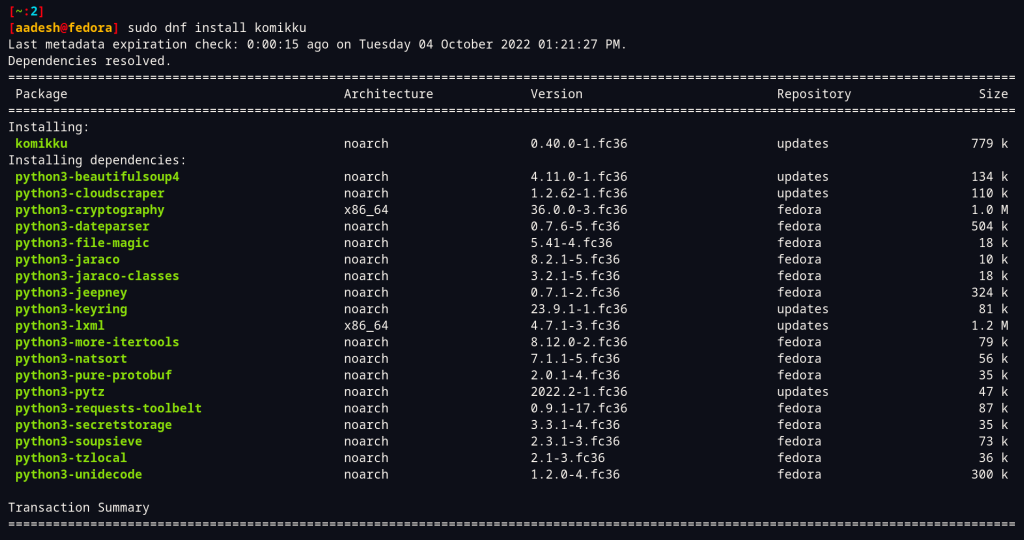
Fedora packages Komikku in its official repositories, so one dnf command (Fedora’s package manager) is enough. The command asks for your sudo password and then pulls in the app with its dependencies.
sudo dnf install komikku
Install Komikku on Arch Linux
Komikku now sits in the official Extra repository, so a plain pacman command (Arch’s package manager) works and you do not need an AUR (Arch User Repository) helper like yay. The old AUR package was deleted after the move.
sudo pacman -S komikku
Distro packages can trail Flathub. The Arch package page listed 50.12.1 in my search while Flathub had 51.2.1. Our pacman guide covers the basics if you are new to it.
Install Komikku with Flatpak on any distro
For any other Linux distribution, install Komikku from Flathub once Flatpak is enabled. If you have not set it up yet, follow our guide to enable Flatpak and Flathub on Linux.
flatpak install flathub info.febvre.Komikku
The Komikku package itself is a 41 MiB download on Flathub and Flatpak adds any missing runtime on top. Because Flatpak apps run in a sandbox, you can review their permissions with Flatseal. Start Komikku from your application menu or launch it from the terminal.
flatpak run info.febvre.Komikku
Features of Komikku manga reader on Linux
Komikku covers the whole reading flow from finding a series to picking up where you stopped. The list below includes newer additions such as the OCR (optical character recognition) translator and series tracking.
- You can read comics online from a number of supported services.
- Comics can also be downloaded for offline reading.
- Local series open in CBZ, CBR, CBT, EPUB and PDF formats.
- Manga and comics can be categorized in your library for a clean interface.
- Automatic update and automatic chapter downloads are available for comic books.
- Series tracking works with AniList, MangaUpdates and MyAnimeList.
- An OCR translator is built into the reader.
- Touchpad and touchscreen support.
- Theming options include light and dark themes.
- History is available so that you can pick up reading where you left it.
- LTR, vertical, RTL and Webtoon reading modes are available.
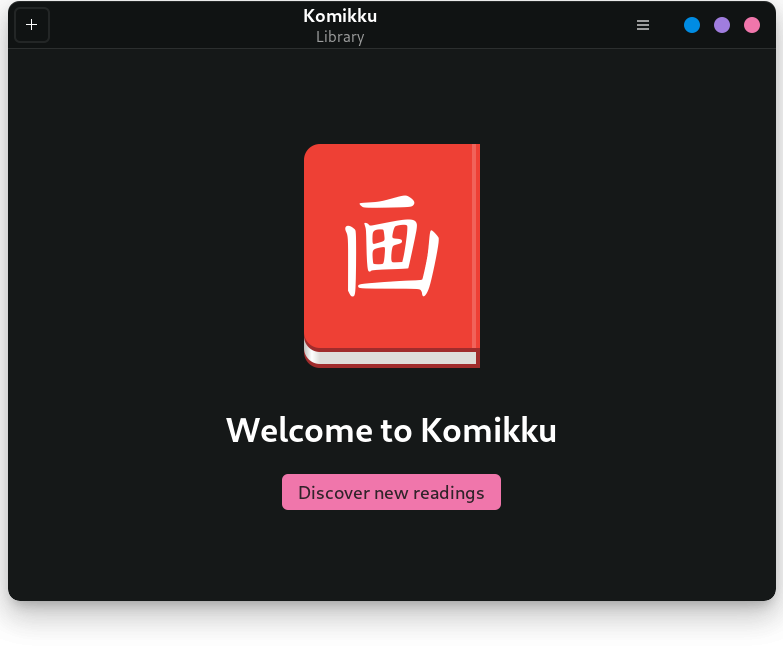
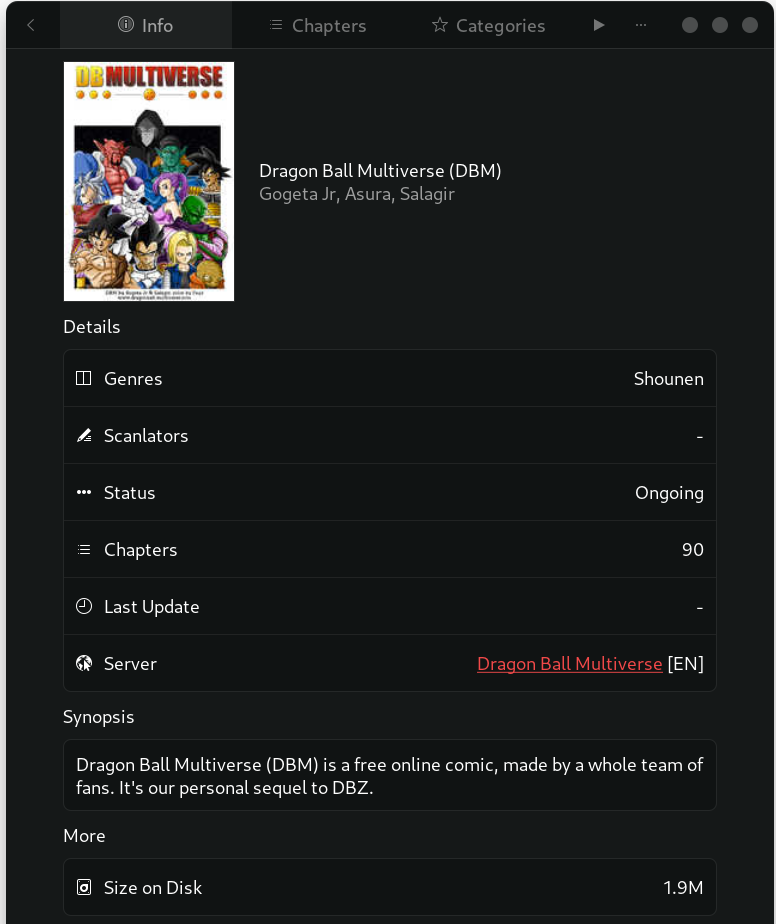
Add a series and start reading in Komikku
Komikku has no content of its own and works like a browser for online manga servers. Pick a server, add a series to your library and the app handles chapters and downloads from there.
- Open Komikku from your application menu.
- Open Preferences and limit servers to the languages you read.
- Click the plus icon in the toolbar to open the server list.
- Pick a server and use its Popular tab or search box.
- Open a series and click plus to add it to your library.
- Select it in your library and press play.
Online servers change often. Release 51.2.1 on Flathub disabled ten servers and updated a few more, so a source that worked last month can vanish after an update. If a server fails, switch to another one.
Update or remove Komikku
Update the Flatpak build with the first command below. Distro packages update with your normal system updates. To remove Komikku, use the command that matches your install method. The Flatpak version takes the delete-data flag, which also deletes the app’s saved data.
# Update the Flatpak build
flatpak update info.febvre.Komikku

# Remove it (Flatpak, Fedora, Arch Linux)
flatpak uninstall --delete-data info.febvre.Komikku
sudo dnf remove komikku
sudo pacman -R komikku
Frequently asked questions
Is Komikku free to use on Linux?
Yes. Komikku is free software under the GPLv3+ license and costs nothing. The app has no content of its own, so what you read depends on the servers you add.
Does Komikku work on Windows or macOS?
No. Komikku is a GNOME app that runs only on Linux. It looks best on GNOME but works on other desktops, and the layout adapts to phone screens too.
How do I install Komikku on Ubuntu or Debian?
Install Flatpak with apt, add the Flathub remote, then run flatpak install flathub info.febvre.Komikku. The app then shows up in your application menu.
Can Komikku open comics I already have?
Yes. Komikku opens local series in CBZ, CBR, CBT, EPUB and PDF formats, so you can read files you already own as well as online series.
Why does a Komikku server stop working?
Servers depend on outside websites and the developer disables or updates them between releases. Update the app and try another server from the list if one fails to load.
Conclusion
The Komikku manga reader installs with one command on Linux: sudo dnf install komikku on Fedora, sudo pacman -S komikku on Arch Linux and the Flathub Flatpak everywhere else. Add a server from the plus button, expect some servers to fail after updates and keep the app up to date.