
Linux Mint Debian Edition looks like a second Cinnamon download on Mint’s page, but the base underneath is different. LMDE 7 “Gigi” runs on Debian 13 while Linux Mint 22.3 “Zena” runs on Ubuntu 24.04. That choice changes your kernel, your driver setup and the packages you can install. Mint 27 is also planned for Christmas 2026. So this guide helps you decide if the Linux Mint Debian switch is worth a fresh install now.
LMDE changes the base beneath Cinnamon
Linux Mint Debian Edition (LMDE) is Linux Mint built on Debian instead of Ubuntu. The current releases are LMDE 7 “Gigi,” based on Debian 13 “Trixie,” and Linux Mint 22.3 “Zena,” based on Ubuntu 24.04 long-term support (LTS).
Both editions center on Cinnamon and include Mint tools, though their tool sets are not identical. Linux Mint’s release explanation for the 22.x and LMDE 7 bases makes the split explicit, while the 22.3 release notes list the current main edition and its support details.
| Edition | Base | What that means |
|---|---|---|
| Linux Mint 22.3 “Zena” Cinnamon | Ubuntu 24.04 LTS | The main edition includes the Ubuntu-integrated driver workflow and is supported through April 2029. |
| LMDE 7 “Gigi” | Debian 13 “Trixie” | Mint’s Debian-based edition, with a separate package base and release path. |
I compared Mint’s release pages and found that LMDE exists to test whether Mint software works beyond Ubuntu. That purpose does not promise faster performance or identical tools.
What changes with LMDE 7
The desktop can feel familiar while package sources and hardware tools change underneath it.
- Snap is not a reason on its own. Linux Mint 22.3’s release notes say the Snap Store is disabled there too. You can choose LMDE for its Debian base, but you do not need to change editions just to avoid the Snap Store.
- Driver setup is less guided. The main edition’s Driver Manager is documented in Mint’s installation guide, while a 2026 Linux Mint forum thread about LMDE 7 discusses its absence there. Check the support path for your exact graphics card or Wi-Fi device before you install it. That absence does not mean the device cannot work.
- Native packages come from different repositories. Both editions use the Advanced Package Tool (APT) and Debian packages, but an Ubuntu-targeted package can depend on Ubuntu-specific libraries. Do not add Ubuntu repositories to LMDE or assume that a package built for one base will behave the same on the other.
APT installs packages from configured repositories. An Ubuntu-targeted dependency may not exist in Debian even when the app has the same name.
If an app depends on a native package, check whether its vendor supports both bases. An AppImage can reduce reliance on the system’s APT repository, though the app still sets its own requirements.
LMDE 7 vs Linux Mint 22.3 on kernel, Cinnamon and support dates
The two editions share a desktop but not their version numbers. These are the differences I checked against Mint’s release notes and the official Debian 13 release page.
- Kernel: LMDE 7 ships Debian’s 6.12 kernel. Linux Mint 22.2 and 22.3 ship the 6.14 hardware enablement (HWE) kernel to support newer AMD processors.
- Cinnamon: Mint 22.3 ships Cinnamon 6.6. LMDE 7 launched with Cinnamon 6.4 and people report online that Mint’s LMDE repository now carries 6.6 packages. Check Update Manager on your own install.
- Support: Debian 13 has full support until 9 August 2028 and LTS until 30 June 2030. Linux Mint 22.3 is supported until April 2029.
- Architecture: LMDE 7 is 64-bit only because Debian 13 keeps i386 only as a co-architecture for running 32-bit software.
Mint sets LMDE end-of-life dates itself. It retired LMDE 6 on 1 January 2026, so do not assume Debian’s calendar is Mint’s calendar. If you like Cinnamon, the Cinnamon customization guide works on both editions.
Debian 13 changes you notice on LMDE 7
LMDE 7 inherits Debian 13’s package tooling. APT 3.0 uses the new Solver3 dependency resolver (the part that decides which packages to install or remove) and prints colored output. Check your version with this command:
apt --version
The first line should start with apt 3.0 or newer. Debian 13 also mounts /tmp as tmpfs (a filesystem that lives in RAM). Files in /tmp are cleaned after 10 days and files in /var/tmp after 30. Compilers and video editors benefit from the faster temporary storage.
findmnt /tmp
Look for tmpfs in the FSTYPE column. Anything you need after a reboot does not belong in /tmp. LMDE 7 also gained OEM install support, which Mint built during the 22.2 cycle and then tested on the Debian base.
Reviews of LMDE 7 note that kernel 6.12 adds fan profile and battery controls for some ASUS Vivobook, ThinkPad and recent Dell laptops. Our Linux battery health guide shows how to read the numbers.
Check your software and hardware first
Start with the software and devices you rely on, not a broad claim about which distribution is better. Check the vendor’s supported package before changing your operating system.
| Your requirement | LMDE is a fit when | Main Linux Mint is a fit when |
|---|---|---|
| Native packages | Your required app supports Debian or a format available on both bases. | The vendor documents Ubuntu packages or a repository tied to Ubuntu. |
| Graphics and Wi-Fi | Your device works with the available Debian driver and firmware path. | You want the Ubuntu-based Driver Manager for supported proprietary drivers. |
| Snap Store | You want Debian for reasons beyond Snap. | You want the Ubuntu-based Mint edition without the Snap Store enabled by default. |
A .deb file names a package format, not a guarantee that its dependencies match your release. Check the vendor’s supported distribution before adding a repository or installing the package.
The AppImage installation guide covers that format. The Slack package guide compares .deb and Flatpak, while the Visual Studio Code and Ubuntu .deb guides show their package paths.
If you rely on a proprietary driver, verify support for your exact device and the release kernel. Linux Mint 22.3’s notes flag a problem with older NVIDIA 470 drivers on its newer hardware enablement (HWE) kernel, so the presence of a Driver Manager is not a guarantee for every card.
Install NVIDIA drivers on LMDE 7 without Driver Manager
LMDE has no Driver Manager, so NVIDIA setup happens in the terminal through Debian’s packages. Debian’s driver follows Debian’s release schedule, which means it can trail NVIDIA’s newest branch.
Enable the non-free components
NVIDIA’s driver lives outside Debian’s main component. Add contrib, non-free and non-free-firmware to your Debian repository entries, then refresh the package lists so APT sees the new packages.
sudo apt update
Install the driver
Install the kernel headers first. DKMS (the system that rebuilds kernel modules after each kernel update) needs them to build the NVIDIA module. Add nvidia-smi yourself because Debian does not pull it in with the driver.
sudo apt install linux-headers-amd64 nvidia-driver nvidia-smi
sudo reboot
Check that the driver loaded
After the reboot, run nvidia-smi. A table listing your GPU and driver version means the module loaded. If Secure Boot is on, the kernel refuses an unsigned module, so sign it or turn Secure Boot off before you test.
nvidia-smi
People report online that a black screen after the first reboot usually points to Secure Boot or missing headers. Press Ctrl+Alt+F2 for a text console and check there.
Get a newer kernel on LMDE 7 with Debian backports
Kernel 6.12 suits most machines. If a Wi-Fi chip or GPU is too new for it, Debian’s backports (newer packages rebuilt for the stable release) can supply a later kernel without leaving Debian 13. This follows Debian’s backports instructions.
Create a sources file for trixie-backports. The heredoc (a shell block that feeds text straight into a command) writes it in one step and the second command refreshes APT. Debian’s own examples use this deb822 format.
sudo tee /etc/apt/sources.list.d/debian-backports.sources <<'EOF'
Types: deb
URIs: http://deb.debian.org/debian
Suites: trixie-backports
Components: main contrib non-free non-free-firmware
Enabled: yes
Signed-By: /usr/share/keyrings/debian-archive-keyring.gpg
EOF
sudo apt update
Now install the kernel and headers from that repository. The -t flag tells APT to prefer trixie-backports for these packages and pull any missing dependencies from there.
sudo apt install -t trixie-backports linux-image-amd64 linux-headers-amd64
Debian treats backports as best-effort because they get less testing than stable. Keep the old kernel installed so you can pick it from the GRUB menu. People report online that the packaged NVIDIA driver can fail to build against the newest backports kernels.
Try both editions before installing
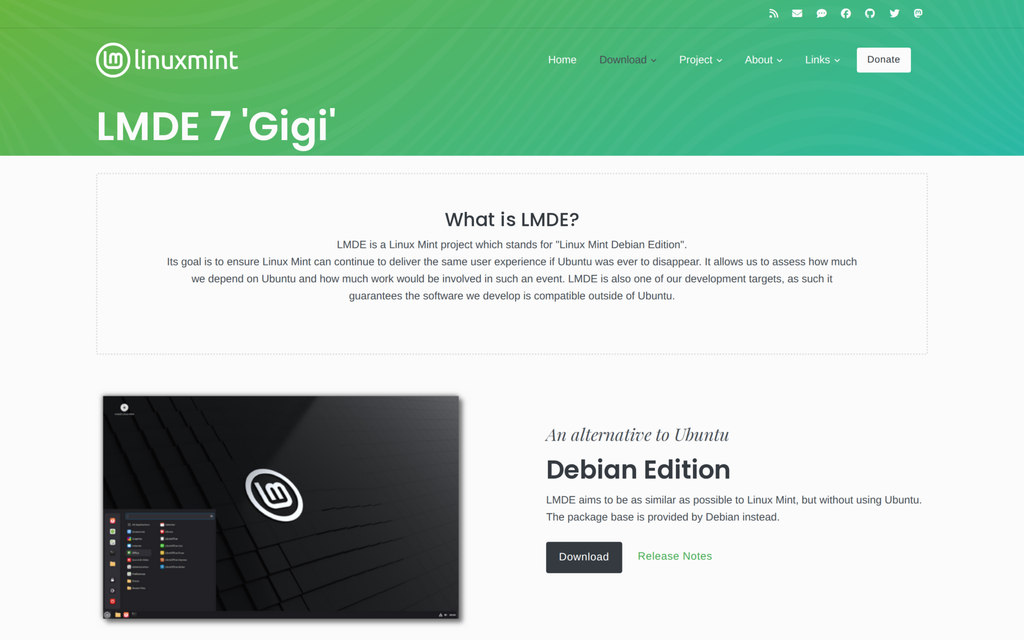
Open the official LMDE 7 download page and Linux Mint 22.3 Cinnamon page before choosing an image. The screenshots show their release names, not how your hardware will behave.
Linux Mint’s main edition page lists 22.3 “Zena” Cinnamon. Boot both live images to test the devices you depend on.
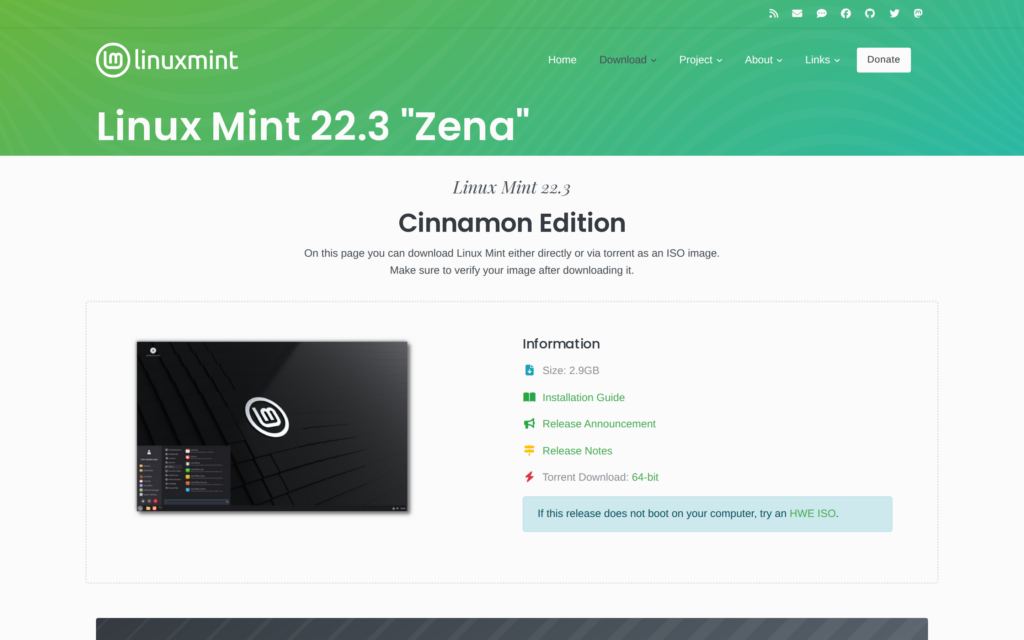
Check Wi-Fi and display output on the machine you plan to use. Test suspend before installing.
Switching editions means a fresh installation
Mint’s upgrade instructions for LMDE 7 cover an upgrade from LMDE 6, not from the Ubuntu-based edition. A Linux Mint forum discussion confirms the two bases do not share an in-place upgrade path.
Switching bases requires a fresh installation. Changing repository addresses is not a safe substitute, so back up your files before installing LMDE.
A package inventory is only a starting list, not a restorable system image. Verify each app’s supported source, and keep user files and recovery data on separate storage before installing LMDE.
- Back up your home files and application settings to another drive. Keep recovery keys and any encryption details with the backup.
- Write down the native applications and third-party repositories you use. The APT package inventory guide can help you record installed packages before reinstalling.
- Boot LMDE from a bootable installer drive and check your devices before installing. Review the partitioning tool guide if you need to plan a manual disk layout.
LMDE 6 reached end of life on 1 January 2026, so anyone still on it should move to LMDE 7 with Mint’s upgrade tool. Back up first and expect a long upgrade. Run these commands in order:
sudo apt update
sudo apt install mintupgrade
sudo mintupgrade
Linux Mint Debian and the next Mint release
Timing matters here. Mint’s September 2026 news post says the next release is Linux Mint 27 “Adrien,” planned for Christmas 2026 on Ubuntu 26.04 LTS. It started life as Mint 23 “Alfa” before the team renamed it.
Mint is also moving to one release a year with year-based numbers. There are no more point releases like 22.3. Users upgrade from 27 to 28 and onward. That ends the cadence this article compares against.
- Happy on Mint 22.3 with no Debian reason: wait for Mint 27 before any reinstall. I found no upgrade details for 22.3 users yet.
- Want Debian packages today: LMDE 7 is available now and Debian 13 is supported until 2030.
- LMDE is not new: its first ISO appeared in 2010, years before Ubuntu shipped Snap.
I read in Mint’s January 2026 news that shipping two releases a year while maintaining LMDE left less time for feature work. I found no announced date for the next LMDE.
Choose LMDE when Debian solves a specific need
LMDE changes the package source and driver path. Cinnamon remains familiar across both editions.
| Choose LMDE 7 when… | Stay on Linux Mint 22.3 when… |
|---|---|
| You specifically want Linux Mint on Debian 13 and have checked your apps and devices. | You rely on Ubuntu-targeted repositories or want the main edition’s Driver Manager. |
| You are willing to back up and install the other base from scratch. | You have no Debian-specific reason to replace a working Mint setup. |
| You want Mint’s own tools tested beyond its Ubuntu base. | Avoiding the Snap Store is your only concern, since Mint 22.3 disables it too. |
Boot the official LMDE image on your machine before changing the installed system. Stay on Mint if a device or app you rely on fails in the live session.
Key Takeaways
- LMDE 7 uses Debian 13 and Mint 22.3 uses Ubuntu 24.04.
- LMDE 7 ships kernel 6.12 and Mint 22.3 ships 6.14.
- LMDE has no Driver Manager so install NVIDIA from Debian’s packages.
- Debian backports can supply a newer LMDE kernel.
- Mint 22.3 disables the Snap Store too.
- Switching editions means a fresh installation.
- Mint 27 is planned for Christmas 2026.
- Check each app’s supported package source first.
- Boot both live images before you decide.
Frequently asked questions
Is LMDE a rolling release?
No. LMDE 7 is based on Debian 13 stable. Updates arrive for that release, and moving to another LMDE version follows Mint’s supported upgrade path.
Is LMDE faster than standard Linux Mint?
Neither base guarantees a speed improvement. The package base and Cinnamon alone do not predict performance on your hardware, so test your own machine in a live session.
Does LMDE have a Driver Manager?
No. LMDE does not include Mint’s Driver Manager. Install proprietary drivers like NVIDIA’s from Debian’s non-free packages with APT after checking that your card is supported.
Is LMDE based on Ubuntu?
No. LMDE 7 uses Debian 13 packages directly. Mint’s main edition uses Ubuntu 24.04 LTS and the upcoming Mint 27 will use Ubuntu 26.04 LTS.
Can I upgrade from Linux Mint to LMDE without reinstalling?
No. The two editions use different package bases so Mint has no in-place path between them. Back up your files and do a fresh LMDE installation.
How long will LMDE 7 be supported?
Debian 13 has full support until 9 August 2028 and LTS until 30 June 2030. Mint sets LMDE end-of-life dates itself and ended LMDE 6 on 1 January 2026.
Should I wait for Linux Mint 27 before switching?
If you have no Debian reason, wait. Mint 27 is planned for Christmas 2026 on Ubuntu 26.04 LTS and I found no upgrade details for 22.3 users yet.
Conclusion
Linux Mint Debian Edition is worth the switch only if you want Debian 13 packages under Cinnamon and your apps and hardware work in a live session. Otherwise stay on Mint 22.3 and wait for Mint 27. Switching bases needs a fresh installation, so back up all your files first.