
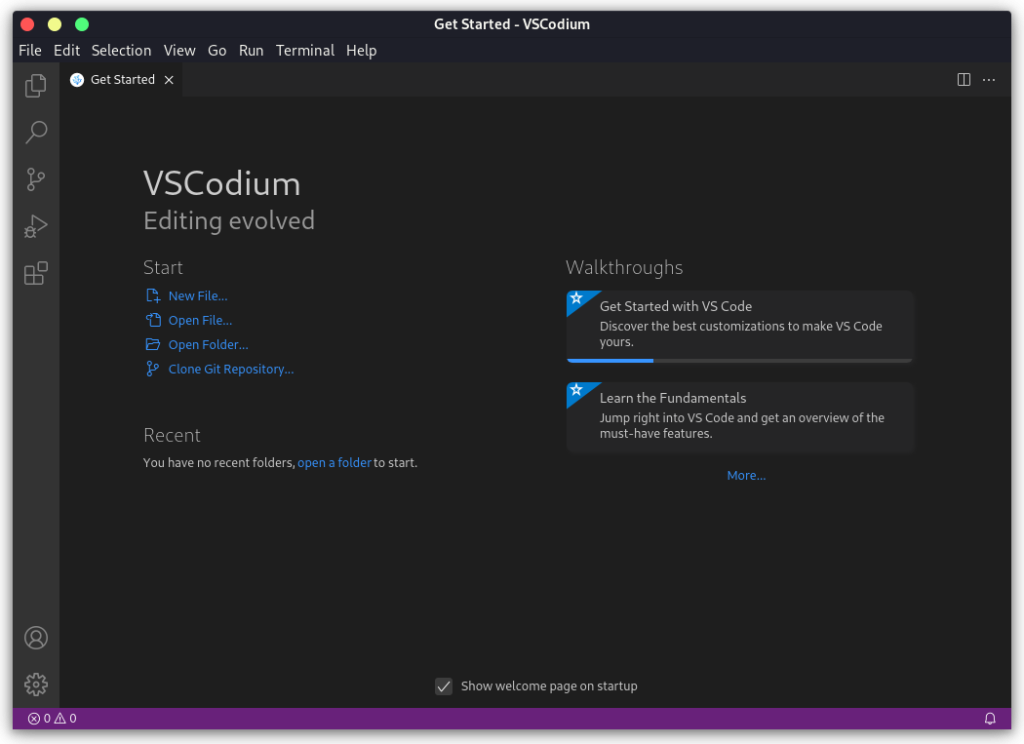
Choosing an editor for Linux also means deciding how to install it and where to find extensions. VSCodium is a code editor based on Visual Studio Code and an alternative to Microsoft’s editor.
I’ll show you how to install VSCodium from a Linux package source and explain how its extension gallery differs from Visual Studio Code’s.
TL;DR
VSCodium is a community-built distribution of Visual Studio Code source, with built-in telemetry settings disabled by default. Install it through the package source maintained for your Linux distribution.
- Debian or Ubuntu: follow the current VSCodium APT repository instructions.
- Fedora or openSUSE: use the project’s RPM repository instructions.
- Other supported Linux systems: check Flatpak, Snap, or your distribution’s package source.
What is VSCodium?
VSCodium is a community-built distribution of Visual Studio Code source. Its build scripts fetch Microsoft’s open-source vscode repository and apply the project’s configuration before publishing binaries. The project states that these binaries use the MIT license and have built-in telemetry disabled by default.
VSCodium’s community configuration changes branding, defaults, and service endpoints in the shared VS Code source. The extension gallery and some Microsoft services differ too.
| Choice | What it means |
|---|---|
| Visual Studio Code | Microsoft’s branded build, with its product defaults and services. |
| VSCodium | Community-built binaries with built-in telemetry settings disabled by default and a community-selected gallery. |
How to install VSCodium on Linux
Choose one package route. The official project page lists distribution-specific commands and package names.
Step 1: Choose the package source
Debian/Ubuntu and Fedora-family users can get updates through APT or RPM repositories. The official guide has separate signing-key and repository steps for each release family.
Snap and Flatpak are options when their package manager is configured. Arch users can install vscodium-bin from the AUR. Enable only the source you plan to use.
Step 2: Install from the official project instructions
For Debian or Ubuntu, follow the current key and repository setup on the VSCodium installation page, then run:
sudo apt update
sudo apt install codium
The first command refreshes APT’s package index, and the second installs codium. Repository setup differs by release, so use the matching current stanza, not an old list-file command.
Step 3: Use an alternative Linux package
For Flatpak, enable Flathub first, then install the application ID. For Snap, use the project-listed codium package. Both commands below come from the current VSCodium project installation page.
flatpak install flathub com.vscodium.codium
sudo snap install codium --classic
On Arch, install vscodium-bin from the AUR. Use an AUR helper, not these Flatpak or Snap commands.
Step 4: Launch the editor
The command-line launcher is codium. Run it in a terminal to open the editor, or pass a directory path to open a project. If the command is missing, check the package installation and launch notes.
What changes when you switch to VSCodium?
The editor looks familiar, but the default gallery is Open VSX, not Microsoft’s Marketplace. VSCodium documents alternate galleries and VSIX installation.
| Check | Before switching |
|---|---|
| Extension | Search the configured gallery and verify the publisher and supported editor. |
| Microsoft-specific tool | Check VSCodium’s documentation for proprietary extension or service limits. |
| Privacy expectation | Telemetry disabled in the editor does not guarantee that every third-party extension sends no data. |
Check VSCodium’s docs for proprietary extension or service limits. Extensions run with editor permissions, so review publishers and permissions in either product.
If you are comparing Linux editors, see our guides to installing Visual Studio Code on Linux and terminal-based text editors. For package choice, our guides cover installing DEB packages, AppImages, and the Pacman package manager.
Common errors when installing VSCodium
Check the official install page and confirm the package manager is configured.
- If APT cannot find codium, verify that you added the matching VSCodium signing key and repository before refreshing the package index.
- If the Flatpak command cannot find the application, confirm that Flathub is configured and that you used com.vscodium.codium.
- If codium is not found after installation, check the package’s launch notes and whether its executable directory is on your PATH.
Use the instructions for your distribution rather than mixing repository commands from different Linux families.
Conclusion: choose the package that fits your Linux setup
VSCodium provides community-built VS Code binaries with built-in telemetry disabled. Follow the project’s current Linux install instructions and check required extensions before switching.
For full package commands, extension setup, and migration notes, use the VSCodium repository and its documentation.
FAQ
These answers cover extension availability, privacy expectations, and the Linux launcher.
Is VSCodium safe to use?
VSCodium publishes community-built binaries and disables built-in telemetry settings by default. Download through the project’s official channels and review third-party extensions separately, since extensions run with editor permissions and may send their own telemetry.
Does VSCodium support VS Code extensions?
Many extensions work, but the default gallery is Open VSX and availability can differ from Microsoft’s Marketplace. Check the extension’s publisher, gallery, and any Microsoft-specific service requirements.
How do I open VSCodium from a Linux terminal?
Use the codium launcher after installation. You can pass a directory path to open a project. If the command is unavailable, check the package’s launch documentation.