
An Ubuntu repository tutorial can stop before it adds a source if the terminal cannot find add-apt-repository. add-apt-repository is Ubuntu’s helper for adding or removing a software source.
I’ll show you how to install the package that supplies the helper and check whether your shell can find it.
TL;DR: Fix the Missing Repository Command
Install the Ubuntu package software-properties-common to provide add-apt-repository, then check that your shell can find it before continuing with the repository instructions.
- Refresh APT’s package index with sudo apt update.
- Install the provider with sudo apt install software-properties-common.
- Check the command path with command -v add-apt-repository.
If APT proposes removing packages you rely on, stop and inspect the configured sources before confirming the transaction.
What Does add-apt-repository Do?
add-apt-repository is Ubuntu’s helper for registering software sources.
In this message, the shell starts sudo but cannot find the helper. “sudo: command not found” means the shell cannot find sudo itself.
| Term | What it does here |
|---|---|
| software-properties-common | Ubuntu package that provides the repository helper executable. |
| add-apt-repository | Helper for adding or removing an APT source, including a Launchpad PPA. |
| apt | Reads package sources and indexes, then downloads and installs packages. |
Ubuntu’s package also includes apt-add-repository, an alternate executable spelling.
A PPA is a Launchpad archive for Ubuntu packages. Vendors may instead document a regular Debian-format source line.
Installing the helper makes the command available. It does not add a source or install the software you want.
Ubuntu’s repository guidance warns that PPAs do not receive the same validation as packages in the main archive. Add one only when you trust its maintainer and need the software it provides.
Removing a source also leaves packages already installed from it on the system.
How to Restore and Check add-apt-repository
Run the repair in order: update APT’s package index, install the helper and check command lookup in the shell where the error appeared. The commands handle separate stages of the same repair.
Step 1: Refresh the APT package index
APT needs current package metadata to locate the provider package in your enabled Ubuntu sources. Run:
sudo apt update
Read warnings against the source that produced them. A failed third-party archive does not prove the Ubuntu archive is unavailable, and fixing the helper will not repair that separate source problem.
Step 2: Install the package that supplies the command
Install the package named software-properties-common rather than looking for a package with the same name as the executable:
sudo apt install software-properties-common
Review APT’s proposed changes before confirming. Cancel if it plans to remove APT or packages your system relies on. A large set of removals is a reason to inspect enabled sources before you retry.
Let APT manage the helper’s files and dependencies rather than copying an executable or downloading a similarly named script. If the package is already at its newest version, continue to command lookup. If APT cannot locate it, use the release and archive checks in the table below.
Step 3: Verify that the shell finds the helper
Check the command from the terminal where you will use it:
command -v add-apt-repository
siddharth@linuxfordevices:~$ command -v add-apt-repository
/usr/bin/add-apt-repository
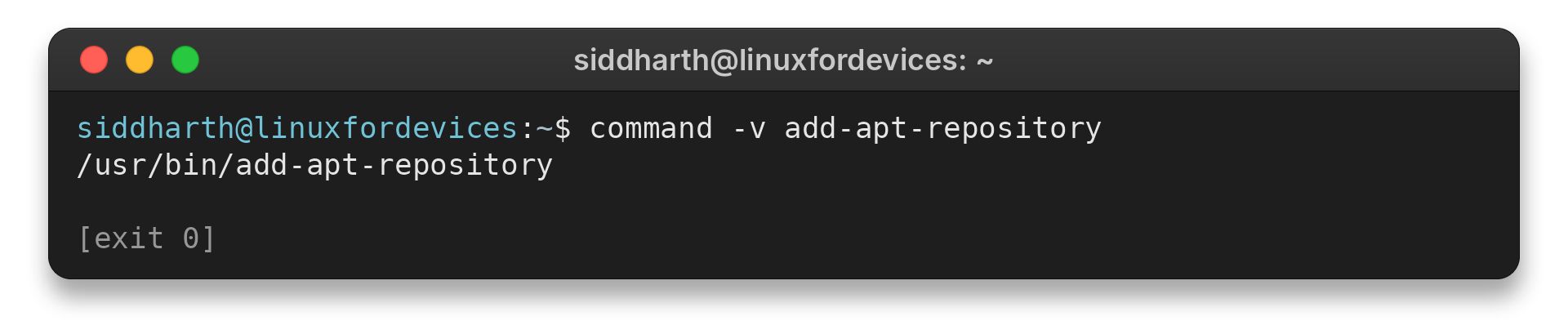
I confirmed this host resolves the command to /usr/bin/add-apt-repository, though your package or PATH may differ.
If sudo alone cannot find it, ask an administrator to check sudoers secure_path.
Step 4: Return to the repository instructions
If the original instructions specifically call for a Launchpad PPA, use its documented command form. The example below is a template:
sudo add-apt-repository ppa:OWNER/ARCHIVE
sudo apt update
OWNER and ARCHIVE stand in for the PPA’s published slug. For a vendor archive, follow the publisher’s source-file and signing-key steps because the PPA syntax does not apply.
Before adding it, verify its owner, Ubuntu release compatibility and maintainer trust on the publisher’s official page.
If you are adding a PPA only because a tutorial says to, first check whether the software is already in Ubuntu’s configured archives. The guide to enabling Universe covers a standard Ubuntu component.
What to Check After the Helper Runs
A later apt update error points to repository configuration. Check the source release, signature or URL in the table.
| Later error | Next check |
|---|---|
| Release mismatch | Confirm the publisher supports your Ubuntu release. |
| Signature or signing-key warning | Follow the publisher’s current signing instructions. Keep signature checks enabled. |
| Unavailable repository address | Verify the source URL and supported release with the publisher. |
What If the Command Is Still Missing?
Use the symptom to choose the next check rather than repeating the install command. The package catalog, APT’s transaction and the shell’s lookup answer different questions, and each points to a different layer of the repair.
| Symptom | What to check next |
|---|---|
| APT cannot locate software-properties-common | Confirm that the system is Ubuntu, its package index refreshed successfully and the package appears for that release in Ubuntu’s catalog. |
| APT proposes removing core packages | Do not confirm. Review the configured sources and candidate versions, especially if repositories from another release or distribution were added. |
| The package is installed but command lookup is blank | Check whether /usr/bin is in the shell’s PATH, then inspect the package file list with dpkg-query -L software-properties-common. |
| The command runs but repository update fails | Read the separate apt update error. A source URL, signing key or release mismatch points to the repository configuration after the helper has run. |
| The message says sudo: command not found | This points to the sudo executable itself, not add-apt-repository. Confirm whether sudo is installed for the distribution and user before troubleshooting the helper. |
| command -v finds it, but sudo still cannot | The sudoers secure_path setting can replace the user’s PATH for sudo commands. Check the system’s sudoers policy with an administrator instead of weakening that security setting. See the sudoers manual for secure_path. |
In containers or CI jobs, install the package in the same image or job that runs the repository command.
Ubuntu instructions do not automatically apply to Debian. Check your release’s documentation, and remember that Launchpad PPAs target Ubuntu package sets.
For next steps, see how to search Ubuntu packages with apt or learn how a PPA works. The Ubuntu Noble package file list shows this release’s command paths.
Conclusion: Install the Provider Package
Install the helper package and check that the shell finds it. Then return to the original publisher’s instructions, confirm the source supports your distribution and release, and add only the repository you intended to use.
For related tasks, use the Ubuntu package manager guide, learn how to remove an APT repository in Ubuntu, or diagnose a repository security error.
FAQ
These answers distinguish the missing helper from later package and repository errors.
Is add-apt-repository deprecated?
The helper remains listed in Ubuntu’s software-properties-common package files. A Debian testing manual marks a positional source-line form as deprecated, which concerns that input syntax rather than the command being missing.
What package installs add-apt-repository?
On Ubuntu, install software-properties-common. Ubuntu’s package file list includes /usr/bin/add-apt-repository in that package.
Why can APT still fail after the command is installed?
The helper only changes repository configuration. A later apt update error can come from an unavailable source, signing-key problem or release mismatch, so diagnose that message separately.
Can I use apt-add-repository instead?
Ubuntu’s software-properties-common package lists both add-apt-repository and apt-add-repository. Use the spelling provided by your command or tutorial.
Does installing the helper add my repository?
No. software-properties-common supplies the helper. Add the source with the publisher’s instructions, then install the software separately.