
`Plug ‘tpope/vim-sensible’` can sit in `~/.vimrc` before its repository appears under `~/.vim/plugged`. What stands out to me is that the plugin choice stays visible in Vim’s configuration.
Trace the declaration from `~/.vimrc` to the checkout directory. That lets you see what Vim-Plug changes in Vim.
What Vim-Plug changes
Vim-Plug is an optional plugin manager for Vim that reads plugin declarations from your Vim configuration and installs each Git repository in a plugin directory.
Vim also supports native packages, so you do not need a manager to add plugins. Vim-Plug gives you one list for installing, updating and removing repositories, which is useful when you want that work handled from your vimrc.
| Path | What it holds |
|---|---|
| ~/.vim/autoload/plug.vim | The Vim-Plug script that defines its commands |
| ~/.vimrc | Your plugin declarations and Vim settings |
| ~/.vim/plugged/ | The default checkout directory for Vim plugins |
The vim-plug project documents these paths and commands. If you are still learning Vim, start with the Vim tutorial, or compare Vundle if you are choosing a plugin manager.
What you need before installing
Have Vim, curl and Git available in your shell, plus access to the plugin repository you plan to install.
- curl downloads plug.vim into Vim’s autoload directory.
- Git clones plugin repositories listed in your vimrc.
- Your Unix Vim configuration is ~/.vimrc. Keep its existing settings when you add the plugin block.
I keep the main steps on classic Vim because Neovim uses its own configuration and data paths, as described in the official README and our Neovim install guide.
Install a plugin with Vim-Plug
Vim needs plug.vim in its autoload path before the Plug declarations can run. Set up the manager first, add the repository to your vimrc, then install it.
1. Download the Vim-Plug script
Run the Unix command from a shell. It saves plug.vim under ~/.vim/autoload and creates that directory when it is missing.
curl -fLo ~/.vim/autoload/plug.vim --create-dirs \
    https://raw.githubusercontent.com/junegunn/vim-plug/master/plug.vim
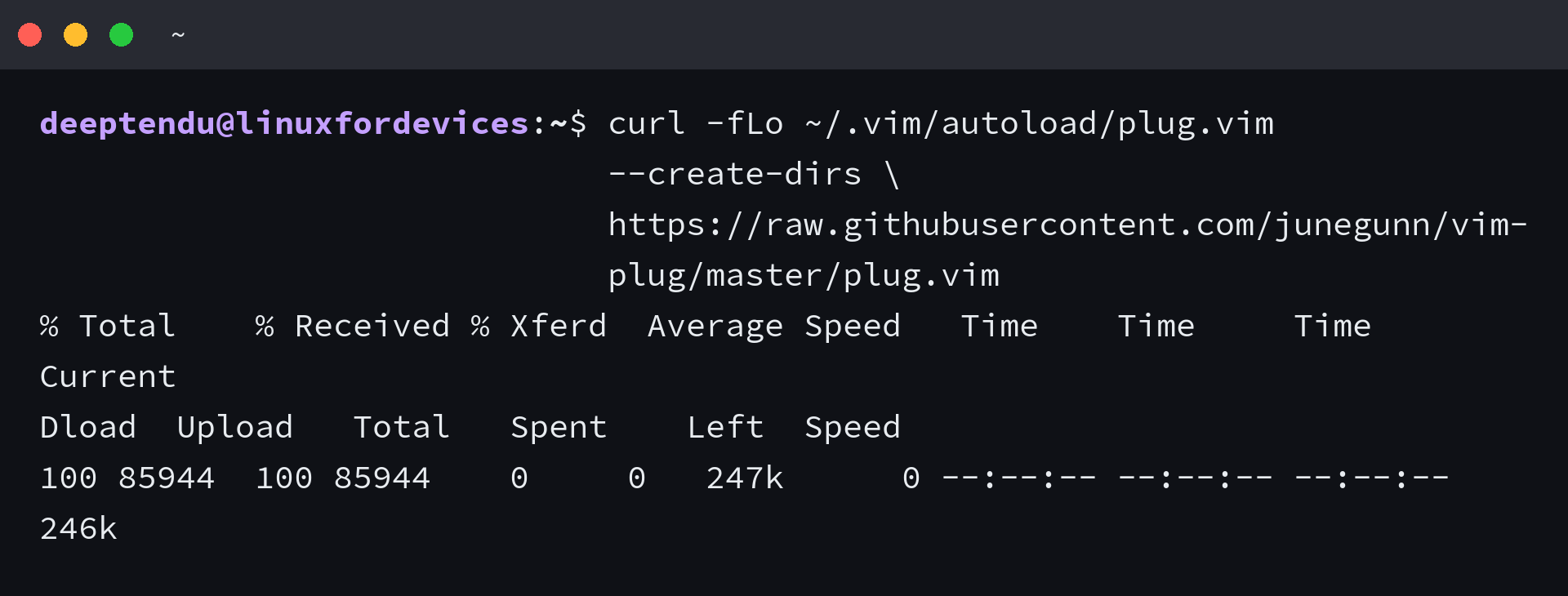
The combined -fLo options make curl fail on HTTP errors, follow redirects and write the response to the named file. Downloading plug.vim makes Vim-Plug available, but it does not install any plugin yet.
2. Add a plugin to your vimrc
Open your existing configuration from the shell. Add the block without deleting settings or mappings already in the file.
vim ~/.vimrc
I chose tpope/vim-sensible because its single Plug declaration makes the install result clear. Replace that repository with the GitHub owner and project you want to add.
call plug#begin()

Plug 'tpope/vim-sensible'

call plug#end()
Keep each Plug line between call plug#begin() and call plug#end(). The default Vim-Plug directory is ~/.vim/plugged, and you can choose another directory by passing it to plug#begin().
If you need to save the file and return to the shell, see how to save and exit Vim.
3. Reload the configuration
Saving the file does not reload its commands in the Vim session that is already open. Run this Ex command from Vim, or close and reopen the editor.
:source ~/.vimrc
The source command evaluates the vimrc again, which registers the Plug declarations with Vim-Plug. That is why PlugInstall is unavailable before the manager and its configuration have loaded.
4. Install the declared plugin
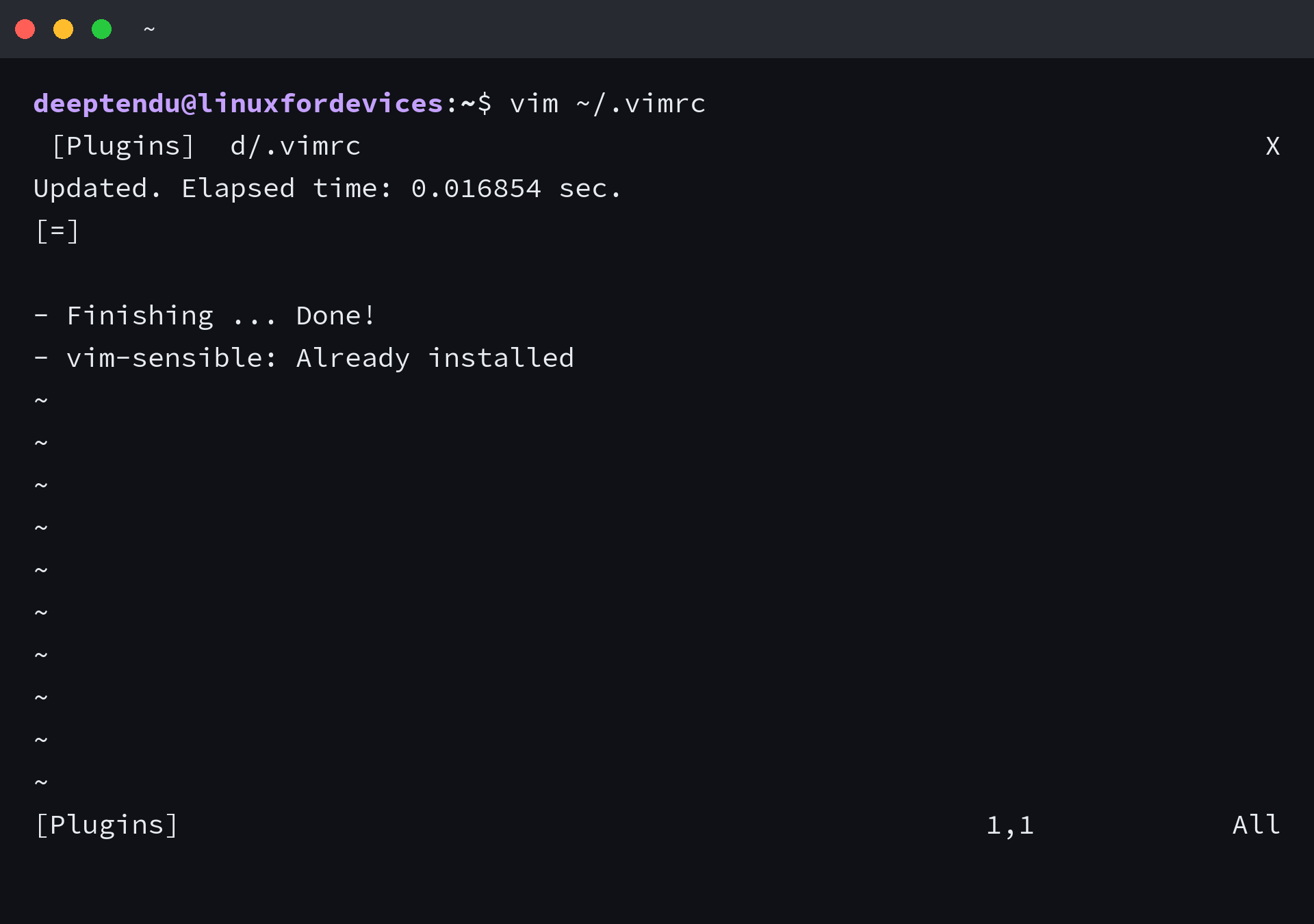
Run PlugInstall at Vim’s command line. Vim-Plug clones each declared repository into its plugin directory.
:PlugInstall
I ran PlugInstall with no vim-sensible checkout present, and it created the repository under ~/.vim/plugged/vim-sensible. When I ran it again, Vim-Plug reported “Already installed.”
Fix a missing PlugInstall command
The E492 message means Vim does not know the PlugInstall Ex command. I reproduced it in a profile that had not loaded vim-plug, so check the script path and configuration before changing the plugin repository.
| What you see | Likely cause | Next check |
|---|---|---|
| E492 says PlugInstall is not an editor command | Vim did not load plug.vim or the vimrc block | Confirm ~/.vim/autoload/plug.vim exists, then run :source ~/.vimrc |
| Plugin clone does not complete | Git is missing, the repository URL is wrong or the network cannot reach the host | Run git –version in a shell and check the plugin repository address |
| Plugin files exist but the feature is absent | The plugin has its own activation command or configuration | Read that plugin’s README and check its requirements |
When PlugInstall returns E492, verify that the file is under ~/.vim/autoload, not in the plugin checkout directory. Then reload ~/.vimrc and try the command again.
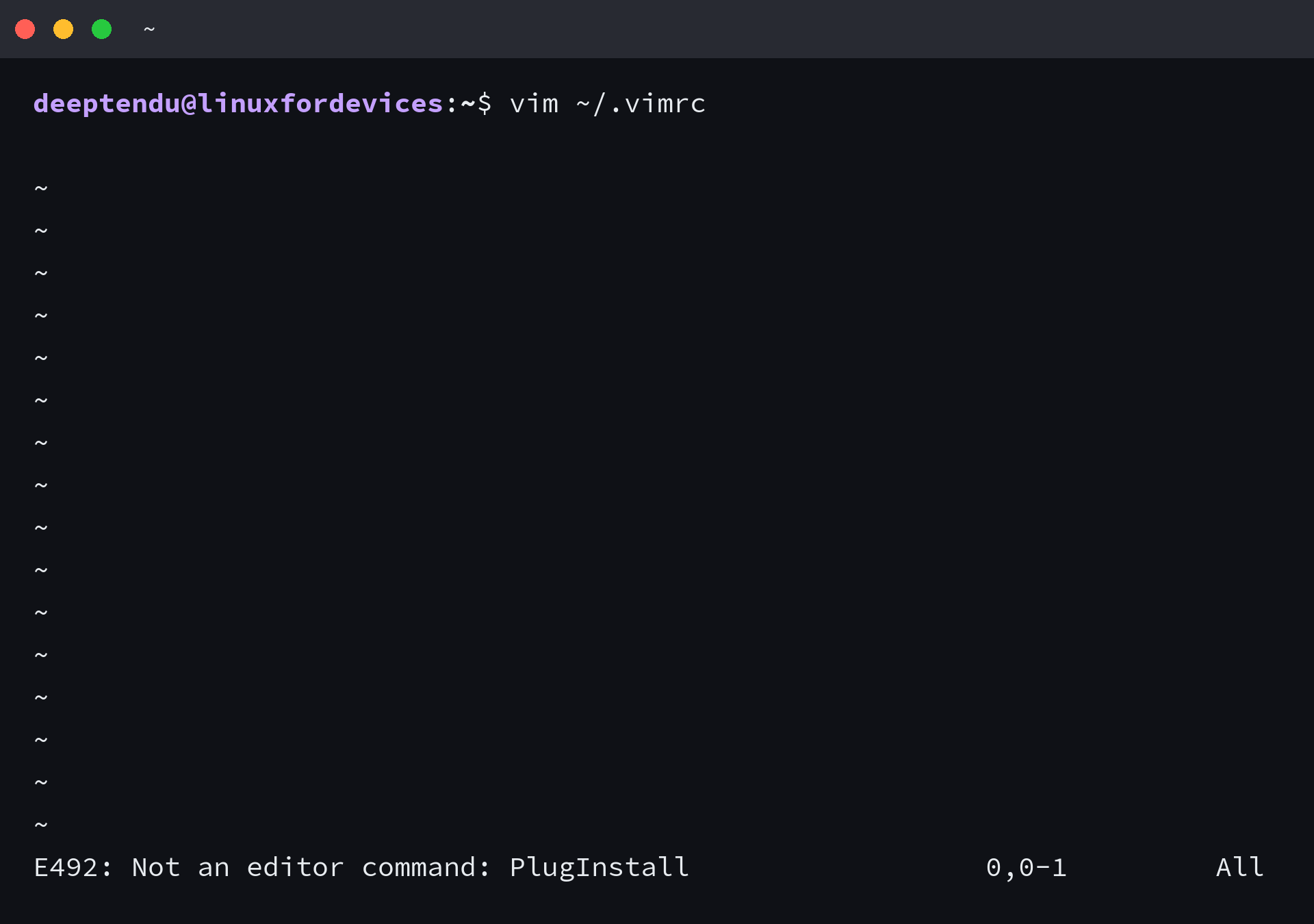
E492 appears before Git reaches the repository, so fix Vim-Plug’s autoload path or configuration before changing the plugin URL.
For command basics, search and replace in Vim is a useful next task after the editor is configured.
Keep the plugin list in your vimrc
Your vimrc is the source of truth for which repositories belong in Vim-Plug’s list. I removed the declaration in an isolated profile and PlugClean removed its checkout, so keep the file current instead of deleting plugin folders by hand.
:PlugUpdate
:PlugClean!
PlugUpdate installs missing entries and updates installed plugins. To remove one, delete its Plug line and reload ~/.vimrc before running PlugClean. The exclamation mark skips its confirmation prompt.
PlugStatus reports whether each plugin is available, while PlugDiff reviews changes from an update. The command set also includes a snapshot command for recording installed plugin revisions.

Keep only the Plug entries you still want. Vim-Plug can then make the checkout directory match that list.
FAQ
Vim and Neovim use different configuration paths. Vim also has native package loading, so Vim-Plug is optional.
Where does Vim-Plug store installed plugins?
For Unix Vim, the default plugin directory is ~/.vim/plugged. Pass a different directory to call plug#begin() when you want another location.
Can I use Vim-Plug with Neovim?
Yes. Neovim uses its own configuration and data paths, so follow the Neovim install instructions in the vim-plug README instead of using Vim’s ~/.vim/autoload path.
Can I install Vim plugins without Vim-Plug?
Yes. Vim has built-in package loading, including packages that start automatically from its package directory. Vim-Plug is optional and adds its own install, update and cleanup commands.