

WinRAR has a Linux command-line build, but extracting a RAR file usually needs only unrar. Install the package that matches your distribution, inspect the archive before unpacking it, then extract into a directory you control.
Choose the RAR tool you need
RAR is the format and rar is the command that creates RAR archives. unrar lists, tests, and extracts them. If someone sent you a .rar file, unrar is the small, native choice.
| Task | Command | Package |
|---|---|---|
| List files without extracting | unrar l archive.rar | unrar |
| Test archive integrity | unrar t archive.rar | unrar |
| Extract with stored paths | unrar x archive.rar destination/ | unrar |
| Create a RAR archive | rar a archive.rar files/ | rar |
WinRAR’s official Linux download page distributes command-line RAR binaries. Distribution packages integrate with the system package manager, so start there when you only need normal archive work.
Install unrar on your distribution
Use the package name your distribution publishes. Debian and Ubuntu package unrar in the non-free repository, while Arch provides it through pacman.
Debian and Ubuntu
sudo apt install unrar
If apt reports that it cannot find unrar, enable the non-free component in your APT sources, refresh the package lists, and run the command again because Debian lists unrar separately from the free unrar-free implementation.
Fedora
sudo dnf install unrar
Fedora may require an enabled repository that supplies the non-free RAR extractor. Check the package source before adding a repository, especially on managed systems.
Arch Linux
sudo pacman -S unrar
The Arch Wiki documents unrar as the package for proprietary RAR extraction. Install rar as well only if you need to create .rar archives.
Inspect and extract a RAR archive
List the archive first. It shows the stored names and catches a wrong filename before files land in the current directory.
unrar l archive.rar
Test the archive when the file came from a download, email attachment, or removable drive. A passing test checks the archived data before extraction.
unrar t archive.rar
Extract into a named directory with x. The command preserves the paths stored in the archive, which keeps related files together.
unrar x archive.rar extracted/
I created a RAR archive, listed it with unrar l, extracted it with unrar x, and compared the source file with the extracted copy. unrar completed the extraction with an “All OK” result.
For archive types beyond RAR, use the single-command archive extraction workflow, the tar command reference for tar.gz and related Unix archive formats, or the zip and unzip commands for the format most Windows tools also open.
Create a RAR archive when you need the format
Install the rar package when you must create the RAR format, then add files and directories with the a command.
rar a backup.rar documents/
Use zip or tar.gz when the recipient has not requested RAR, because those formats are commonly available on Linux and other platforms.
Use a graphical extractor only when it changes the task
File managers and archive applications can open RAR files through installed back ends. Their visible controls vary by desktop environment, but the extraction engine still needs RAR support installed on the system.
The Windows WinRAR interface can run under Wine, although an extraction-only job does not need it. Follow the Wine installation guide for Ubuntu when you need a Windows-only archive workflow rather than a native command.
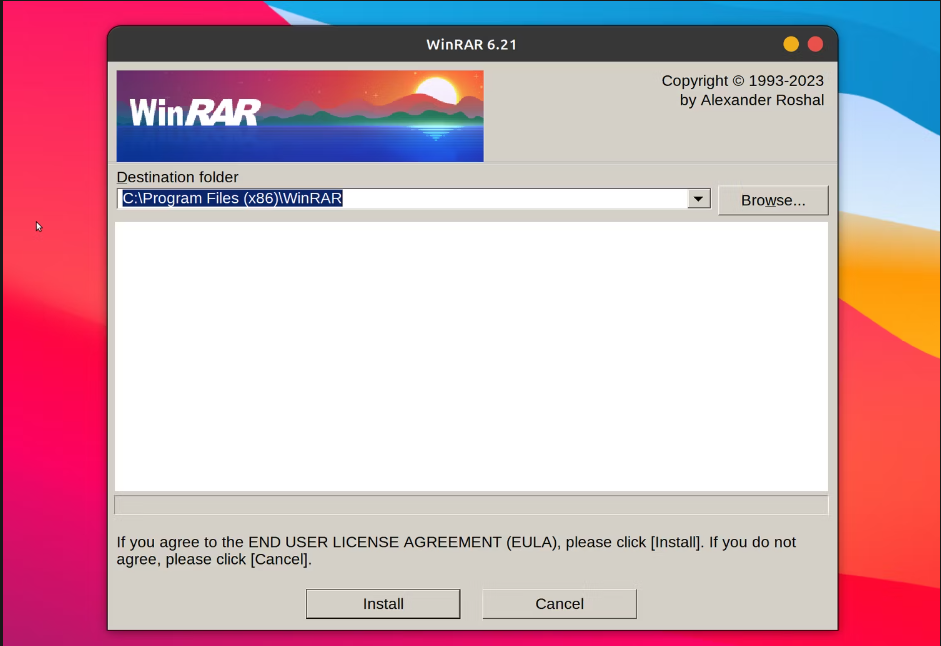
The setup window above belongs to the Wine path. Use it when a Windows program is required. Native unrar commands remain easier to script and verify for ordinary extraction.
Handle errors without scattering extracted files
“No files to extract” usually means the archive name or working directory is wrong. Run unrar l with the full path to confirm that the file opens and to see its stored names.
Use unrar t before extracting a damaged download. If the test reports corruption, obtain the archive again rather than retrying extraction into the same directory.
Do not extract an unknown archive into a directory containing important files. Archive expansion can consume much more disk space than the download suggests. The zip bomb explainer shows why compressed size alone is not a safe estimate.
Can Linux extract RAR files without WinRAR?
Yes. Install unrar, then use unrar l to list files, unrar t to test the archive, or unrar x archive.rar destination/ to extract it.
What is the difference between rar and unrar?
rar creates and updates RAR archives. unrar lists, tests, and extracts existing RAR archives.
Why does apt say unrar has no installation candidate?
On Debian and Ubuntu, unrar may require the non-free repository component. Enable that component in your APT sources, update package lists, then install unrar.
Keep the archive and its extraction directory until you have opened the files you need. Then remove the temporary copy or move the extracted files into their final location.