
Deepin 25.2 is worth trying if you want a Debian-based desktop with DDE 7, a cohesive interface, and a project-managed application stack, but it is less compelling if you need the broadest third-party documentation, depend on a long-established upgrade route, or want a desktop that follows the conventions of GNOME or KDE Plasma.
What Deepin 25.2 gives you
The current community release is deepin 25.2.0, with AMD64, ARM64, Loong64, and RISC-V downloads listed by the project, and Deepin’s July 2026 installation guide calls for a clean installation when moving from deepin 20 or 23 to deepin 25.
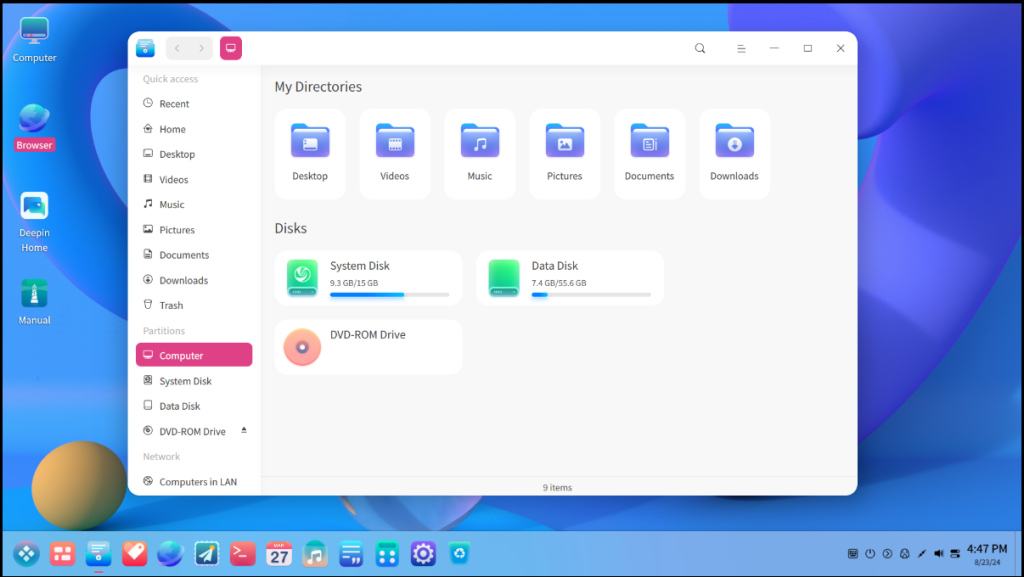
DDE 7 is the desktop layer that makes Deepin distinct, bringing the launcher, dock, Control Center, file manager, window management, and visual system into one project instead of asking you to assemble a desktop from separate components.
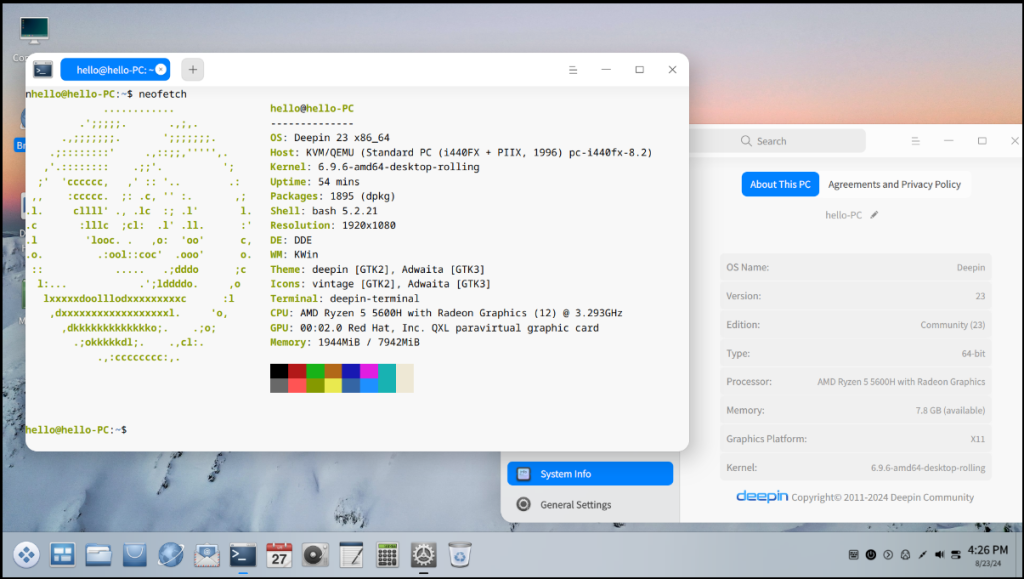
The screen above shows the desktop relationship you are choosing, while DDE 7 is the current desktop generation to evaluate before you install.
Who should choose Deepin
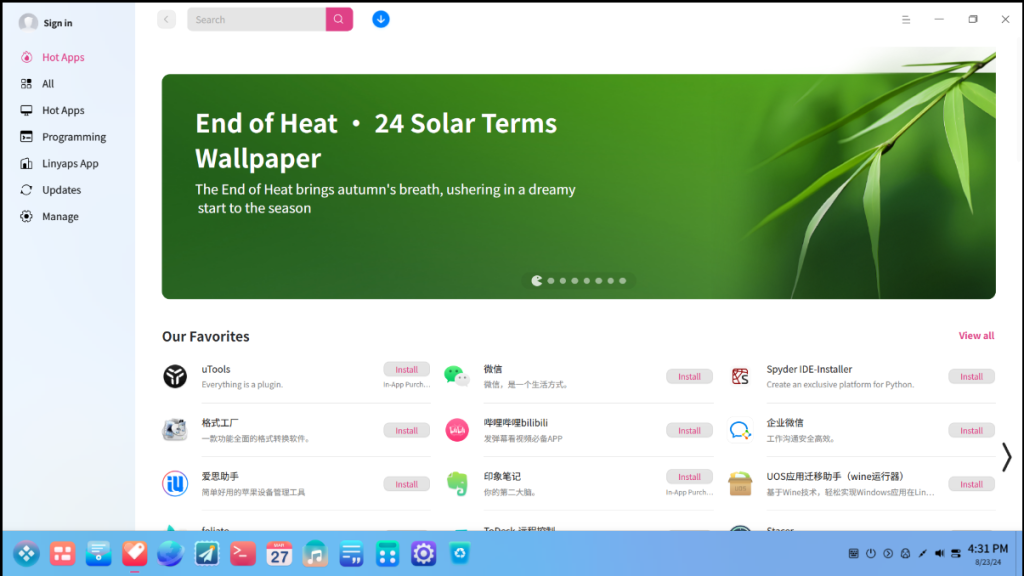
Choose Deepin when a finished desktop matters more than extensive assembly. The project supplies its own settings surface, file manager, app store, terminal, and other desktop applications, which makes the system feel coherent from the first login.
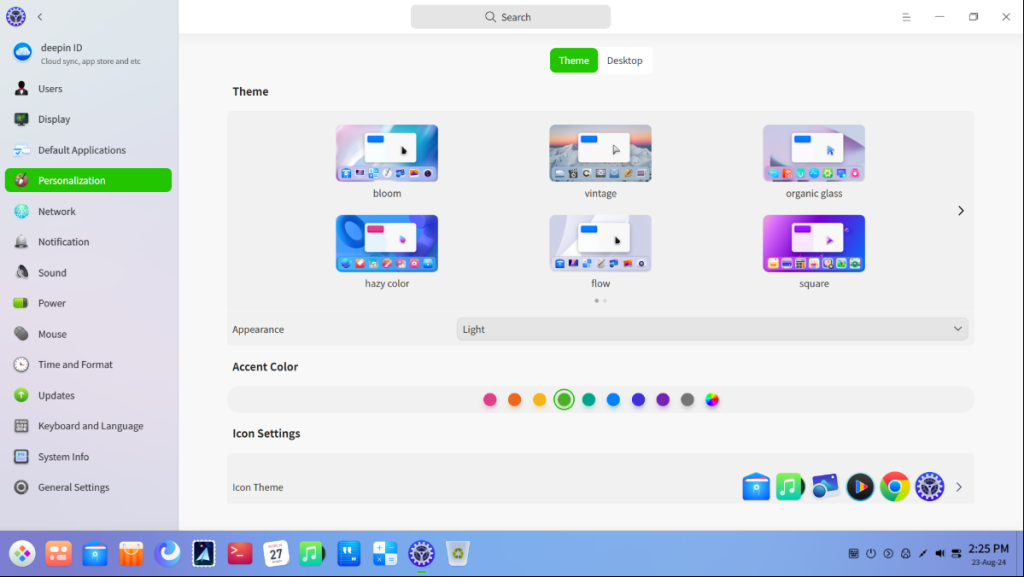
That design helps if you are moving from Windows or macOS and want visible settings rather than configuration files. I checked the current project download and installation pages for this refresh, and they make the clean-install boundary explicit for deepin 25.
What to check before installing
Deepin’s current guide recommends an Intel sixth-generation Core processor or AMD Zen 2 processor or newer, at least 8 GB of memory, 64 GB of SSD storage, UEFI boot, and a 1920 × 1080 display for smooth use. Treat those as a baseline for the current desktop, not a promise that every older machine will feel good.
- Try the ISO in a virtual machine first if you need to check the desktop without changing your disk. Set up a Linux virtual machine in VirtualBox before applying the same approach to a Deepin ISO.
- Use the project download page for the current ISO and its published checksum, then verify the download before making installation media.
- If you will install beside another operating system, learn how Linux disk partitioning works before changing existing partitions.
The clean-install requirement matters most when you already run an older Deepin release. Back up files you need, boot the new installer from fresh media, and avoid assuming an upgrade path that the project does not support.
Applications, packages, and desktop choices
Deepin is Debian-based, but compatibility is not a reason to assume that every Debian or Ubuntu instruction is interchangeable. Start with Deepin’s own store and documentation, then use the distribution’s supported package sources when you need software outside the preinstalled set.
Before adding software from a terminal, get the package-source model straight with this introduction to package management on Linux. That reduces the chance of mixing instructions from unrelated distributions.
If you mainly want a polished desktop rather than the Deepin distribution, compare the alternative desktop direction in the COSMIC desktop overview. If KDE is your reference point, Kubuntu versus Ubuntu helps separate a desktop choice from a distribution choice.
Deepin 25.2 review verdict
Deepin is a strong fit when you value an integrated Linux desktop and are happy to adopt the project’s preferred workflow. DDE 7 and the current 25.2 release give you a more current basis for that decision than older Deepin 20 or 23 reviews.
Choose another distribution if you need a familiar GNOME or KDE workflow, a distribution with deeper community coverage in your language, or a supported in-place path from an existing Deepin installation. The most useful next move is a virtual-machine trial followed by a checksum-verified clean install only if the desktop suits your work.
What is the current Deepin Linux release?
The Deepin project lists deepin 25.2.0 as its current community release on the download page.
Can you upgrade from deepin 20 or 23 to deepin 25?
No. The deepin 25 installation guide says you must download the new ISO and perform a clean installation when moving from deepin 20 or 23.
Is Deepin based on Debian?
Yes. Deepin is a Debian-based Linux distribution with its own Deepin Desktop Environment and project-maintained desktop applications.