
Weird Linux distros range from pop-star desktop themes to state-controlled operating systems, but not every famous entry fits the Linux distribution model. The useful distinction is what each project was built from, whether anyone maintains it, and whether you should treat it as software or as a historical artifact.
Six unusual projects at a glance
The label matters because it tells you what an image can run and which security assumptions apply. Biebian and Hannah Montana Linux were themed derivatives, while TempleOS was an independent operating system and Suicide Linux was a destructive shell modification.
| Project | What it was | Base | Sensible use today |
|---|---|---|---|
| Hannah Montana Linux | Pop-culture Linux distribution | Kubuntu | Inspect screenshots or an isolated virtual machine |
| Biebian | Justin Bieber themed Linux distribution | Puppy Lucid 525 | Historical curiosity only |
| Red Star OS | North Korean Linux distribution | Linux with a customized desktop and controls | Security research in strict isolation |
| UwUntu | Anime-themed Ubuntu derivative | Ubuntu | Check the project before considering an old image |
| Suicide Linux | Destructive command-line modification | Installed over another Linux system | Do not install it on a system you value |
| TempleOS | Independent operating system | Built from scratch | Study it as a separate computing project |
Hannah Montana Linux
Hannah Montana Linux wrapped a Kubuntu base in a purple KDE desktop, themed icons, wallpapers, a boot screen, and other artwork connected to the television character. Its SourceForge project page describes it as a Linux system for Hannah Montana fans.
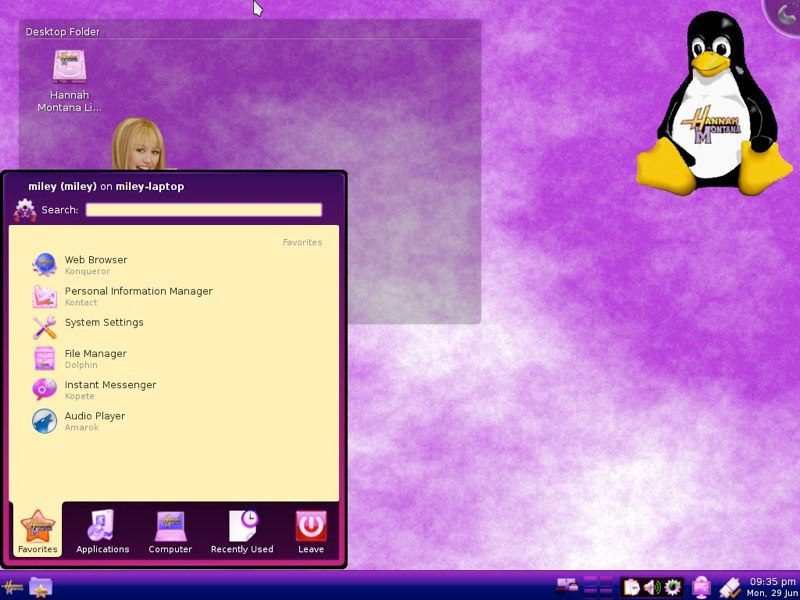
The screenshot shows a familiar KDE application menu beneath the novelty artwork, which makes clear that the theme changed the presentation rather than the underlying architecture explained in this Ubuntu and Kubuntu comparison.
The original image belongs to an obsolete software stack. If you want to examine it, keep the session offline in a disposable virtual machine rather than installing it on a computer that holds personal data.
Biebian, often misspelled Bebian Linux
The Justin Bieber themed distribution is named Biebian, not Bebian. Its project page says it was based on Puppy Lucid 525, not Debian or Ubuntu, and that the misleading name was part of the joke.
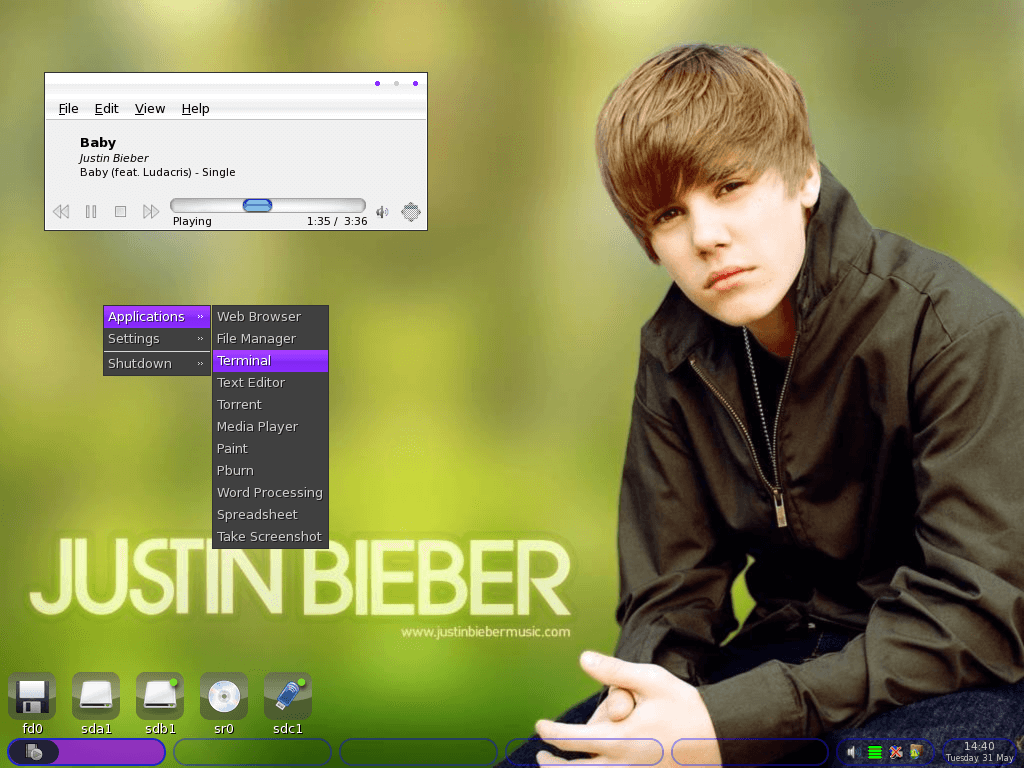
The desktop image shows a lightweight Openbox-style menu, mounted drives, and a media player over a Justin Bieber wallpaper. Those visible components fit its Puppy Linux base and distinguish the project from a Debian derivative.
Biebian is useful as an example of how a distribution can apply its own Linux package selection and artwork to an existing base. It is not a sensible daily system because its base and bundled software come from an unsupported era.
Red Star OS
Red Star OS is a North Korean Linux distribution whose desktop resembles older macOS releases. The visual resemblance is the least important feature because researchers found controls designed to identify and trace files opened on the system.
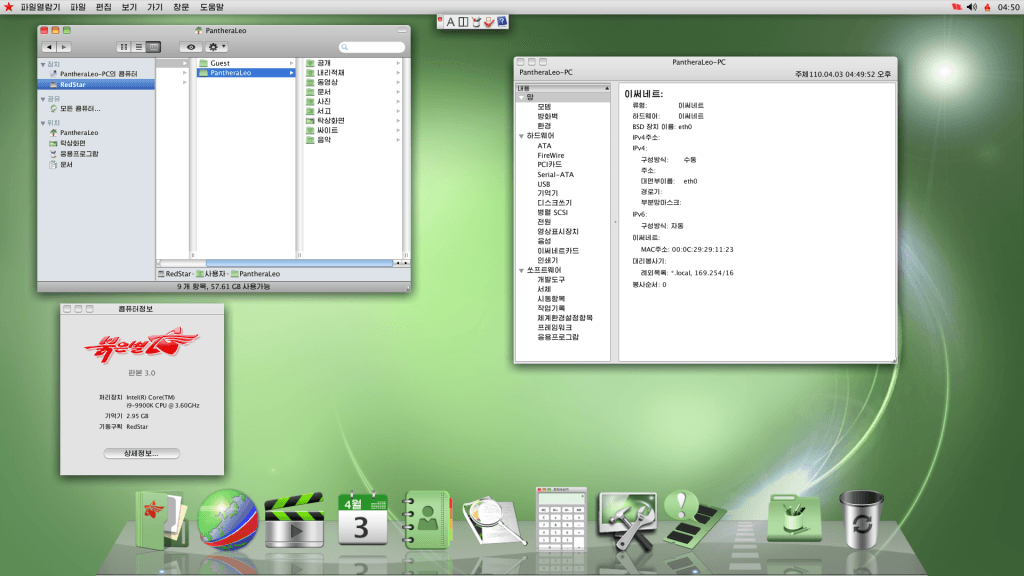
The screenshot shows Korean menus, a file manager, system information, and a dock. A technical analysis of Red Star OS file watermarking found that the operating system added identifiers to supported media files and tracked files opened on the machine.
That behavior makes Red Star OS a security-research subject, not a novelty desktop to explore casually. Use an isolated lab with no personal files, removable media, account credentials, or network access if your work requires analysis of an obtained image. If you want a Linux system designed around privacy tools instead, evaluate a maintained project such as Parrot OS on its own terms.
UwUntu
UwUntu applied anime artwork, custom themes, and a curated application set to an Ubuntu base. The UwUntu repository describes the project as an Ubuntu distribution customized for the team’s daily use.
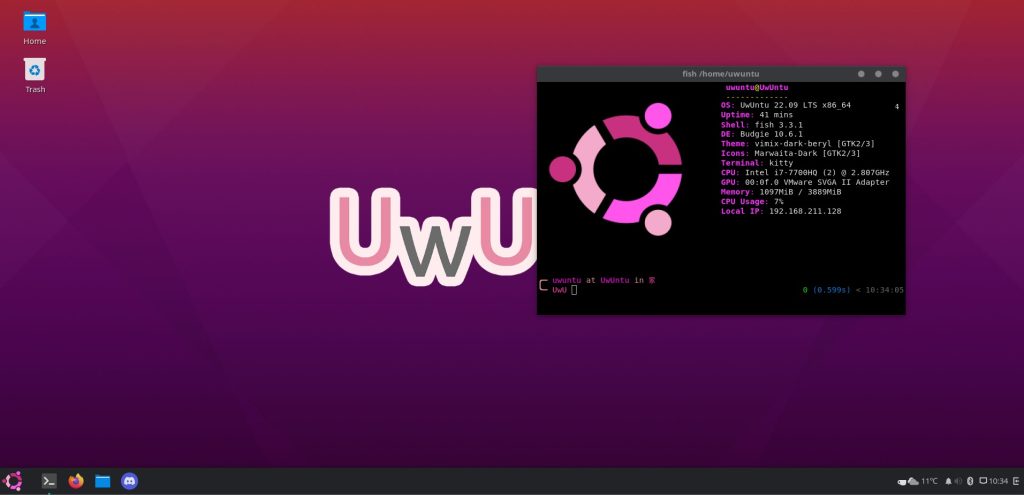
The terminal in the image identifies UwUntu 22.09 and an Ubuntu-based system. The public project site remains accessible, but the repository’s last code push predates current Ubuntu releases, so verify the image, package sources, and maintenance state before considering installation. A current distribution comparison is a better starting point when you need a supported daily system.
Two famous entries that are not Linux distributions
Suicide Linux and TempleOS appear in many lists of strange Linux software, but they belong in separate categories. Keeping that boundary prevents a dangerous package and an independent operating system from being mistaken for ordinary Linux derivatives.
Suicide Linux was a destructive modification
Suicide Linux modified Linux command-line handling so that an unrecognized command could trigger destructive deletion. The original project account describes a Debian package built around that idea.
Do not install it on a host, a virtual machine with shared folders, or a container with mounted host storage. Follow container isolation practices whenever a disposable environment can reach host files. The joke depends on turning a typing error into data loss, so there is no reader benefit that justifies exposing files you care about.
TempleOS was built independently
TempleOS was a 64-bit operating system created by Terry A. Davis, with its own kernel, compiler, shell, graphics, and HolyC programming language. The TempleOS project site describes a deliberately small, self-contained system rather than a Linux distribution.
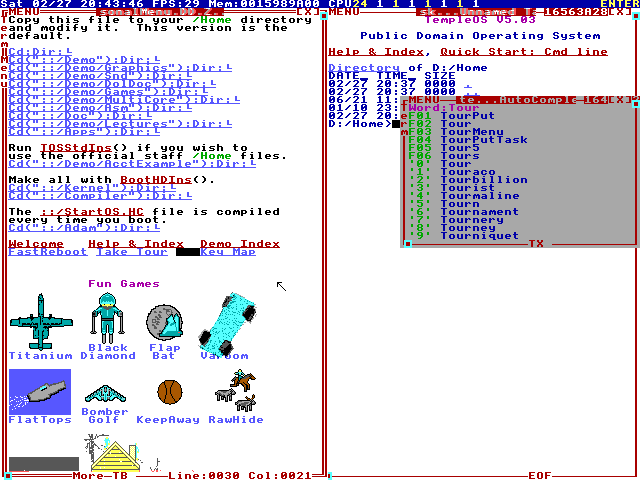
The screenshot shows the shell, file browser, program icons, and system files inside the same interface. If you want to inspect a maintained descendant, ZealOS identifies itself as a modernized TempleOS fork, but it remains separate from Linux.
How to explore obsolete distributions safely
An old ISO can contain unsupported kernels, browsers, package sources, and network services. Treat it as untrusted historical software even when its theme looks harmless.
- Prefer screenshots, archived documentation, and source repositories when they answer your question.
- Use a disposable virtual machine with networking disabled when you must boot an image. The VirtualBox setup steps show the guest-creation controls, although you should keep the historical guest offline.
- Disable shared folders, clipboard sharing, USB passthrough, and access to host drives.
- Do not enter account credentials or open personal documents inside the guest.
- Delete the virtual machine after inspection instead of treating it as a daily environment.
Frequently asked questions
Is Bebian Linux the same as Biebian?
Biebian is the correct name of the Justin Bieber themed Puppy Linux derivative. Bebian is a common misspelling and can also refer to unrelated Debian adaptations.
Is TempleOS a Linux distribution?
No. TempleOS has its own kernel, compiler, shell, and HolyC language, so it is an independent operating system rather than a Linux distribution.
Can you safely install an old novelty Linux distribution?
Use an offline disposable virtual machine with no shared folders, personal files, removable media, or credentials. Unsupported software should not run as your daily operating system.
Start with the project page and screenshot that answer your question. Boot an image only when the behavior itself is the artifact you need, then isolate it from your files and remove the guest when you finish.