

It takes just a few commands to find the user group of a user in Linux. If you already know the basics about user groups, you can jump right to the headings that refer to the commands.
Which Command Answers Which Question
Four tools report group membership, and they disagree because they read different parts of the system. Use the table to pick the one that matches the question in front of you.
| Command | What it reads | What you get | Where it misleads |
|---|---|---|---|
| id USER | the group database through the name service switch | the UID, the primary GID, and every group with its GID | group IDs stay numeric unless you add -n |
| groups USER | the same database | group names only, separated by spaces | with no username it reports the calling process |
| getent initgroups USER | every source listed in nsswitch.conf | the supplementary group IDs for one account | IDs only, so names need a second lookup |
| grep over /etc/group | the local file, nothing else | local groups and their supplementary members | primary-group members are not in that field |
If you only need to list every group on the system rather than one account’s memberships, the sibling guide to listing all groups on Linux covers that question.
Read Membership With id
The id command prints the identity of one account, or of the account running it when you pass no name. Everything it knows about group membership arrives in a single line.
id deploy

uid=1002(deploy) gid=1003(deploy) groups=1003(deploy),4(adm),1002(webops)
Each field answers a different part of the question. The uid is the account, the gid is the primary group it is logged in with, and everything after groups= is the full set the account can use.
Those GIDs are useful in a script and noise when you are checking one account by hand. Adding -n turns them into names.
id -nG deploy

deploy adm webops

Sort the names before you compare two accounts, so a reordered list does not read as a difference.
id -nG deploy | tr ' ' '\n' | sort

adm
deploy
webops
A machine-readable version of the same list comes from -G, which prints numbers and stops.
id -G deploy

1003 4 1002
Those numbers line up with the group column of a directory listing, which is the fastest way to connect a membership to the file access it grants.
ls -ld /home/deploy

drwxr-x--- 2 deploy deploy 4096 Sep 11 06:42 /home/deploy
The group column in that listing reads deploy, so every member of the group can read the directory while accounts outside it cannot.
Narrower flags answer narrower questions. The -g flag prints the primary group, and -gn prints its name instead of its number, which is what you want when you need to know the group a new file will inherit.
id -gn deploy

deploy
An unknown account is not a silent failure. The command writes the miss to standard error and exits with status 1, so a script can branch on the status instead of matching text.
id nosuchuser

id: 'nosuchuser': no such user
echo $?
1
When the question is about the account you are logged in as rather than someone else, whoami and the other identity commands cover the name side of it.
groups Prints Names Only, and One Case Where It Lags
Pass a username and groups resolves that account through the same database id uses, then prints the names on one line.
groups deploy

deploy : deploy adm webops

With no argument, groups reports the group list of the process that called it instead of the current state of the account. A shell that started before a usermod run keeps the list it was handed at login, so the output can look like the change never happened.
Passing the username sidesteps that, because the lookup reads the database rather than the credentials of the running process.
- Open a new login shell when a membership change has to be visible right away.
- Read the account rather than the process by passing the username in checks and scripts.
- Use id -nG when the output feeds another command, because it returns names with no label in front of them.
getent Reads Every Identity Source
The getent command asks the name service switch for an entry instead of reading one file, so it returns whatever the machine is configured to consult. That configuration lives in nsswitch.conf, where each database carries its own source list.
grep '^group' /etc/nsswitch.conf

group:          files systemd
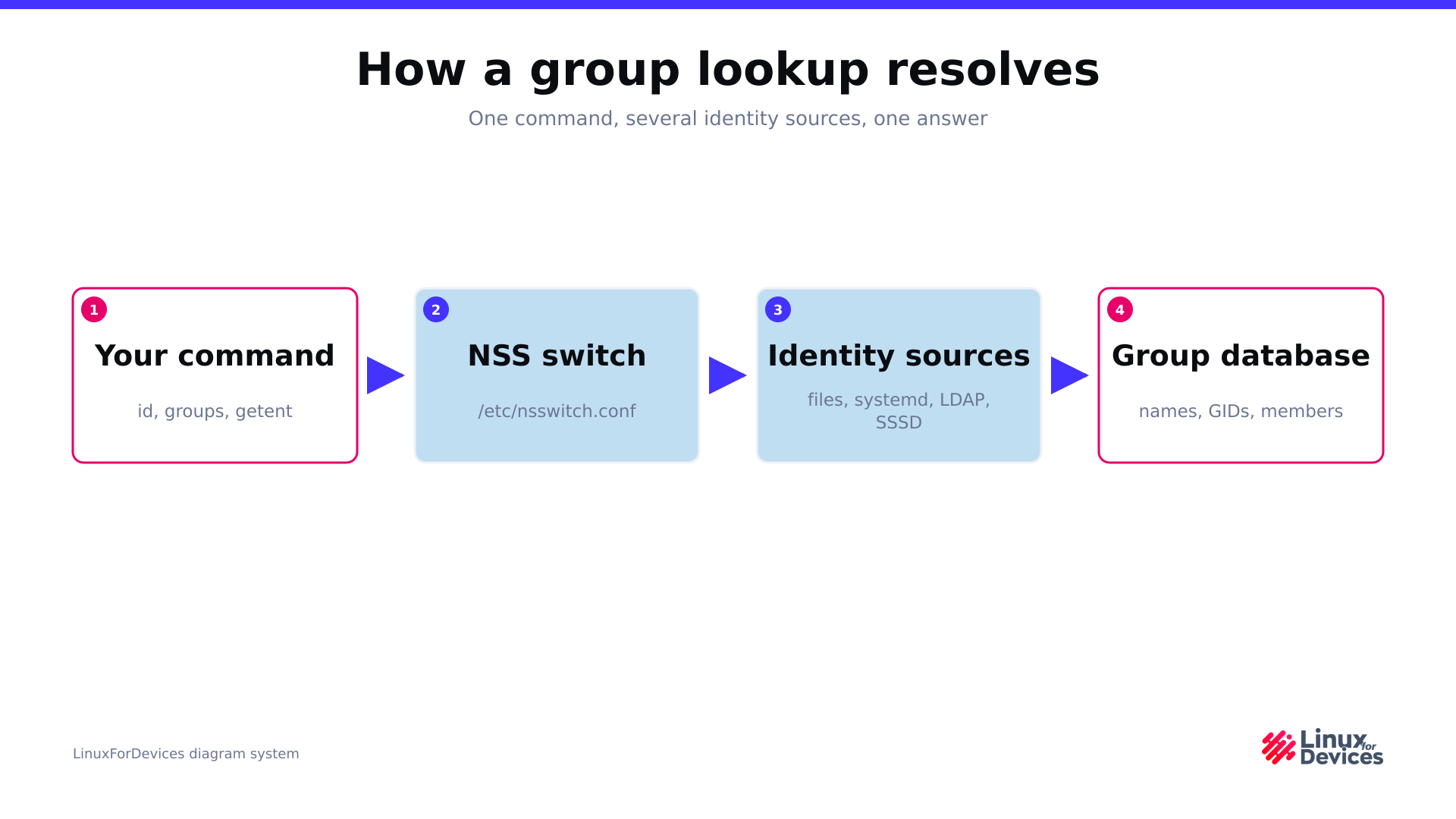
On a stock Ubuntu install that line reads files systemd, which means local groups plus the systemd-managed ranges. Aim the same line at ldap or sssd and getent starts returning directory groups that never appear in the local file.
A name argument to the group database does not mean membership.
The getent manual is explicit about what it does with a key, because numeric keys go to getgrgid and nonnumeric keys go to getgrnam, which matches the name against group names.
getent group deploy

deploy:x:1003:
That line is the group record named deploy, and its member field is empty. The list you are after comes from a second database called initgroups, which passes the user name to getgrouplist and prints the resulting group IDs.
getent initgroups deploy

deploy                4 1002
Names and numbers are mixed in that answer, so one more pipe turns the IDs into something a human can read.
getent initgroups deploy | tr ' ' '\n' | xargs -r -n1 getent group | cut -d: -f1

deploy
adm
webops
The exit statuses are worth knowing if a script wraps the lookup, because the two databases fail differently.
| Lookup | Exit status | Output |
|---|---|---|
| getent group missingname | 2 | nothing at all |
| getent initgroups missingname | 0 | the name followed by an empty group list |
A missing group is a hard failure, while an unknown account through initgroups reports success with no groups, so test the output rather than the status in that second case.
Why /etc/group Hides Primary-Group Members
Every local group is one line of the group file, and the fourth field lists the accounts that hold it as a supplementary group. Primary membership is recorded in the password file instead, which is where the wrong answers come from.
grep -w deploy /etc/group

adm:x:4:syslog,ubuntu,ocarun,deploy
webops:x:1002:deploy
deploy:x:1003:
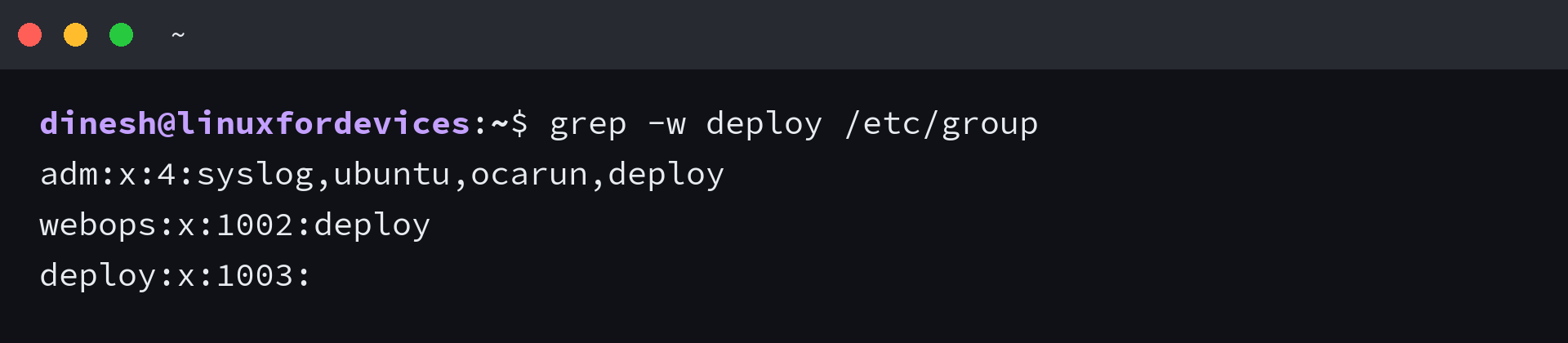
The third line is the group named deploy, not evidence that the account is one of its members. A word match cannot separate a group name from a member name, so both come back.
Anchoring the match to the member field removes the false hit.
grep -E ':(deploy)(,|$)' /etc/group

webops:x:1002:deploy
The empty member field is the other half of the problem. An account whose primary group is deploy carries GID 1003 in the password file, while the group record for 1003 names no members at all, so a search that starts at the group file will miss it.
Read the member field for supplementary memberships, and read the password file or id -gn when the primary group is the part in question. If a membership is not the answer you need and access is still denied, the fix usually sits in the permission denied error rather than in the group list. When the group itself does not exist yet, start with groupadd.
Worked Example: Audit One Account
A support question usually needs the whole answer for one account, and the commands slot together in a fixed order.
id -nG deploy

deploy adm webops

id -gn deploy

deploy

getent initgroups deploy | tr ' ' '\n' | xargs -r -n1 getent group | cut -d: -f1

deploy
adm
webops

getent group "$(id -g deploy)"

deploy:x:1003:
Read together, those four commands separate the primary group from the supplementary ones, and both lookup routes agree on the same three groups.
The same answers hold when the machine gets its groups from a directory service, as long as the group line in nsswitch.conf names that source. id and getent both ask the name service switch, while a grep over the local file only ever sees what is on disk.
- id -nG USER for names you can read at a glance.
- getent group GROUP when you need the members of one group instead of the groups of one account.
- id -gn USER with getent passwd USER when the primary group is the part in question.
That order also maps onto the wider job of managing users, groups, and permissions, and onto the next step of adding a user to a group once you know where the account stands. If the account list itself is what you are checking, listing the users on the machine follows the same database-first method.
Check Group Membership From the Desktop
The GNOME Settings panel manages accounts but never lists the groups behind them, so there is no default desktop screen that answers this question. The older Users and Groups window still exists in the universe repository as part of gnome-system-tools, and a simulated install on Ubuntu 24.04 resolves it alongside the PolicyKit helpers it needs.
sudo apt install gnome-system-tools
That application is a GTK 3 tool built for an older GNOME release, and it adds an install step to a question the terminal answers in one line. Reach for it when you want a click-through list of local accounts and you already have a desktop session open.
Making a Membership Change Take Effect
Adding an account to a group writes to the database straight away, and the account only picks the new group up at its next login.
sudo usermod -aG webops deploy

getent initgroups deploy

deploy                4 1002

sudo -u deploy bash -lc 'id -nG'

deploy adm webops
The database and the running session are separate state, which is why one account can report two different lists a second apart.
| What you run | Database updated | When the account sees it |
|---|---|---|
| usermod -aG GROUP USER | yes, immediately | at the next login |
| newgrp GROUP | no | in the current shell only |
| log out, then log back in | no | in the new session |
Verify the change with getent initgroups rather than a groups call in the old shell, because that is the command which reads the database the way the next login will. The group list also decides what sudo lets the account do without a password.
Frequently Asked Questions
Which command shows the groups a user belongs to?
id -nG USER prints just the group names, and id USER prints the same list with the numeric IDs and the primary group included.
Why does groups show a shorter list than id -nG?
With no username, groups reports the groups of the calling process, which were fixed when that process started. id -nG USER reads the database, so it reflects memberships added since the last login.
How do I check whether one user is in a specific group?
Run getent group GROUP and read the fourth field, then confirm with id -nG USER. An account that holds the group as its primary group never appears in that field.
Why is the member list of a group empty?
The fourth field of the group file holds supplementary members only. Accounts whose primary group is that group are recorded in the password file, so the field can be empty while the group still has members.
Does getent group USER list the groups of that user?
No. A name argument is matched against group names, so getent group deploy returns the group called deploy. Use getent initgroups USER for membership.
Start with id -nG for the account you are checking, switch to getent group only when you need the members of one group, and treat any list that came from a file search as incomplete until you know where the machine keeps its accounts.