

`records.txt` contains `17:Ada:engineer`, but `cut -c 2-4` takes character positions instead of returning the `Ada` field. I love that one compact command can give you a focused view of the row without changing the file.
That output can be passed along while the original record stays intact. `cut` makes its selection line by line, which is the key to understanding what it returns.
What cut selects from each line
The cut utility selects a portion of each input line by character position or delimiter, then writes that selection to standard output. It reads standard input when no file is named.
printf 'Linux shell\n' | cut -c 1-5
The command prints Linux because positions 1 through 5 are selected from the line. The same selection rule applies to every line in a file or stream.
Choose positions or fields before you run cut
The option sets what each number counts. Pick positions for fixed-width text and fields when one delimiter separates values.
| Option | Counts | Use it when |
|---|---|---|
| -b LIST | Bytes from the start of each line | The input is byte-oriented or positions are defined in bytes |
| -c LIST | Characters in the POSIX specification | You need character positions and have checked your implementation for multibyte text |
| -f LIST | Fields separated by one delimiter character | Each row uses a stable delimiter such as a tab or colon |
Use one selection mode per command. The Linux manual pages show the options supported by the installed command.
Select characters and bytes by position
Positions start at 1, and both ends of a range are included. A comma selects separate positions, while a hyphen selects a continuous range.
cut -c 2-4 records.txt
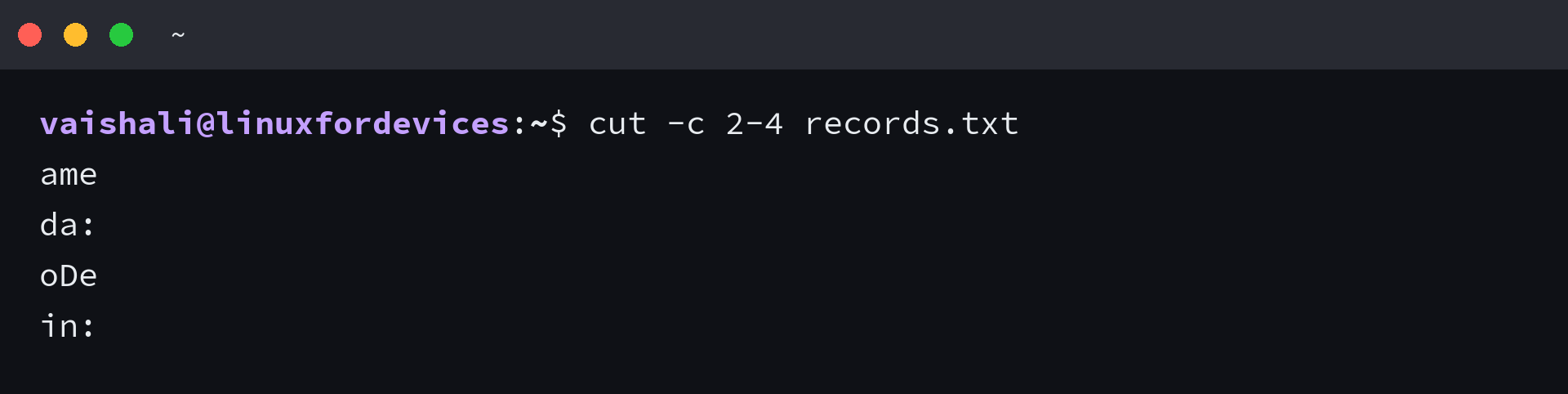
A comma selects separate positions rather than a continuous range. In this command, positions 2, 5, and 7 are kept from each line.
cut -c 2,5,7 hello.txt

For the first line, name, the selected characters are ame, while -b selects byte positions when the list is measured in bytes.
Extract fields with a delimiter
Field mode uses a tab as its delimiter by default, and -d selects one other character for a file whose words have single spaces between them.
| Input | Field selection | Delimiter rule |
|---|---|---|
| Tab-separated values | -f LIST | TAB is the default |
| Colon-separated values | -d: with -f LIST | Choose one delimiter character |
| Space-separated words | -d’ ‘ with -f LIST | Each space is a separate delimiter |
cut -d' ' -f1 hello.txt

When adjacent fields belong together, a range keeps the complete sequence in order. The command below selects fields 1 through 3.
cut -d " " -f 1-3 hello.txt

Without a filename, cut reads from standard input. The cat and more commands can combine files or show their contents before you select fields.
printf 'Ada\tadmin\nLin\teditor\n' | cut -f2
Keep other fields or change the output
GNU cut’s –complement option keeps unselected fields or positions. –output-delimiter changes the separator between selected fields, not the field contents.
- Use –complement to invert the selection.
- Use –output-delimiter to choose a new separator between fields.
- Use the shell redirection operator to save standard output to a file.
echo "Hello Journaldev" | cut -c -3 --complement

For selected fields, GNU cut can replace the input separator with a different output separator.
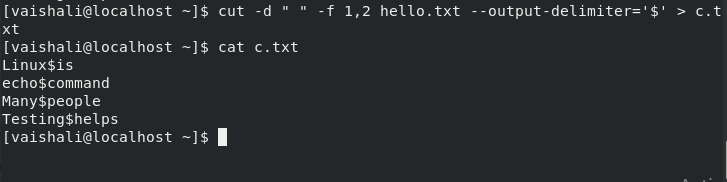
cut -d " " -f 1,2 hello.txt --output-delimiter='$'

Redirecting the same command writes its output to c.txt instead of the terminal. The file keeps the selected fields and the chosen separator.
cut -d " " -f 1,2 hello.txt --output-delimiter='$' > c.txt
cat c.txt
Handle missing delimiters and uneven whitespace
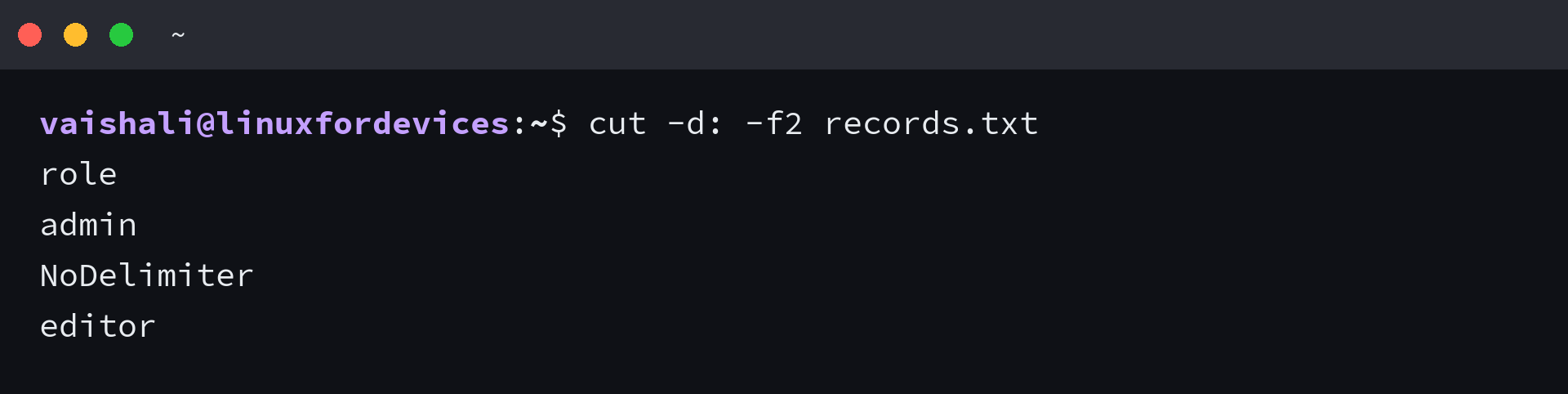
In field mode, a line with no delimiter passes through unchanged unless you add -s to suppress it.
cut -d: -f2 records.txt
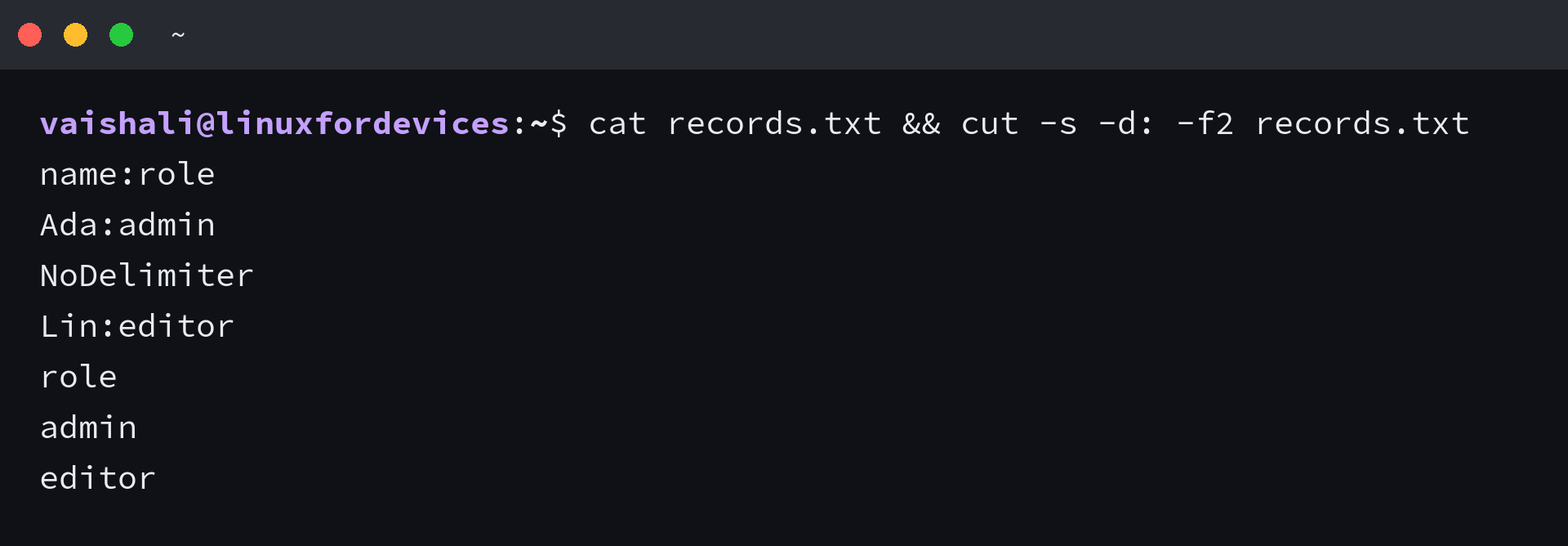
With -s, only lines containing the delimiter remain. The screenshot shows the input row that disappears from the result.
cat records.txt && cut -s -d: -f2 records.txt
Because each space is its own delimiter, repeated spaces create empty fields and shift later values.
If you process several files, a Bash for loop can apply the same command to each file. A Bash while loop fits a task where each line needs its own decision, and the line-count command can check how many records remain after filtering.
Know when cut is the wrong parser
cut treats delimiters as literal characters, not as CSV quoting rules or a run of whitespace. In the example below, the comma inside the quoted value still separates fields.
printf 'name,description\nAda,"blue, green"\n' | cut -d, -f2
The second output line is “blue, not the complete quoted value. A CSV-aware parser is the right choice when quoted separators belong inside a field.
The POSIX specification defines -c as character selection and -b as byte selection. I found that position 4 returned byte C3 from café in the GNU Coreutils 9.4 test under C.UTF-8, followed by 0A for the newline. So check the installed implementation before using -c to slice multibyte text.
printf 'café\n' | cut -c 4 | od -An -tx1

For comparison, awk can count characters in a UTF-8 locale, while a CSV parser can honor quoted commas. Choose the parser from the data format, not from the shape of one sample row.
printf 'café\n' | LC_ALL=C.UTF-8 awk '{print substr($0,4,1)}'
| Input shape | Better fit |
|---|---|
| Fixed positions in simple text | cut with -c or -b after choosing the needed unit |
| Fields separated by one stable character | cut with -f and, when needed, -d |
| Quoted CSV values or embedded commas | A CSV parser that understands quoting |
| Variable whitespace or per-row conditions | awk or a small script that can inspect each row |
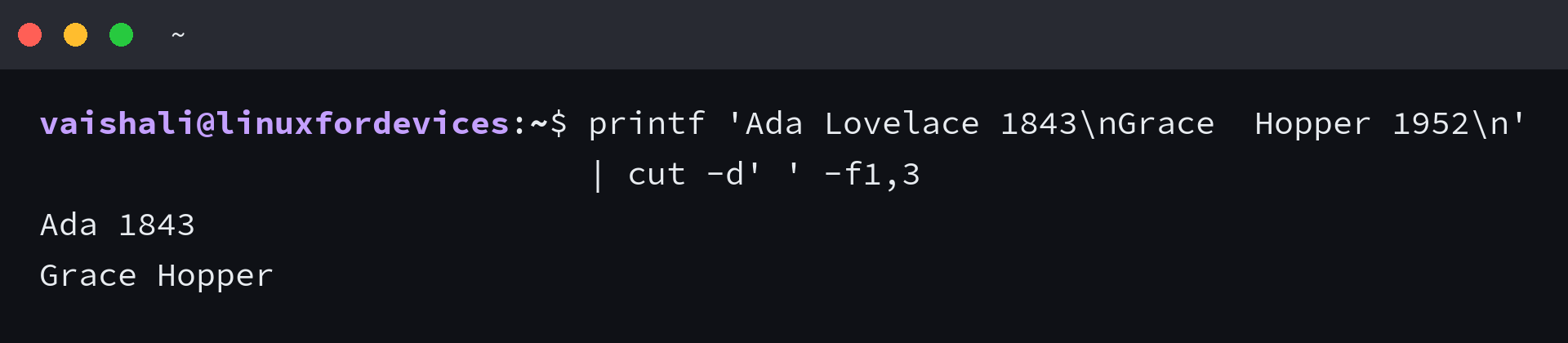
Keep cut at the line boundary
cut works well when each line has a stable delimiter or fixed positions and the same extraction applies to every row. Once quoting, variable whitespace, or row-specific logic changes the result, switch to a parser that understands that structure.
printf 'id:name:role\n17:Ada:engineer\n24:Lin:admin\nNoDelimiter\n' | cut -s -d: -f2 | sort -u
Frequently asked questions
The answers below cover the delimiter and input questions that change how cut behaves.
Does cut read from standard input?
Yes. If you do not name a file, cut reads standard input, so you can pipe another command’s output into it.
Why does cut print a line without the delimiter?
In field mode, cut passes a line with no delimiter through unchanged unless you use -s to suppress undelimited lines.
Can cut treat repeated spaces as one delimiter?
No. Each space is a delimiter, so repeated spaces create empty fields. Use a parser that treats whitespace runs as separators when that is the required input rule.
Can cut parse CSV fields with quoted commas?
No. cut does not interpret CSV quoting, so a comma inside quotes still separates fields. Use a CSV-aware parser for quoted values.
Is the cut command the same as clipboard cut and paste?
No. The cut command selects text from input lines and writes it to standard output. It does not move text to a desktop clipboard.