
An /etc configuration file describes the host, not a user’s personal settings. I was surprised that such a plain path carries that machine-wide role so clearly.
You’ll learn to distinguish host-specific settings from data intended to be shared. You can see how the FHS assigns roles to familiar paths.
What the FHS standardizes
The Filesystem Hierarchy Standard (FHS) gives requirements and guidelines for where files and directories belong on Unix-like systems. It helps software and administrators agree on paths, but it does not say that every Linux installation has the same contents or partition layout.
Read the layout as three related hierarchies. The root filesystem holds what the system needs to start and recover, while /usr holds the main software hierarchy and /var holds data that changes during operation.
| Example path | Shareability | Change behavior | Why it belongs there |
|---|---|---|---|
| /usr | Shareable | Static | Programs and reference data can be shared or mounted read-only in the FHS model. |
| /etc | Host-specific | Static | System configuration describes this machine. |
| /boot | Host-specific | Static | Boot files describe the installed system. |
| /run | Host-specific | Variable | Runtime state belongs to the current boot. |
| /var/log | Host-specific | Variable | Logs change as services run on this host. |
| /var/mail | May be shareable | Variable | Mailbox data changes, though a site can share it across machines. |
Static data changes little during normal operation, while shareable data can be used from more than one host. /usr fits that model.
The standard describes intended placement rather than a live directory listing. Ubuntu’s FHS explanation describes these distinctions, and the FHS 3.0 specification gives the normative directory definitions.
Every path begins at /, even across mounted filesystems
The slash at the start of an absolute path names the root of the directory tree. It is not the same thing as the root account, whose home directory is /root.
- A path such as /home/alex/notes.txt is named from the tree’s root, not from the disk that stores it.
- A mounted filesystem appears at a directory called a mount point, so a separate partition can provide /home without changing the path used to reach it.
- The FHS describes directory roles. The system’s mount table determines which filesystem supplies a path.
A path can cross a mount point without changing its name, so the filesystem behind it is a separate question that only the mount view answers. Path names stay the same.
Boot files, commands, and libraries have different homes
The root hierarchy keeps boot and recovery essentials close to /. The FHS assigns /boot to static boot-loader files, including the kernel and related startup files, but the names on a specific machine depend on its boot setup.
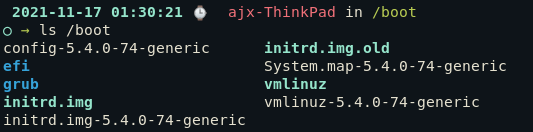
Filenames in /boot depend on the distribution and bootloader, so treat this listing as one example rather than a universal inventory. Its kernel and initramfs entries belong to the installed system.
The FHS uses /bin for essential user commands and /sbin for essential system commands. The /lib path holds libraries needed by commands in the root hierarchy, though exact contents depend on the distribution and its packages.
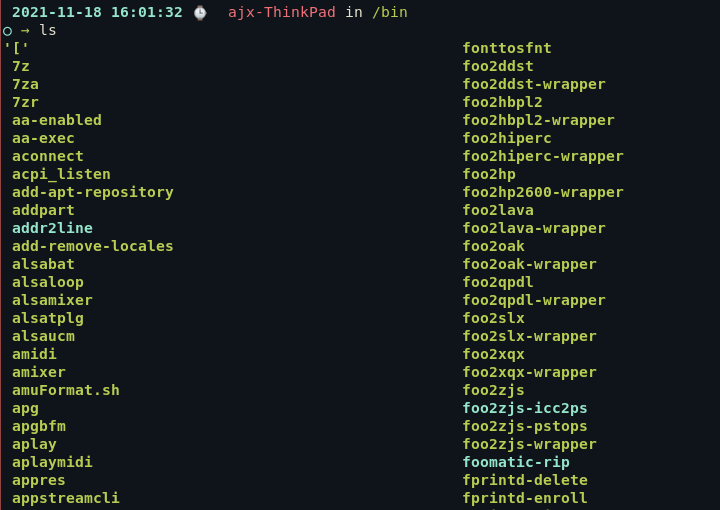
A plain listing hides the path type, so check whether /bin is a directory or symbolic link before assuming its entries occupy a separate location.
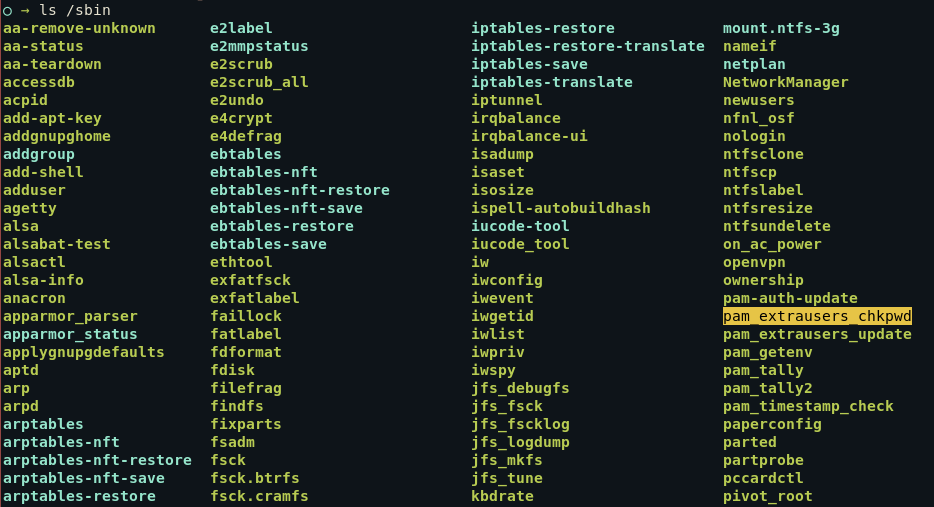
The system-command label describes the directory’s traditional purpose, not a permission rule that every listed command can only run as root. File permissions and the command’s own checks control access.
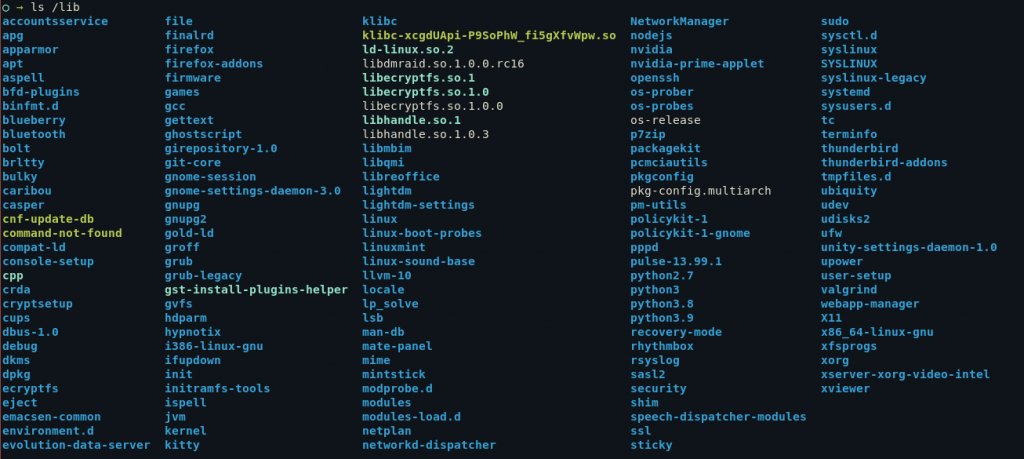
The /lib listing includes package and system-specific names as well as library-related paths. On a merged-/usr installation, /lib may lead to /usr/lib through a symbolic link, so the path name alone does not tell you where the files are stored.
The /usr hierarchy keeps user commands and non-essential administration tools in separate paths, /usr/bin and /usr/sbin. /usr/lib holds libraries, while /usr/share holds manuals and other architecture-independent files.
A /lost+found directory is not required by the FHS. The mklost+found manual describes its use in recovery on ext-family filesystems.
Configuration, home directories, and add-on software
System settings live under /etc. Home areas use /home or /root, while add-on software belongs under /opt or /usr/local.
| Path | FHS role | Useful distinction |
|---|---|---|
| /etc | Host-specific system configuration | Configuration files are not a general destination for application binaries. |
| /home | Regular users’ home directories | Personal files and per-user settings belong to each user’s home area. |
| /root | Home directory for the root account | It is separate from /home and is not the root of the filesystem tree. |
| /opt | Add-on application software packages | Packages commonly use a vendor or product subdirectory. |
| /usr/local | Locally administered software hierarchy | It separates local system additions from the distribution’s /usr tree. |
The FHS reserves /opt for add-on application packages, with product directories under that path. Package names vary by system.
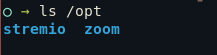
/usr/local is for software installed under local administrator control. /opt groups add-on packages, but its use depends on how the vendor packages the program.
A user’s .config directory belongs under the home path, not in /etc. The Linux hidden-files guide explains how to show dotfiles.
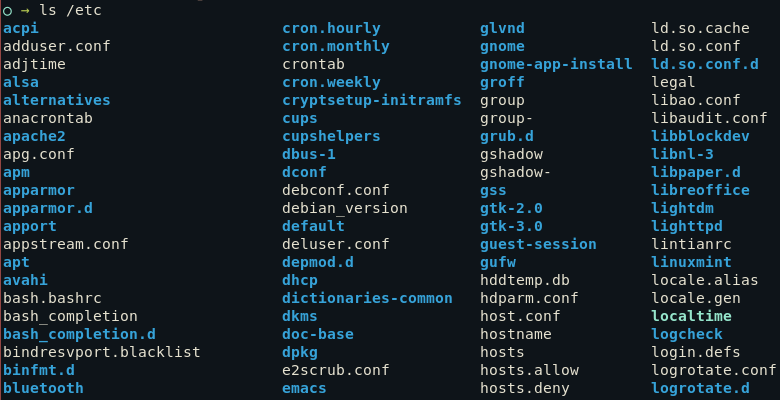
The displayed /etc names belong to one system’s installed services, not a standard inventory. The FHS defines its purpose as host-specific configuration.
Runtime and temporary data have different lifetimes
/var holds data that changes while the system runs. Logs and application state are common examples, and a full filesystem should be investigated before files are deleted.
- /run holds boot-scoped runtime state such as process identifiers and sockets, which the FHS says to clear or truncate at boot. Current Linux hierarchy guidance defines /var/run as a compatibility symlink to /run.
- /tmp holds temporary files. Programs must not assume those files survive between invocations, and cleanup timing is set by the system rather than one universal schedule.
- /var/tmp is for temporary files that the FHS says should be preserved across reboots, unlike /tmp.
The directories may look similar in a listing, but their lifetimes change how an application should use them. A cleanup service can remove files from /tmp, so use /var/tmp when temporary data needs the FHS’s reboot-persistence behavior.
A /run entry can describe service or process state created during the current boot. The directory’s contents change with the active services.

The names change with the boot. They identify runtime entries for active services, not directories every system must contain.
Temporary application files can appear in /tmp, but cleanup timing belongs to the system’s policy. This listing is a snapshot, not a promise about how long a file remains.
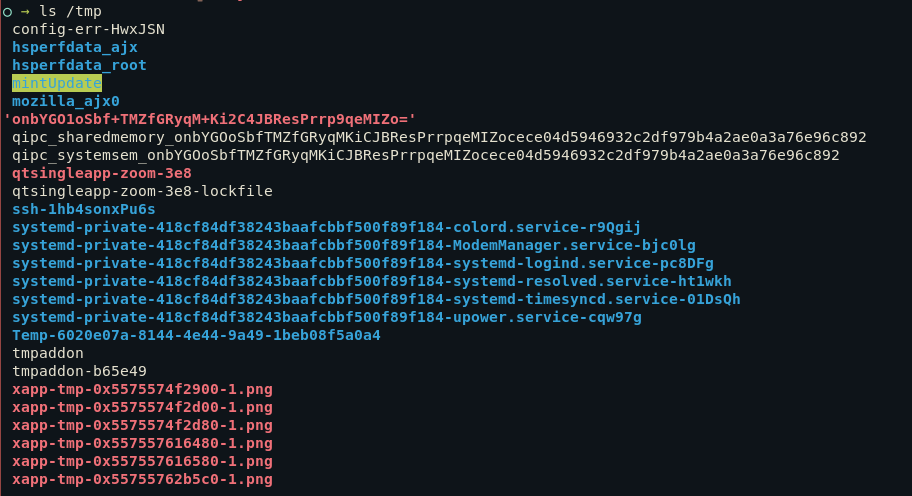
Names vary with the system. This capture does not establish another distribution’s directory contents or cleanup schedule.
The /var listing groups changing data by directory role. Its contents depend on the distribution and installed services.

When /var fills, compare directory sizes before removing files because an active service may still depend on its state. The Linux directory-size walkthrough shows how to inspect those sizes.
Virtual filesystems and mount points expose live resources
The /dev path exposes device interfaces. /proc and /sys expose different kinds of kernel state rather than ordinary files stored on disk.
| Path | What it exposes or names | Boundary |
|---|---|---|
| /dev | Device nodes and standard interfaces such as terminals | Entries depend on the kernel, hardware, and device-management setup. |
| /proc | Process and kernel information through procfs | Many entries describe live state rather than stored documents. |
| /sys | Kernel and device objects through sysfs | Its hierarchy follows kernel objects and device relationships. |
| /media | Mount points for removable media | Desktop systems often manage these paths automatically. |
| /mnt | Temporary mount point for a filesystem | Administrators commonly use it for manual mounts. |
| /srv | Data provided by services on this system | Its subdirectory layout depends on the service and administrator. |
To work with storage, identify the device and partition first, because /dev entries act as interfaces to devices rather than copies of their data. Then follow a safe mount procedure instead of treating every /dev name as a directory.
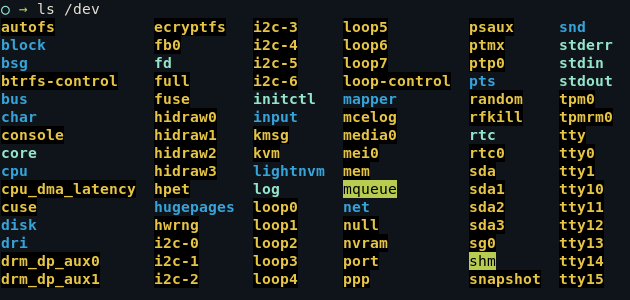
If you need to choose a partitioning tool, the Linux partitioning-tools guide explains the options. The USB mounting guide covers the mount step for removable storage.
A /proc listing mixes process-number directories with named kernel information, so its numeric entries change as programs start and stop.
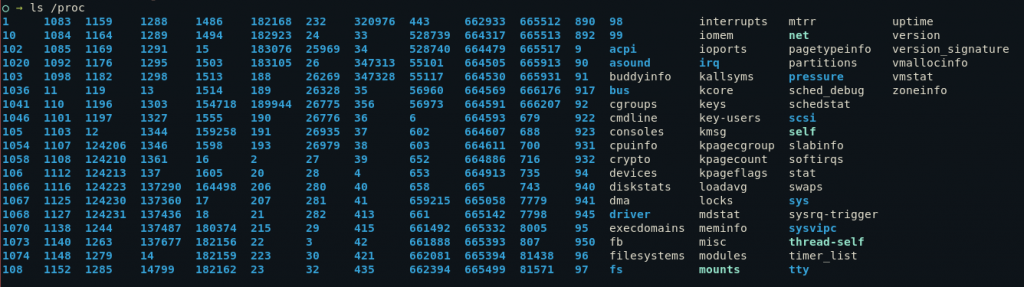
The numeric directories in /proc correspond to process identifiers, and named entries expose system information. The Linux kernel’s procfs documentation describes this interface in more detail.

/proc and /sys are related but not interchangeable. Procfs exposes process and kernel information, while sysfs presents structured kernel objects and their relationships.
The Linux-specific FHS annex treats both interfaces as system paths with different data models. The entries change with active devices.
/media and /mnt are mount-point locations, not names for a disk format. Use /media for removable storage and /mnt for a temporary filesystem mount, then check your distribution’s guidance for local conventions.
Merged /usr keeps familiar paths as symlinks
The traditional /bin and /sbin names may remain visible after a distribution merges those paths into /usr. The /lib path may link to /usr/lib, preserving its familiar name while files live in the /usr hierarchy.
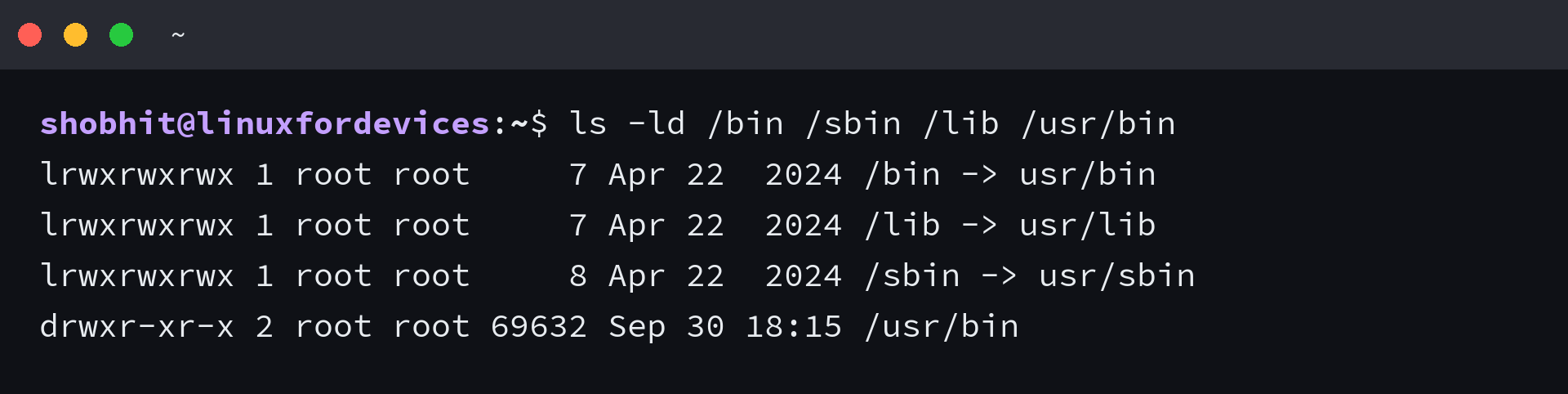
The output shows one system’s layout, not a rule that every installation must use these links. To learn how symbolic links work before changing one, see the Linux symbolic-link guide.
Check the printed target for the link. This tells you how the distribution implements that path, since /bin does not have to be a separate physical directory.
Use the local manual as a second view
The installed hier(7) manual summarizes directory roles and local conventions that may differ from the FHS specification. Use it as a second view.
man hier
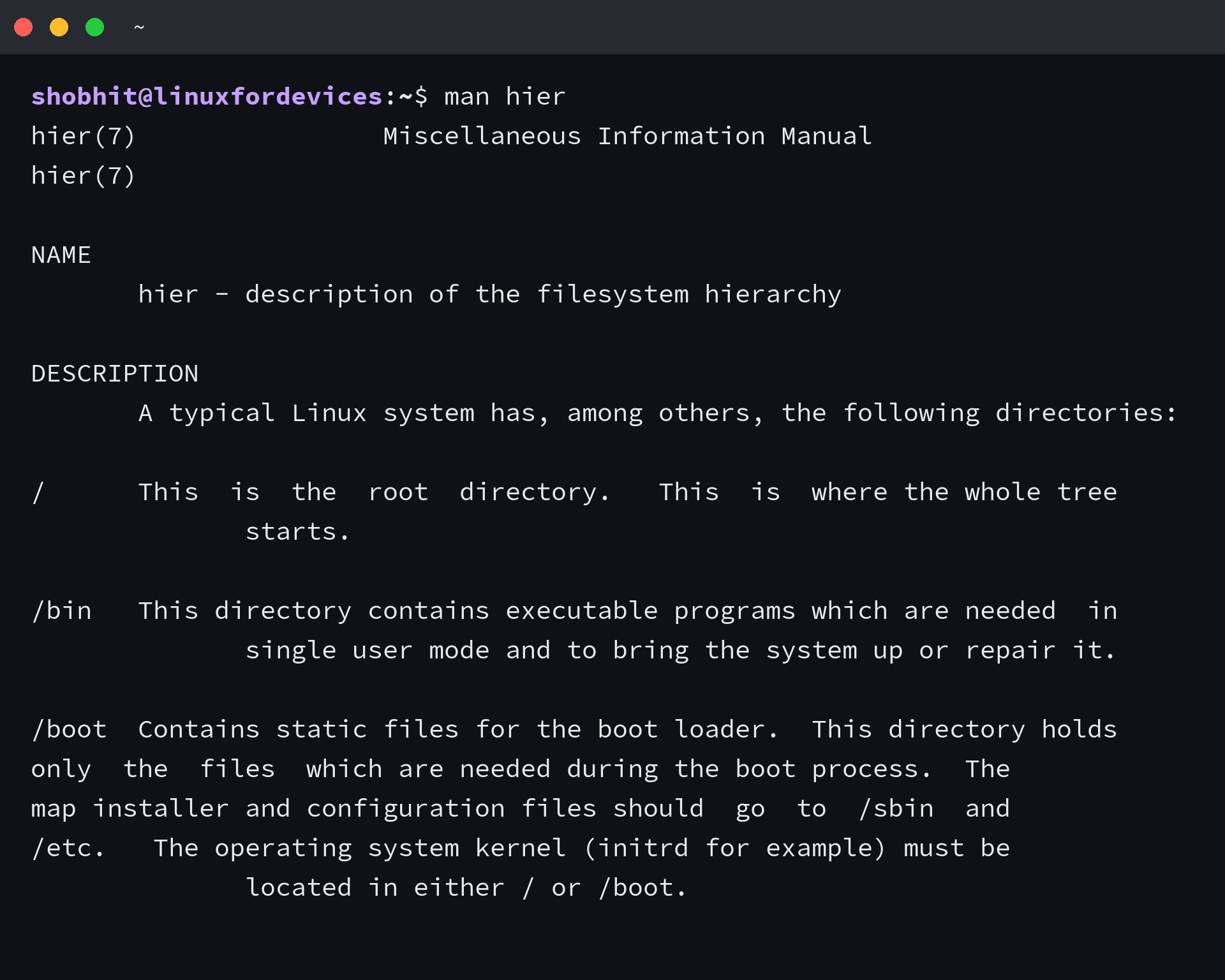
The command opens the local description of the filesystem hierarchy. For a broader reference on opening and searching manual pages, use the Linux man-command guide.
Linux Filesystem Hierarchy FAQ
Does /usr mean user home?
No. /usr is the main hierarchy for installed programs and shared data. Regular users’ home directories are normally under /home, while the root account’s home directory is /root.
Does every Linux distribution use the same directory layout?
No. The FHS defines intended roles and placement guidelines, but distributions choose their package contents and may implement paths differently. Check the documentation for the distribution you run.
Is /lost+found part of the FHS?
No. /lost+found is associated with recovery tools on ext-family filesystems, not a required FHS directory. Its presence and use depend on the filesystem and tools.
Can /usr be a separate filesystem?
Yes. A filesystem can be mounted at /usr while its paths remain part of the same directory tree. Whether a distribution supports that arrangement during boot depends on its configuration and boot requirements.