
If you’re setting up video conversion on Linux, the first task is installing HandBrake. HandBrake is a transcoder that creates a new video file from a source.
I’ll show you how to install its Flathub build and launch either the graphical app or HandBrakeCLI.
TL;DR: Install HandBrake from Flathub
Install HandBrake from Flathub using the official app ID fr.handbrake.ghb. This is the route HandBrake recommends for Linux.
- For a system-wide install, use flatpak install fr.handbrake.ghb.
- For a single account, choose a user-scoped installation.
- Launch the graphical app with flatpak run fr.handbrake.ghb.
What Is HandBrake for Linux?
HandBrake is a transcoder that creates a new video file from a source. It supports several output formats and audio and video settings. Presets group encoder settings for common playback targets.
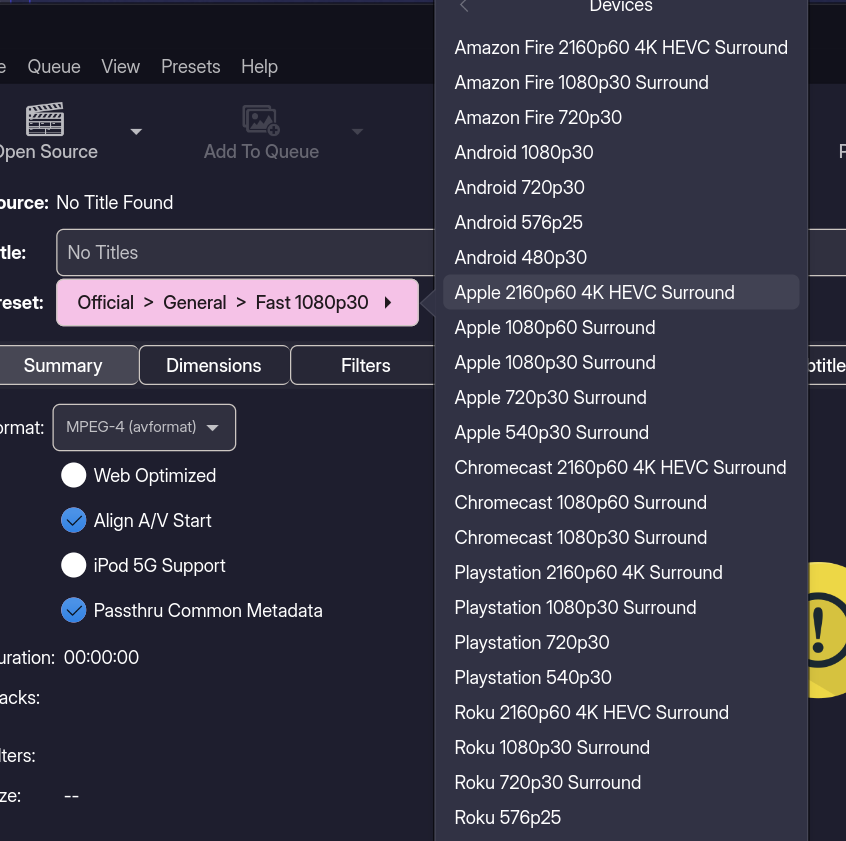
In this piece, I’ll separate installing HandBrake from using it. Flatpak installs the app, while the preset and other encode settings control the output.
MP4 and MKV are containers that group video, audio, subtitle, and chapter data. Codecs compress individual streams, and a player may support a container but not a particular codec. Check both when choosing an output for a device.
Encoding speed, file size, and image quality can trade off. The right balance depends on the source and target. Test a short section before converting a longer video.
How to Install HandBrake on Linux
The steps below use Flathub. Check Flatpak’s version and configured remote first.
Step 1: Check Flatpak and Flathub
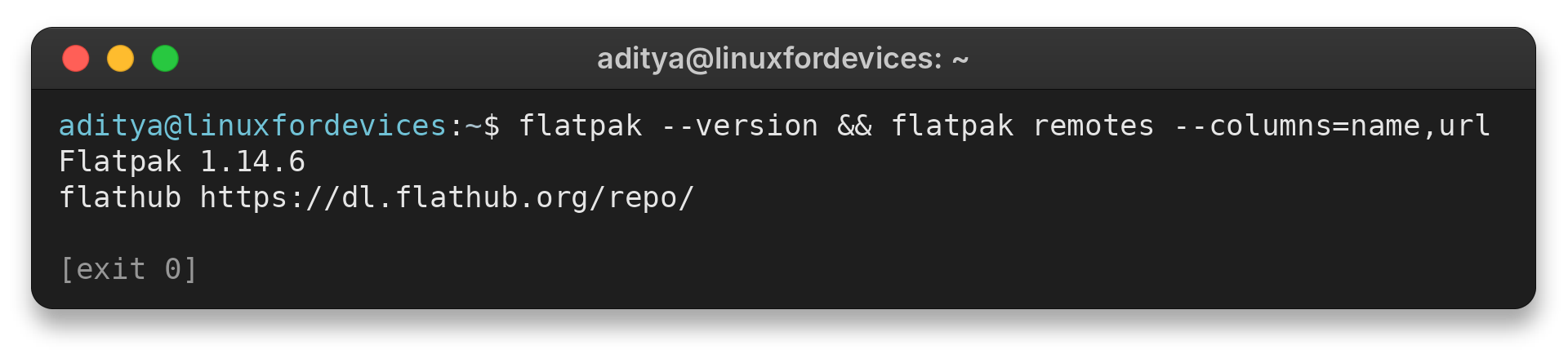
Run these read-only checks in a terminal. The first reports the Flatpak version, and the second lists configured remotes with their addresses.
flatpak --version && flatpak remotes --columns=name,url
I ran the version and remote checks. They returned the output below. A listed Flathub remote means Flatpak knows about the source, but does not show whether the HandBrake app ID is currently reachable.
Flatpak 1.14.6
flathub	https://dl.flathub.org/repo/
If Flathub is missing, install Flatpak with your distribution’s software manager and follow the Flatpak setup guide to configure it.
Use the Flathub remote and the installation scope you plan to keep. Flatpak can configure remotes separately for system and per-user installations, so confirm that the chosen scope can see Flathub before installing.
Step 2: Install HandBrake
Choose scope by who needs the app. System-wide installation suits a shared computer, while a user installation is limited to the account running it. The system-wide command may ask for administrator authentication.
# System-wide installation
flatpak install fr.handbrake.ghb

# Or, only for your account
flatpak --user install fr.handbrake.ghb
When Flatpak offers a remote during installation, select Flathub. An app installation can also pull in a runtime that the app needs. The first installation therefore may download more than the HandBrake app itself, while later updates can refresh either the app or a required runtime.
If you prefer a graphical installer, use a desktop software center configured with Flathub. Search for HandBrake, confirm the Flathub source and app ID, then choose the scope offered by that software center. Labels differ between desktops.
Step 3: Launch the graphical app
Open HandBrake from your desktop’s application menu, or launch it from a terminal with the exact app ID. This starts the installed Flatpak rather than searching for a host executable.
flatpak run fr.handbrake.ghb
HandBrake opens a new window. Choose the source, preset, output destination, and title to encode. Review the selected tracks before starting.
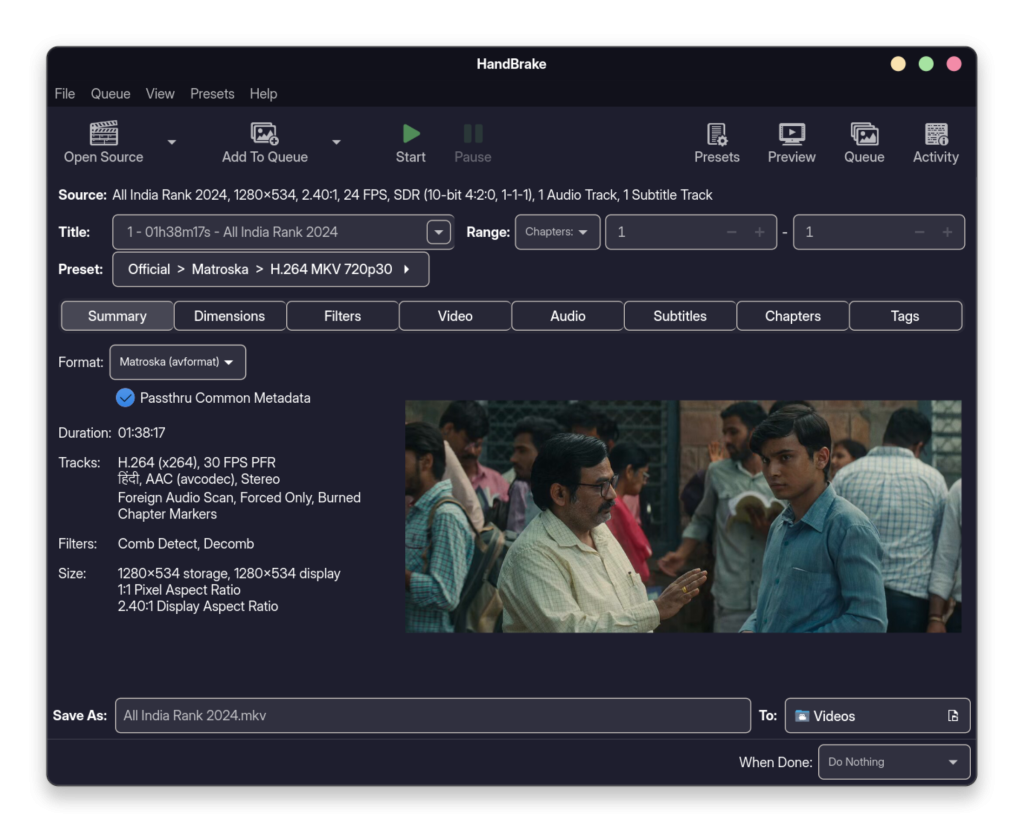
Some sources contain multiple titles or chapters, so select the portion you need. Confirm the audio and subtitle tracks before starting the encode.
Step 4: Launch HandBrakeCLI when needed
HandBrakeCLI suits repeated commands and scripts. It runs without opening a window. The next command opens the installed build’s help, where you can check available options.
flatpak run --command=HandBrakeCLI fr.handbrake.ghb --help
The GUI and CLI use the same HandBrake app ID.
For a conversion, provide an input path, a separate output path, and a preset that fits the intended playback device. Replace the placeholder paths with your files. The preset name must match one available in the installed build.
flatpak run --command=HandBrakeCLI fr.handbrake.ghb -i "/path/to/input.mkv" -o "/path/to/output.mp4" --preset "Preset name"
Quote paths that contain spaces and make sure the Flatpak can access both the input and output folders. Check the installed build’s help for valid preset names before running the encode.
For a separate command-line codec workflow rather than HandBrake’s preset-based conversion, see the LinuxForDevices guide to converting HEVC video to H.264 with FFmpeg.
Check destination space before converting a long video. Output size depends on both the source and the chosen encoding settings.
Check the Install and Fix Common Issues
Resolve these issues separately because an update problem and a folder permission problem need different checks.
A “not installed” result can reflect the scope being checked. Compare the system and per-user installations in the commands below.
Confirm the installed app and update it
Use the app ID to check whether HandBrake is installed, then ask Flatpak to update it. If no update is needed, Flatpak reports that the installed app is current.
# System installation
flatpak info fr.handbrake.ghb
flatpak update fr.handbrake.ghb

# Per-user installation
flatpak --user info fr.handbrake.ghb
flatpak --user update fr.handbrake.ghb
An app-specific update targets HandBrake. The all-app form checks for updates across every installed Flatpak.
Remove HandBrake when needed
To remove HandBrake, use the same installation scope you chose earlier. Read any prompt about retained settings before confirming removal.
flatpak uninstall fr.handbrake.ghb
flatpak --user uninstall fr.handbrake.ghb
HandBrake cannot open a file
Test a home-folder file first when HandBrake cannot open media or save output elsewhere. If that works, grant access only to the needed source or destination folder with Flatseal, not the whole host filesystem. A desktop file chooser can instead pass one selected file to the app, as the LinuxForDevices GIMP guide explains.
Review the permissions declared for the installed app before changing them. This read-only command displays that list.
flatpak info --show-permissions fr.handbrake.ghb
Use Flatseal or your desktop’s permission interface to change a folder permission, then reopen HandBrake and select the file again.
An older distro package is already installed
| Case | Signal | Next step |
|---|---|---|
| A distro or third-party build is already installed. | The project lists some third-party packages as unsupported. | Identify the package manager and review HandBrake’s current source guidance before adding or switching copies. |
A file can convert successfully but still fail on a particular player if its container, codec, or tracks are unsupported. For playback problems, see the LinuxForDevices guide to multimedia codecs on Linux.
Conclusion: Use the Official Flathub Build
Install HandBrake from Flathub, launch it from your applications menu, and update it through Flatpak when a new release is available.
For the latest supported steps, see HandBrake’s download and installation documentation. If Flatpak itself is new on your system, use the LinuxForDevices guide to enable and set up Flatpak.
FAQ
These answers cover installation scope, app availability and support.
Can I install HandBrake without administrator access?
Yes. Flatpak supports a user-scoped installation limited to the account that runs it, provided Flatpak and Flathub are configured for that user.
How do I open the HandBrake command-line interface?
Use the HandBrakeCLI command shown in Step 4 to open its help through the installed Flatpak.
Why can’t HandBrake see a video on another drive?
The Flatpak sandbox may not have access to that directory. Grant access to the specific folder through Flatseal or your desktop’s Flatpak permissions interface.
Are Ubuntu Universe or RPM Fusion builds supported by HandBrake?
The HandBrake project lists some third-party distribution packages as unsupported and warns that some may be broken. Check its current source guidance before choosing one.
Does HandBrake play videos?
No. HandBrake converts a video source into a new file. It is not a media player. Open the output with a player that supports its container and codecs.
How do I uninstall a Flatpak copy of HandBrake?
Use the uninstall command under Remove HandBrake when needed and match the scope you chose at installation. Read any prompt about retained settings before confirming removal.