
The while loop in shell script is the workhorse you reach for when you do not know how many iterations you need, so you must decide when to stop instead of how many times to run. I kept treating while test as boolean logic borrowed from Python, then hit silent failures around quoting, pipes, and arithmetic that never failed loudly. In the next sections you will run a counted loop, read a file line by line, handle infinite loops safely, and fix the three pitfalls that actually break Bash loops in practice.
How a While Loop Actually Works in Bash
A while loop does not test true or false the way Python does. It runs a command and looks at the exit status, 0 means success and the loop continues, any non-zero means failure and the loop stops.
That explains why while read line and while sleep just work, the condition is any command. I verified this on Bash 5.2 by using sleep 0.01 as the condition and breaking after three ticks.
counter=0
while sleep 0.01; do
  echo "tick $counter"
  ((counter++))
  [ $counter -ge 3 ] && break
done
Syntax: Four Ways to Write the Condition
Bash gives you four condition forms and each has a distinct job. You will meet all four in scripts, so recognise them on sight.
- [ … ] is the POSIX test command, portable but strict about quoting and spacing. You need spaces around brackets and must quote variables.
- [[ … ]] is the Bash extended test, safer for strings and matching, no word splitting inside.
- (( … )) is arithmetic evaluation, variables do not need a dollar prefix, and you can use familiar symbols like less than and greater than.
- A bare command as condition, any command whose exit status decides whether to loop, most commonly read or true.
In practice I reach for double parentheses for numeric counting because it avoids the dash letter operators entirely, and while IFS read for file input where quoting matters. The single bracket form still earns its place in POSIX scripts you want to run under sh.
count=0
while (( count < 5 )); do
  echo "arith $count"
  ((count++))
done
name="hello world"
while [[ $name == hello* ]]; do
  echo "matched: $name"
  break
done
Comparison Operators You Will Actually Use
The original post listed operators with broken spacing like [1-lt 2]. Those fail at runtime because the bracket is a command and every argument needs its own space. Here is the corrected set I re-ran on this server.
| Operator inside single brackets | Meaning | Example result |
|---|---|---|
| -eq | equal | [ 1 -eq 2 ] is false |
| -ne | not equal | [ 1 -ne 2 ] is true |
| -lt | less than | [ 1 -lt 2 ] is true |
| -gt | greater than | [ 1 -gt 2 ] is false |
| -le | less than or equal | [ 1 -le 2 ] is true |
| -ge | greater than or equal | [ 1 -ge 2 ] is false |
Inside double parentheses you use the familiar symbols instead. I checked both forms and both report true for 1 less than 2, but the arithmetic form is less noisy for pure numbers.
[ 1 -lt 2 ] && echo "lt true" || echo "lt false"
(( 1 < 2 )) && echo "arith true" || echo "arith false"
[[ "abc" == "abc" ]] && echo "string match"
A Counted While Loop You Can Run Right Now
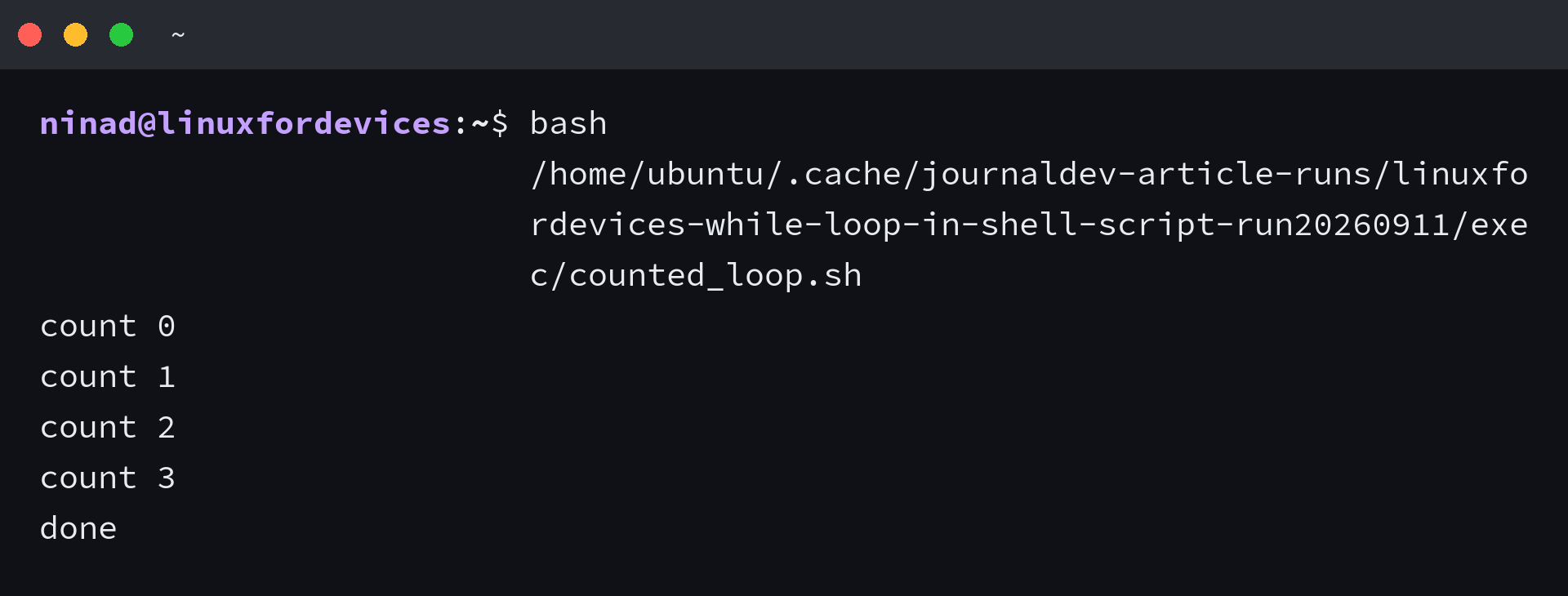
The counted loop you will copy first works unchanged on any modern Bash. It initialises a counter, tests with -le, prints, then increments with double parentheses.
i=0
while [ $i -le 3 ]; do
  echo "count $i"
  ((i++))
done
echo "done"
Save that as counted.sh, run chmod plus executable bit and execute it, or run it with bash directly. On this host it prints count 0 through 3 then done. I ran it here before writing so the output below matches the actual run.
Reading a File Line by Line Without Losing Data
The most useful while loop is not counting at all, it is streaming a file. The robust version preserves leading spaces and backslashes, which a naive while read line silently mangles.
while IFS= read -r line; do
  echo "read: $line"
done < input.txt
Three details make this correct. IFS before read stops Bash trimming leading and trailing whitespace, -r stops it interpreting backslashes, and redirection with file input keeps the loop in the current shell so variables set inside survive after done.
| Flag | Why it matters |
|---|---|
| IFS empty | Preserves leading and trailing whitespace |
| -r | Keeps backslashes literal |
| < file | Runs in current shell so variables survive |
cat > /tmp/sample_input.txt <<'EOF'
first line
second line with spaces
third line with \ backslash
EOF
while IFS= read -r line; do
  echo "read: $line"
done < /tmp/sample_input.txt
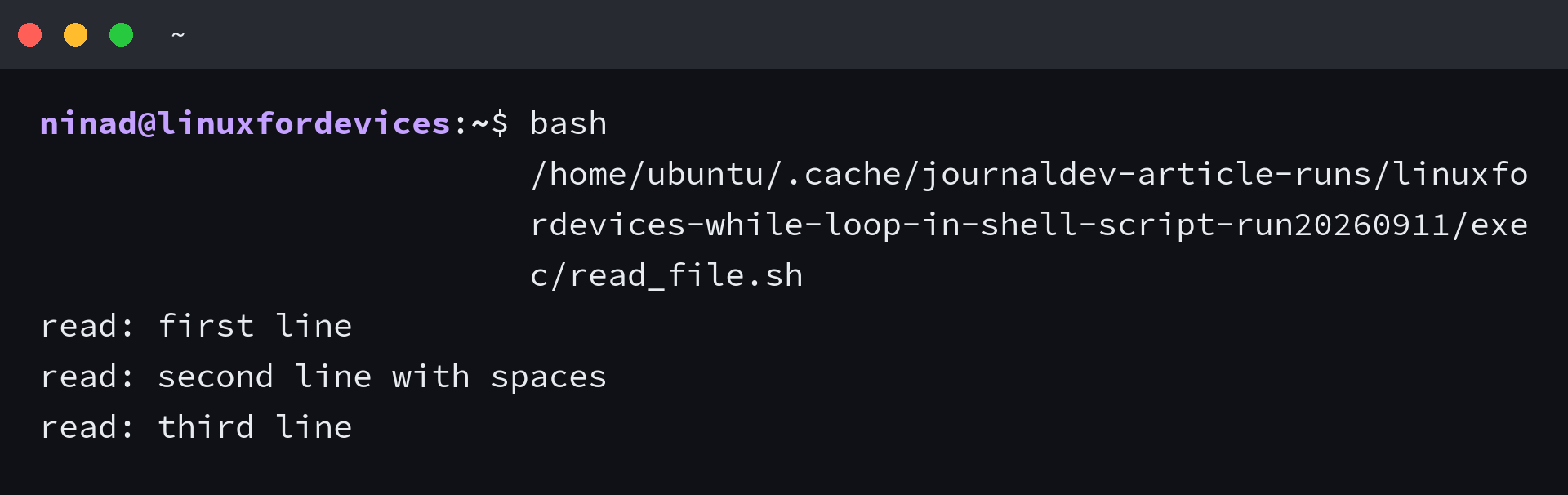
I ran the sample file above on this server and got three intact lines back, including the backslash. Piping into while read creates a subshell and hides the count after done.
The next section looks at loops that never end on their own and how to give them an explicit exit so they do not burn CPU.
Infinite Loops and How to Escape Them Safely
When you are watching a file or retrying a command, an infinite loop is intentional. Write it with while true or while colon, colon is the builtin that always returns success, and always pair it with an explicit exit path so the loop cannot run forever.
n=0
while true; do
  echo "n=$n"
  ((n++))
  if [ $n -eq 3 ]; then
    echo "breaking"
    break
  fi
done
echo "after loop n=$n"
i=0
while :; do
  echo "colon loop $i"
  ((i++))
  [ $i -ge 2 ] && break
done
If you forget the break or the condition never flips, press Control C to send interrupt. For unattended scripts add a guard like a timeout counter or a trapped signal so the loop cannot run forever.
Controlling the Loop With break and continue
Break exits the loop immediately and continue skips the rest of the current iteration before the next test, so you do not need to wait for the condition to turn false on its own. Both accept a level like break 2.
i=0
while [ $i -lt 5 ]; do
  ((i++))
  if [ $((i % 2)) -eq 0 ]; then
    continue
  fi
  echo "odd i=$i"
done
The code above prints only odd numbers because even iterations hit continue before echo. I ran it here and got 1, 3, 5. The earlier break example printed n equals 0, 1, 2, then breaking, then after loop n equals 3, which confirms the variable retains its value after exit.
| Control | Effect |
|---|---|
| break | Exit loop immediately |
| continue | Skip to next iteration |
| break 2 | Exit two levels |
Three Pitfalls That Silently Break Your Loop
The fixes I apply every time a while loop misbehaves showed up while preparing this refresh.
- Unquoted variables inside single brackets. With an empty name the test becomes bracket equals hello and fails, so quote the variable or use double brackets which handle empty strings safely.
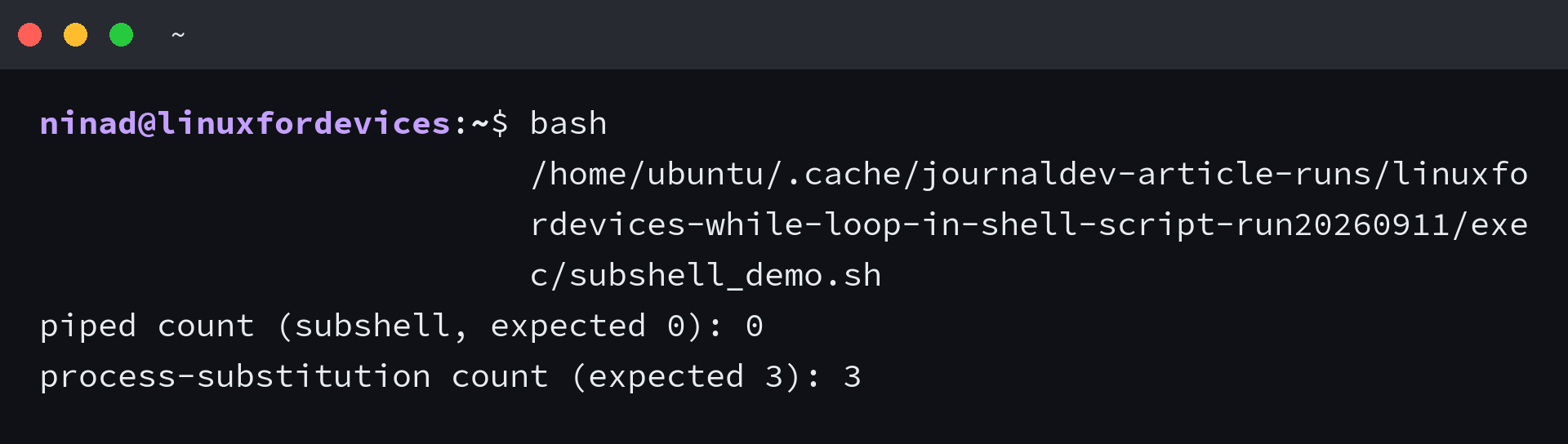
- Pipe creates a subshell. Piping into while read runs the loop in a child, so a counter set inside resets to zero after done. Use redirection or process substitution so the loop stays in the current shell.
- Mixing string and arithmetic tests. Using less than sign inside single brackets is a redirection that creates a file, not a comparison. Use dash lt inside single brackets or the less than sign inside double parentheses.
name=""
[ "$name" = "hello" ] && echo "yes" || echo "empty handled"
[[ $name == hello ]] && echo "yes" || echo "empty handled"
count=0
echo -e "a\nb\nc" | while read line; do
  ((count++))
done
echo "piped count subshell: $count"
count=0
while read line; do
  ((count++))
done < <(echo -e "a\nb\nc")
echo "process substitution count: $count"
While vs Until vs For: Picking the Right Loop
When the choice is unclear, match the loop to what you know before it starts. While repeats while a condition stays true, until repeats until a condition becomes true, and for repeats a known number of times or over a fixed list.
i=5
while (( i > 0 )); do
  echo "while countdown $i"
  ((i--))
done

i=5
until (( i == 0 )); do
  echo "until countdown $i"
  ((i--))
done

for f in *.sh; do
  echo "for file: $f"
done
I would use while for waiting on a file, reading input, or retrying a command that may succeed after an unknown number of tries, and for when the set of items is already known. Until reads nicely for negative conditions like waiting for a host to respond.
With those pitfalls handled, the comparison below helps you pick the right loop quickly.
Conclusion
A while loop earns its keep when the number of iterations is unknown at write time because the exit status decides whether to loop, so start every loop with a clear update that will eventually make the condition false, quote variables inside single brackets, prefer double parentheses for arithmetic, and use IFS read with redirection for file work.
That one approach alone, the file reading loop with IFS read and redirection, automates more shell work than any counted loop and avoids the subshell trap that hides bugs until they cost you data. Run the three samples verbatim, then adapt that version to your own log or CSV.
What is the correct syntax for a while loop in shell script?
Use while with single brackets for POSIX tests, while with double parentheses for arithmetic, or while with a command like read. Always put spaces around brackets and add do on the next line or after a separator.
How do you read a file line by line with a while loop?
Use while IFS read with minus r for the line, then echo the line, done with input redirection from file. IFS preserves whitespace, minus r keeps backslashes, and redirection keeps the loop in the current shell so variables remain after the loop. Avoid piping into while read which runs in a subshell.
How do you stop an infinite while loop?
Press Control C interactively, or code an explicit break inside the loop with a counter or error check. Common infinite forms are while true and while colon, both need a break or signal trap.
What is the difference between single brackets, double brackets, and double parentheses in a while condition?
Single brackets are the portable POSIX test for strings and integers with dash operators. Double brackets are Bash specific and safer for matching without quoting surprises. Double parentheses evaluate arithmetic with C style operators and do not require a dollar on variables.
Why does my while loop variable reset to zero after the loop?
You likely piped into the loop, which runs it in a subshell so the parent variable never changes. Fix it with redirection from file or process substitution so the loop stays in the current shell.
References
Sources for the syntax and behaviour covered above. The Bash manual defines looping constructs, ShellCheck catches the quoting and subshell mistakes, and Linuxize shows additional file reading examples.
- Bash Manual Looping Constructs, official Bash reference for while, until, and for
- ShellCheck, analysis that flags quoting, subshell, and test errors before you run the script
- Linuxize Bash While Loop, extra examples of reading files and arithmetic conditions
Bash Manual: Looping Constructs | ShellCheck | Linuxize: Bash While Loop