
Use the OpenSSH SFTP client to move files through an SSH connection without setting up FTP or a separate transfer service. It provides sftp on many Linux distributions, along with the familiar SSH account and key options.
Use the OpenSSH SFTP client first
The SSH File Transfer Protocol uses the same host, port, account, and key options as SSH. It is separate from FTP and FTPS.
If SSH access already works for your account, start an interactive SFTP session with that same user and host.
sftp [email protected]
Replace user with the remote account and example.com with the server name or IP address. For a server on a port other than 22, use the uppercase P option.
sftp -P 2222 [email protected]
When the server expects public-key authentication, select your private key with the lowercase i option. SSH prompts before accepting a new server host key unless you set a different policy.
sftp -i ~/.ssh/id_ed25519 [email protected]
Upload and download files
After a successful connection, the prompt changes to sftp, where commands act on the remote directory unless they begin with l for your Linux machine.
pwd
lpwd
ls
lls
Use pwd and ls for the remote side. The lpwd and lls commands inspect your Linux machine before a transfer starts or lands.
Upload a local file with put and supply the destination name when you want the remote filename to be explicit.
put report.csv incoming-report.csv
Download a remote file with get, which stores the copy in your current local directory unless you supply another local destination.
get logs/app.log app.log
Add r to copy a directory recursively, then check the destination because the transfer can include more files than its top-level name suggests.
put -r local-project remote-project
get -r remote-backups backups
Run a repeatable batch transfer
A batch file gives you a repeatable transfer without an interactive prompt while keeping host names, credentials, and key paths outside the shared file.
put build.tar.gz releases/build.tar.gz
get releases/checksums.txt checksums.txt
bye
Save the commands as transfer.batch, then use the b option to read that file and return an exit status your shell or automation runner can inspect.
sftp -b transfer.batch [email protected]
Choose a graphical client when you need file browsing
Use the command-line client when you want a small dependency footprint, an SSH-configured connection, or a scriptable transfer. Install a graphical client when you need two-pane browsing, a saved site list, or drag-and-drop transfers.
FileZilla supports SFTP as well as FTP and FTPS. Install it from your distribution repository when it is available, or use the FileZilla Flathub package if Flatpak is part of your desktop setup.
In FileZilla Site Manager, choose SFTP as the protocol, enter the SSH host and account, and confirm the server fingerprint on its first connection. A fingerprint mismatch after a server rebuild can be expected, but stop if it changes without an explanation from the server owner.
Avoid common SFTP mistakes
Match the protocol at both ends because SFTP travels over SSH, while FTPS is FTP protected by Transport Layer Security.
Do not bypass a host-key warning. Compare the fingerprint with a value supplied through a trusted channel before a production upload.
Authentication proves who can connect, not what that account may read, overwrite, or delete. Restrict server-side directories and permissions for the account you issue.
Verify the transfer before you rely on it
I verified an upload and download against a fresh local OpenSSH server with key authentication, then compared the downloaded file with the source. Repeat that small transfer check against your server before moving an important directory.
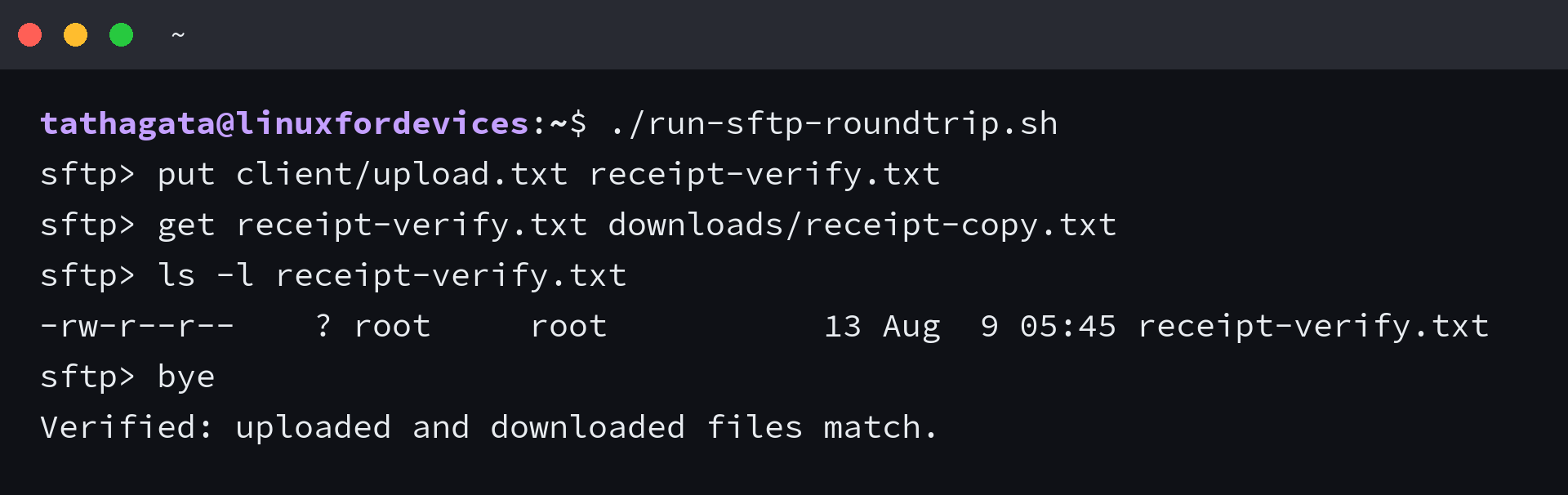
sftp [email protected]
put test.txt test.txt
get test.txt downloaded-test.txt
bye
cmp test.txt downloaded-test.txt
A successful cmp command produces no output and returns status 0. Once that works, move to your intended directory and use SSH keys plus server-side permissions that fit the account’s job.
Is SFTP installed by default on Linux?
Many Linux distributions include the OpenSSH client, which provides the sftp command. Run sftp to check. If the command is missing, install your distribution’s OpenSSH client package.
What is the difference between SFTP and FTPS?
SFTP uses SSH for its encrypted connection. FTPS is FTP protected with Transport Layer Security. They use different protocols, so an SFTP server needs an SFTP-capable client.
Can I automate an SFTP upload on Linux?
Yes. Put the transfer commands in a batch file and invoke sftp with the b option. Keep credentials and private keys out of the batch file, and check the command exit status in your automation.