
Universal Android Debloater Next Generation, also called UAD-ng, gives you a Linux desktop interface for reviewing Android system packages over Android Debug Bridge (ADB). It removes a package for the selected Android user, so begin with a backup and make one small, understood change before expanding the selection.
The current UAD-ng release is v1.2.0. Its package descriptions and Recommended filter help you inspect a package before queuing it, but a recommendation does not replace a device backup or knowledge of the feature that package supports.
Install ADB on Linux
ADB is the connection layer between UAD-ng and your phone. From an administrative Debian or Ubuntu shell, install the platform tools with the command below. If you need a refresher on repositories and packages, use this package management reference first.
apt update
apt install -y android-sdk-platform-tools
Confirm that the client can start before connecting your phone. If you need a shell refresher first, use this Linux command line walkthrough.
adb version
adb devices
When the client starts correctly, ADB prints its version and then lists connected devices, while an empty list means the Linux side is ready but no authorized Android device is connected yet.
Enable USB debugging and authorize the computer
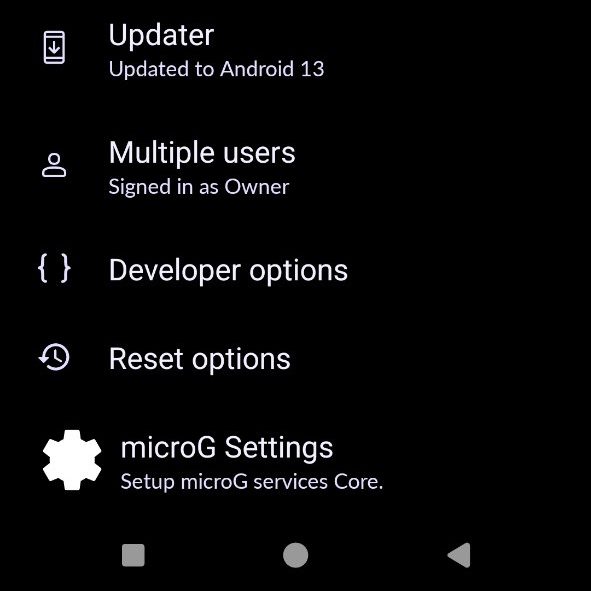
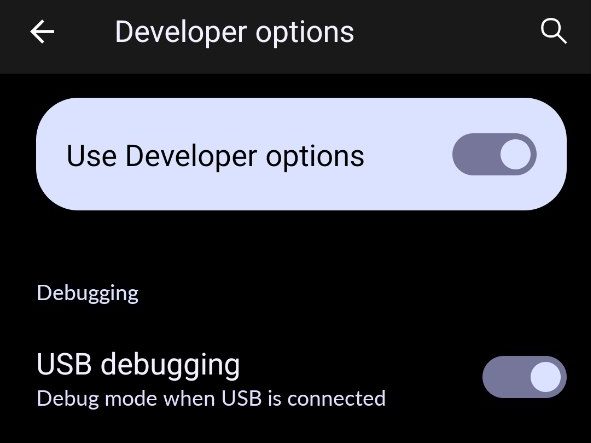
On the phone, enable Developer options from Settings and USB debugging from that menu, using the vendor-specific path Android exposes for your version.
Connect a data-capable USB cable and accept the RSA fingerprint prompt on the phone. Run adb devices again and continue only when the device appears as device rather than unauthorized.
If Android still does not appear, test the cable and USB mode before changing packages. KDE Connect is useful for ordinary Android-to-Linux integration, but it does not replace an authorized ADB connection for this task.
Download and verify UAD-ng
Get the Linux binary and its checksum from the UAD-ng v1.2.0 GitHub release. The checksum check catches a damaged or substituted download before you run it. If you prefer a browser download, the wget command and curl download command references cover the same Linux download tools.
curl -fLO https://github.com/Universal-Debloater-Alliance/universal-android-debloater-next-generation/releases/download/v1.2.0/uad-ng-linux
curl -fLO https://github.com/Universal-Debloater-Alliance/universal-android-debloater-next-generation/releases/download/v1.2.0/uad-ng-linux-checksum
sha256sum -c uad-ng-linux-checksum
chmod +x uad-ng-linux
Run ./uad-ng-linux from a logged-in graphical Linux session. The app uses ADB and needs access to your desktop display as well as the authorized phone.
Review packages before removing anything
Choose the connected device, keep the user selector on the Android user you intend to change, and start with the Recommended filter. Read the package description and its dependency warning before selecting it.
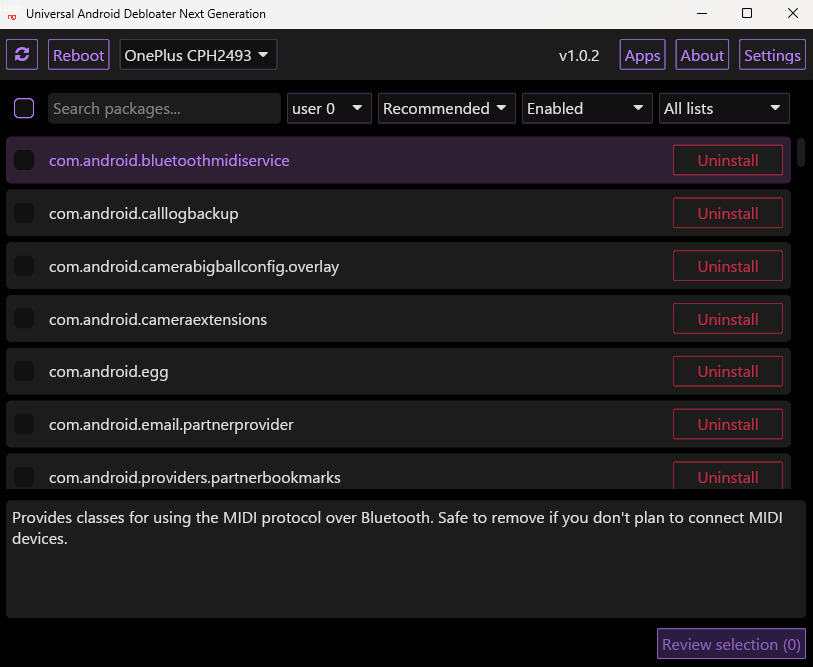
The package list lets you filter to Recommended packages, read the current description, and see a separate review action before any change reaches the phone. Treat each selection as a change you should be able to reverse.
- Create a current phone backup before changing a package.
- Select one package whose description and effect you understand.
- Review the selection, apply it, and test the phone feature it could affect.
- Use UAD-ng’s restore capability if that feature breaks, then keep the package installed.
What removal changes
Without root access, UAD-ng works through ADB for the selected Android user. A factory reset or another user profile can bring a package back into scope, and firmware services can remain even when their visible app is removed.
That boundary matters when your goal is privacy or battery life. UAD-ng can change packages that Android exposes through ADB, while vendor services built into firmware need a different assessment.
FAQ
These boundaries decide whether you should continue, reconnect the device, or restore a change.
Does UAD-ng require root?
No. UAD-ng uses ADB for non-rooted Android devices, which changes packages for the selected user rather than removing firmware components.
Why does adb devices show unauthorized?
Unlock the phone and accept the RSA fingerprint prompt for this computer, then run adb devices again.
Can I restore a package after a mistake?
UAD-ng supports restore and enable actions. Restore the package, then test the Android feature that stopped working before making another change.
Keep the first change reversible
Use the package description, a backup, and one-package testing as your decision rule. The safer debloat is the one you can explain and reverse.