

Getting a chat app onto Linux means using a package that works with your distribution. Element is an open-source desktop client for Matrix, an open communication network where people message and join rooms.
I’ll show you how to install Element and select the homeserver that matches your Matrix account.
TL;DR
Element Desktop for Linux has an official stable package for Debian and Ubuntu, plus a community Flatpak for other distributions.
- On Debian or Ubuntu with x86_64 or aarch64, use Element’s official stable APT repository.
- On another distribution, Flathub offers a community-provided package with the ID im.riot.Riot.
- Before signing in, select the homeserver where your Matrix account was created.
- Set up Secure Backup so another verified session can recover access to encrypted messages.
What Is Element on Linux?
Element is an open-source desktop client for Matrix, an open communication network. It connects to a Matrix account that can message people or join rooms.
The old desktop-only GitHub repository is archived, and the project points desktop source work to the apps/desktop directory in the Element Web repository. Use that maintained location when checking the desktop source rather than assuming the archived repository is still active.
| Term | What it means here |
|---|---|
| Element Desktop | The app installed on your Linux computer. |
| Matrix account | Your identity for messaging through Matrix clients. |
| Homeserver | The server where your account is registered. |
| Matrix ID | Your account address, such as @alex:example.org, with the homeserver name after the colon. |
| Room | A conversation space that may be public or invite-only. |
| Space | A way to group rooms and people in Element. |
| Homeserver choice | The server operator’s registration rules apply to accounts registered there. |
| EMS account | An Element service account used for subscription administration, separate from a general Matrix login. |
I found a useful distinction in Element’s account guide: it separates a general Matrix account from an EMS account used to manage Element subscriptions.
Federation lets compatible homeservers exchange room messages. Your account stays registered on its own server, while room directories depend on the server that publishes each room. A room hosted elsewhere may be reachable when federation and its membership rules allow it, but a search on one server is not a complete list of Matrix rooms.
Element supports end-to-end encrypted rooms, where participating devices hold the keys used to read messages. Encryption is a room setting, so check a room’s security details before sharing information that depends on it.
How to Install Element and Start a Matrix Chat
Choose the distribution’s supported repository route, then follow the matching package instructions before opening Element.
I compared Element’s current download instructions with Flathub’s package notice. The first provides an official stable APT source, while Flathub identifies its Element app as community-provided.
Step 1: Choose the package source
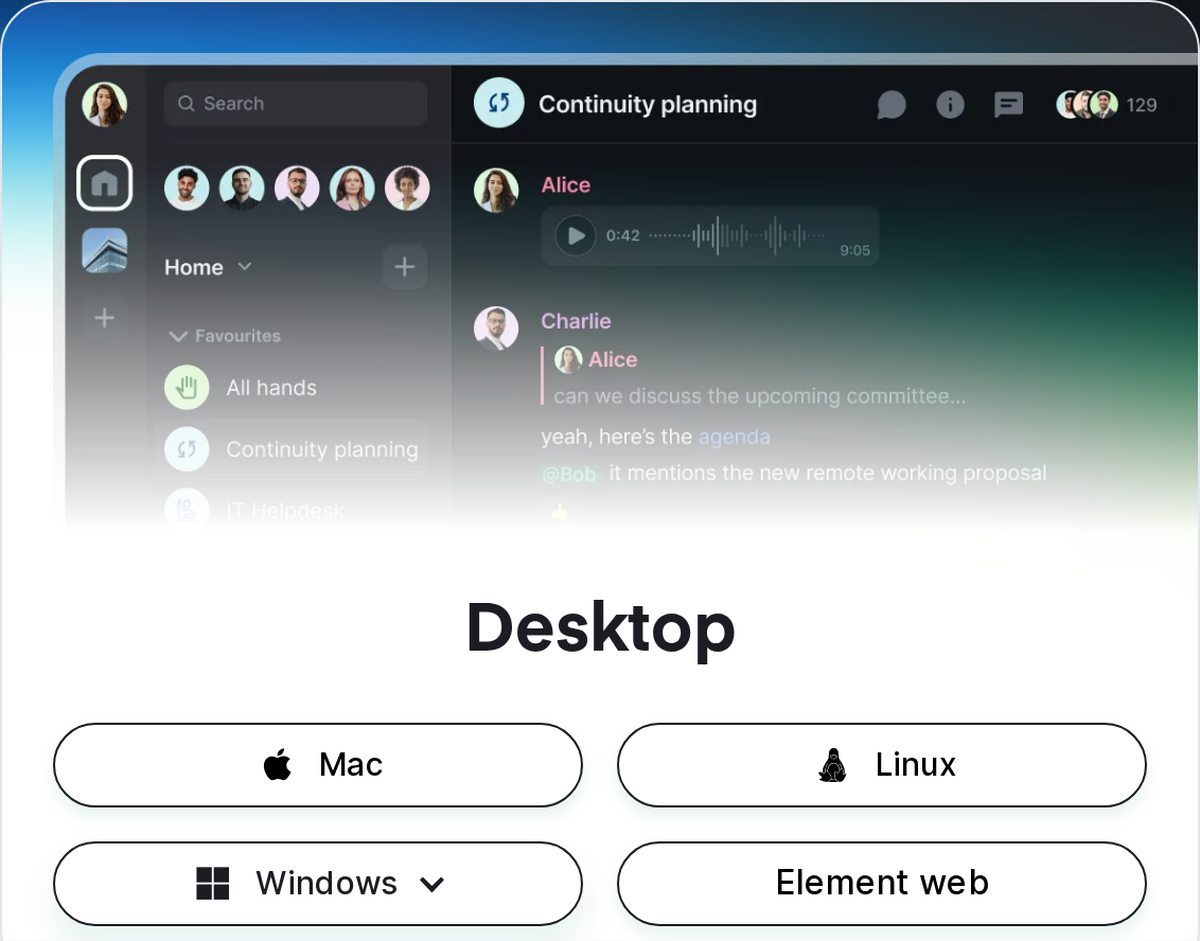
Element’s download page gives the current Linux instructions. Compare your distribution and architecture with the table before choosing a route.
| Route | Who maintains it | Best fit | Update path |
|---|---|---|---|
| Element APT repository | Element | Debian or Ubuntu, x86_64 or aarch64. | Use APT’s regular update process for Element’s source. |
| Flathub package | Community packager | A distribution with Flatpak and Flathub enabled. | Update from Flathub through Flatpak or the software center. |
| Arch Extra package | Arch Linux maintainers | Check its current status before relying on a listed version. | Use the configured Arch repository update process. |
Step 2: Install the stable desktop app
Element’s official Debian repository uses a signing key and an APT source entry before the stable desktop package is installed. The commands below follow the current Element download instructions.
sudo apt install -y wget apt-transport-https
sudo wget -O /usr/share/keyrings/element-io-archive-keyring.gpg https://packages.element.io/debian/element-io-archive-keyring.gpg
echo "deb [signed-by=/usr/share/keyrings/element-io-archive-keyring.gpg] https://packages.element.io/debian/ default main" | sudo tee /etc/apt/sources.list.d/element-io.list
sudo apt update
sudo apt install element-desktop
This block adds an APT signing key and system repository before installing the desktop package. Use it only on a supported Debian or Ubuntu release, and keep the keyring path aligned with the signed-by entry.
If you use Flatpak, make sure Flathub is enabled first. Our Flatpak setup guide covers that prerequisite.
flatpak install flathub im.riot.Riot
When the command asks for confirmation, check that the remote is Flathub and the app ID is im.riot.Riot. Launch Element from your desktop menu after installation.
Flathub identifies the app as Element, while its package ID retains the older Riot name. It describes this as a community package with no verification, affiliation, or support relationship from Element Creations Ltd.
Step 3: Confirm the homeserver before signing in
Select Edit for an existing Matrix ID when its server differs, or use the URL supplied for a new, work or school account. I saw the public sign-in form’s server selector set to matrix.org by default.
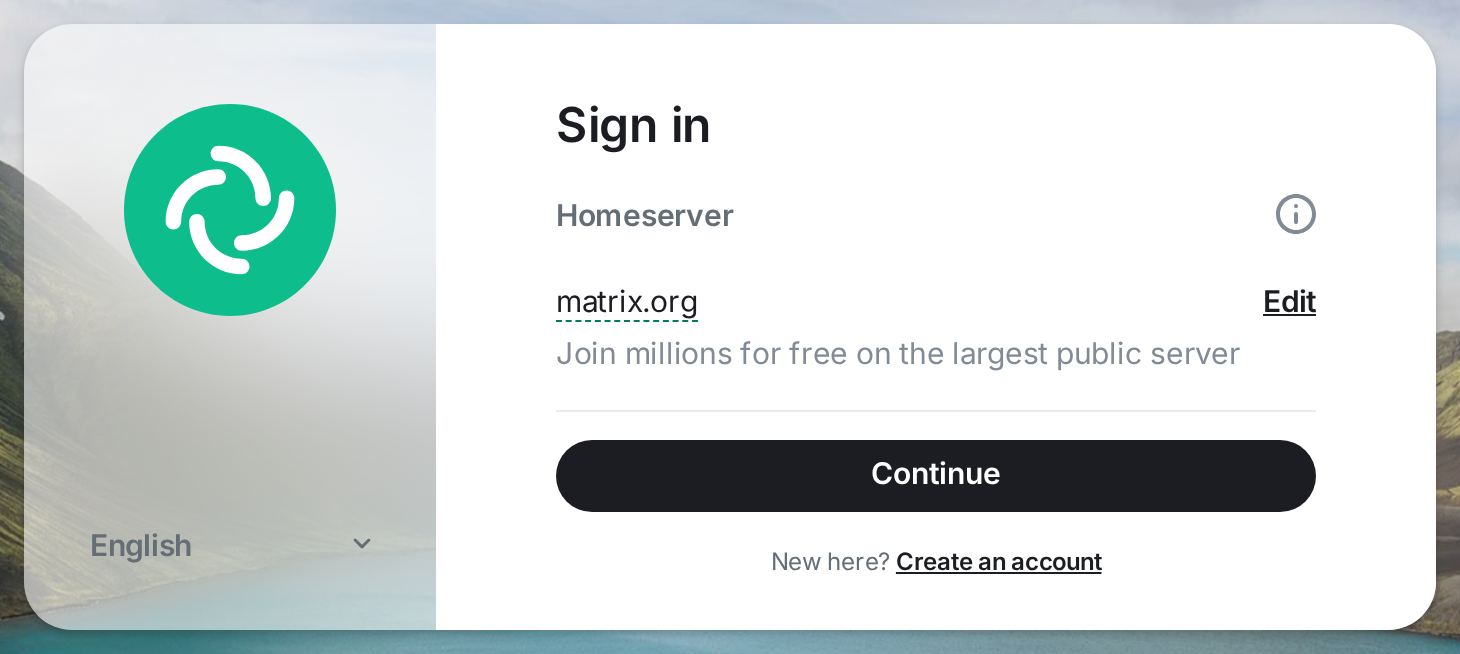
If Create an account is absent, the homeserver operator may restrict public signups. Follow that server’s registration guide or contact its administrator.
Step 4: Find a room on the right server
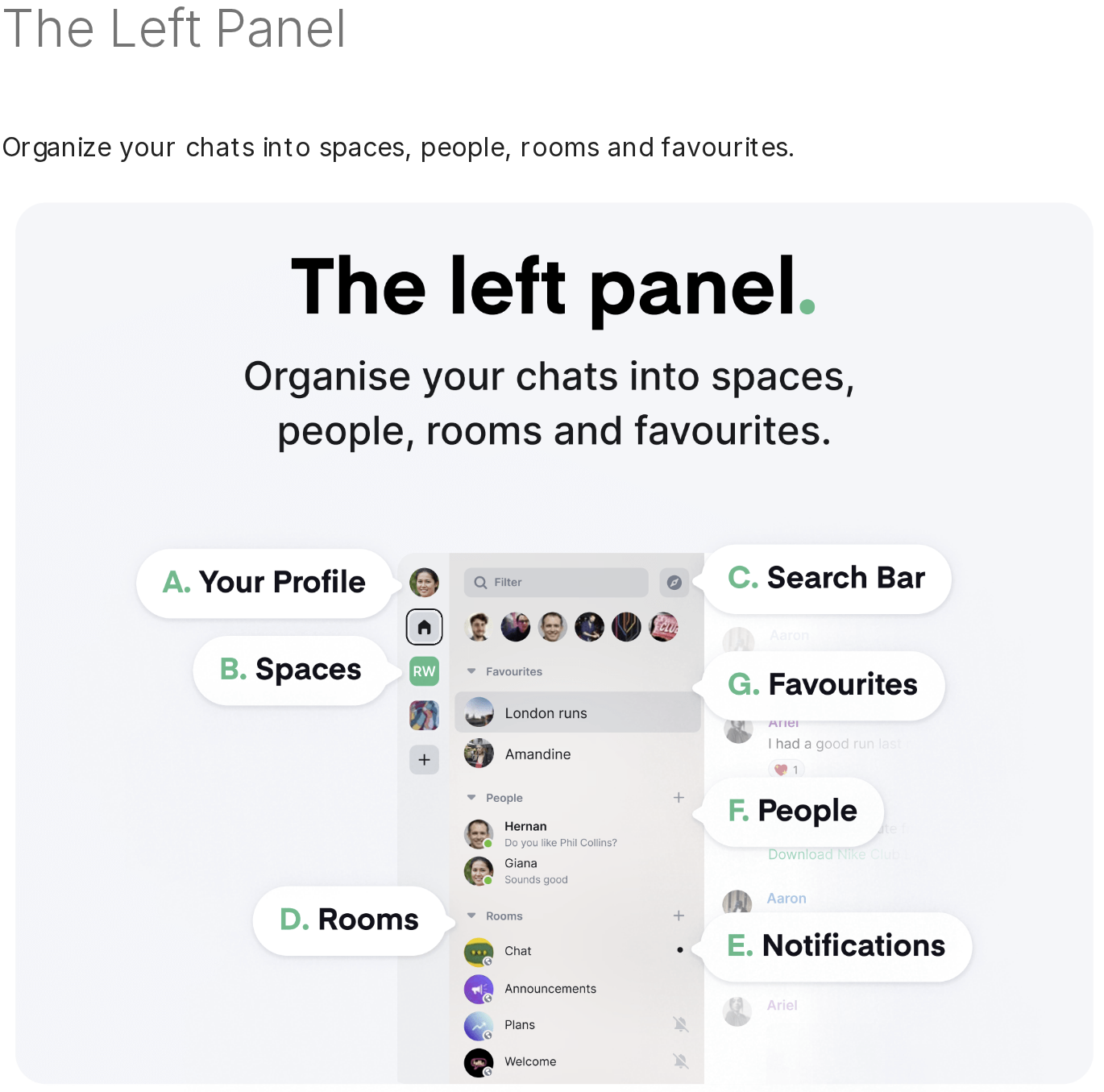
Element’s left panel groups rooms, spaces and people. I used the labels in its guide to identify those areas for this walkthrough.
Open the room explorer to browse public rooms. For a private room, ask a member with invite permission to add you. A space groups rooms, while each room controls its own membership.
Room display names can repeat. If a community shares an alias such as #general:example.org, search that full address in the public room explorer to distinguish similar results.
Step 5: Set up Secure Backup for encrypted messages
Open your profile’s Security and Privacy settings to start Secure Backup. Element may also offer this setup after your first encrypted message.
Your Matrix password signs in to the server. The Secure Backup phrase or key restores room encryption keys on a new session, so keep recovery material separate from the login password.
- Choose a security phrase or save the generated security key.
- Keep the recovery method somewhere you can reach when another device asks for it.
- Verify a new session with the key or phrase, or approve it from a session that is already verified.
Element’s Secure Backup instructions explain how to restore keys and verify another session. Losing every recovery method and resetting the account removes access to encrypted messages whose keys you cannot restore.
What to Check When Element Does Not Match Your Setup
First-use errors usually point to a package choice, sign-in field or encrypted-message key because each belongs to a different setup stage.
| What you see | Likely cause | What to check |
|---|---|---|
| Several Flatpak results appear | The app ID is im.riot.Riot. | Check the package ID and Flathub’s community-package notice. |
| Your Matrix ID is rejected at sign-in | The selected homeserver belongs to a different account. | Edit the server to match the one in your Matrix ID or account instructions. |
| A room name is missing in search | The directory is scoped to a different server. | Search by the full room address or use the server that lists it. |
| Encrypted history is unavailable on a new device | The session lacks the room’s decryption keys. | Verify the session or restore its saved key before resetting. |
| You need a different Flatpak permission | The app is sandboxed and may need an explicit permission. | Review its permissions with Flatseal and change only what your use requires. |
| Arch package appears old | The Arch Extra page showed an out-of-date flag when checked. | Check the current package entry with the Pacman search guide before relying on a listed version. |
| APT cannot locate Element | The repository entry or package lists need checking. | Verify the Element source entry, then refresh the package lists before retrying. |
Matrix and other messaging services use separate account identities. Connecting them requires a compatible bridge managed for both networks, with its own access and reliability considerations.
Conclusion: Keep the Client and Server Separate
Choose the package route that fits your distribution, then use the related Linux guides below for another Matrix client, a separate messaging network or Flatpak permissions.
- For another client on the same network, compare FluffyChat for Linux or Fractal.
- For a separate messaging network, see our guide to installing Signal Desktop on Linux.
- For Flatpak access controls, read how to review application permissions with Flatseal.
FAQ
The package ID, server choice and key recovery answer the first-use questions that are easiest to miss during setup.
Why does the Element Flatpak use the ID im.riot.Riot?
Flathub assigns that ID to its community-provided Element package. Check the package details and its stated maintenance relationship.
Can a Matrix account join a room on another homeserver?
Often, if the room is public or you receive an invitation and the homeservers can communicate. Room discovery still depends on the server directory you search.
What is an EMS account?
An EMS account is used for Element service subscription administration. A general Matrix account is the identity you use to sign in to Matrix clients.