

A new Ubuntu or Debian setup needs Go installed before you can build Go source on it. Go is a compiled programming language, and its go command provides the compiler and build tools.
This article walks through installing Go and checking that its command is available.
TL;DR
Install Go from your distribution when its packaged release suits your project, or use the upstream archive when you need a specific Go release. Ubuntu also supports the Go Snap.
- On Ubuntu or Debian, install Go from the distribution package.
- On Ubuntu, use the Go Snap when snapd is available.
- For a selected upstream release, use the Go archive and set PATH.
What Is Go on Ubuntu and Debian?
Go is a compiled programming language. Use its go command because it provides the compiler and build tools for Go source.
How to Install Go on Ubuntu or Debian Step by Step
Choose one installation source before changing PATH because the routes use different install locations.
Step 1: Choose a package source
Use the comparison to pick one default installation rather than combining sources.
| Source | Choose it when | Trade-off |
|---|---|---|
| APT | Your distro package meets the project requirement | Release follows distro |
| Snap (Ubuntu) | You want the Snap package | Requires snapd |
| Archive | You need an upstream release | You manage its tree and PATH |
Avoid third-party Go PPAs. Go’s Ubuntu wiki identifies them as unsupported.
Step 2: Install the distribution package
Ubuntu documents golang-go, and Debian lists the same package. The first APT command refreshes repository metadata.
The second APT command installs the package and its required dependencies. See the Linux package-management guide for repository basics.
sudo apt update
sudo apt install golang-go
Check the package name with the APT package-search guide.
Step 3: Install Go from the upstream archive
The official Go downloads page lists releases by operating system and CPU architecture. Choose the Linux tar.gz file for this machine. Ubuntu’s setup guide also describes the archive route.
If /usr/local/go exists, remove it before extracting. Go warns that overlaying an old tree can break the installation.
sudo rm -rf /usr/local/go
sudo tar -C /usr/local -xzf goVERSION.linux-ARCH.tar.gz
Replace VERSION and ARCH with the release and CPU suffix from your downloaded filename, such as amd64 or arm64.
Step 4: Add Go to PATH and verify it
Add the archive bin directory to PATH, then run the version check. This export changes PATH only in the current terminal.
export PATH=$PATH:/usr/local/go/bin
Run the version check in the same terminal after setting PATH.
go version
When Go is not installed or its bin directory is missing from PATH, Bash can return this message:
/usr/bin/bash: line 1: go: command not found
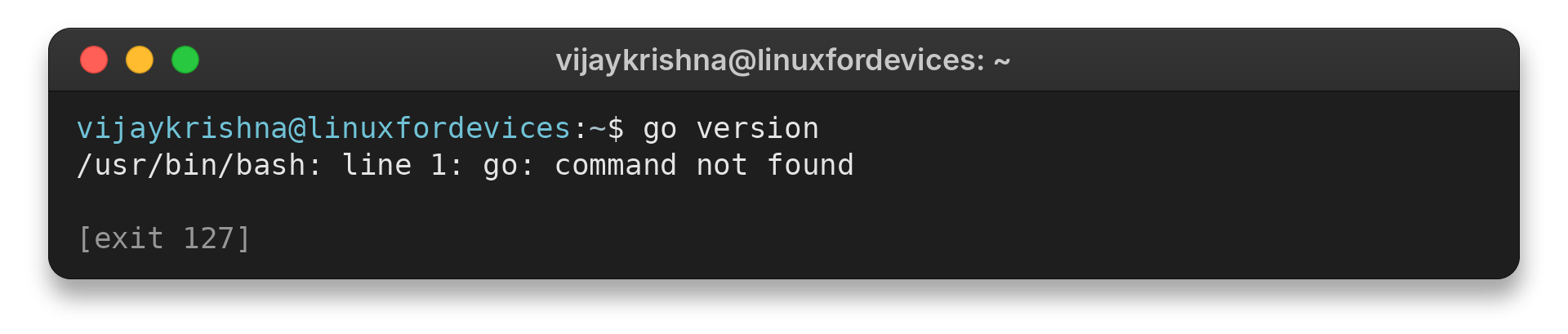
On success, go version prints the release and platform. Add the export line to your Bash profile to keep the path in later terminals. The Linux shell guide explains startup files.
Go Installation Checks and Version Issues
Check PATH when Go does not run because the shell only searches directories listed there.
| Symptom | Check | Action |
|---|---|---|
| Command not found | Install or PATH | Install Go or add the archive bin path |
| Wrong version | Selected source | Compare go version with project needs |
| Extraction error | Filename and CPU | Download the matching archive |
On Ubuntu, install the Go Snap when snapd is available, as explained in the Linux Snap guide.
sudo snap install go --classic
For an archive, choose a Linux tar.gz that matches your CPU and follow the Linux archive-extraction guide.
Conclusion: Choose a Source That Matches Your Version Needs
Use Go’s installation documentation for a release-specific archive because it lists current downloads. Ubuntu’s setup guide and Debian’s package catalog cover their distribution routes.
FAQ
These answers cover the remaining package and PATH questions.
Does APT install the latest Go release?
APT installs the version offered by your enabled distribution repositories. Check that candidate when your project needs a particular Go release.
Does Debian package Go as golang-go?
Yes. Debian’s package catalog lists golang-go. The version it installs depends on the release and repositories configured on your system.
Why does go version say command not found?
The shell cannot find the Go executable. Install Go or add its bin directory to PATH, then start a new terminal session if you changed a profile file.