

A service that will not accept a connection can leave you checking which ports Linux is listening on. netstat shows network connections and listening ports, while nslookup queries DNS records for a hostname.
This article shows how to inspect listening ports with netstat and ss, then check a hostname’s DNS answer with nslookup.
TL;DR
Use netstat for socket and route data, nslookup for DNS records, and ss for current Linux socket inspection.
- netstat -tuln lists numeric TCP and UDP listeners.
- nslookup example.com asks the configured resolver for address records.
- ss -tuln is the usual replacement for netstat socket checks.
What do netstat and nslookup show?
netstat, part of net-tools, reports connections, listening ports, routes, interface counters and protocol statistics.
nslookup sends a DNS query to a name server and prints its answer. DNS records map names to data such as IP addresses.
A socket is a program’s network endpoint. TCP tracks states such as LISTEN and ESTABLISHED, while UDP uses independent datagrams without TCP connection states. Read the TCP state before interpreting endpoints because LISTEN and ESTABLISHED describe different stages.
| Question | Command | What it tells you |
|---|---|---|
| Which TCP or UDP ports listen locally? | netstat -tuln or ss -tuln | Local sockets waiting for traffic |
| Which route will Linux use? | ip route | Kernel route entries |
| Which addresses does a name resolve to? | nslookup name | Records returned by the resolver |
How to inspect sockets and query DNS step by step
Run a focused socket query first, then ask DNS about the hostname involved. Numeric output avoids delays or confusion from translating addresses and service names.
Step 1: List listening TCP and UDP ports
The combined flags select TCP, UDP, listening sockets and numeric addresses. I ran this command. I choose numeric output first because it keeps the port numbers visible.
netstat -tuln
Captured output:
Active Internet connections (only servers)
Proto Recv-Q Send-Q Local Address           Foreign Address         State
tcp        0      0 127.0.0.1:3306          0.0.0.0:*               LISTEN
tcp        0      0 0.0.0.0:9119            0.0.0.0:*               LISTEN
tcp        0      0 0.0.0.0:25              0.0.0.0:*               LISTEN
tcp        0      0 0.0.0.0:22              0.0.0.0:*               LISTEN
tcp        0      0 127.0.0.1:20241         0.0.0.0:*               LISTEN
tcp        0      0 127.0.0.1:20242         0.0.0.0:*               LISTEN
tcp        0      0 127.0.0.53:53           0.0.0.0:*               LISTEN
tcp        0      0 127.0.0.1:3000          0.0.0.0:*               LISTEN
tcp        0      0 127.0.0.1:8796          0.0.0.0:*               LISTEN
tcp        0      0 127.0.0.1:8797          0.0.0.0:*               LISTEN
tcp        0      0 127.0.0.1:8742          0.0.0.0:*               LISTEN
tcp        0      0 127.0.0.1:8743          0.0.0.0:*               LISTEN
tcp        0      0 127.0.0.1:8765          0.0.0.0:*               LISTEN
tcp        0      0 127.0.0.1:6379          0.0.0.0:*               LISTEN
tcp        0      0 127.0.0.54:53           0.0.0.0:*               LISTEN
tcp        0      0 127.0.0.1:5432          0.0.0.0:*               LISTEN
tcp        0      0 127.0.0.1:5901          0.0.0.0:*               LISTEN
tcp6       0      0 :::25                   :::*                    LISTEN
tcp6       0      0 :::22                   :::*                    LISTEN
tcp6       0      0 ::1:5901                :::*                    LISTEN
tcp6       0      0 ::1:6379                :::*                    LISTEN
udp        0      0 127.0.0.54:53           0.0.0.0:*
udp        0      0 127.0.0.53:53           0.0.0.0:*
udp        0      0 10.0.0.76:68            0.0.0.0:*
udp6       0      0 :::58601                :::*
udp6       0      0 :::36505                :::*
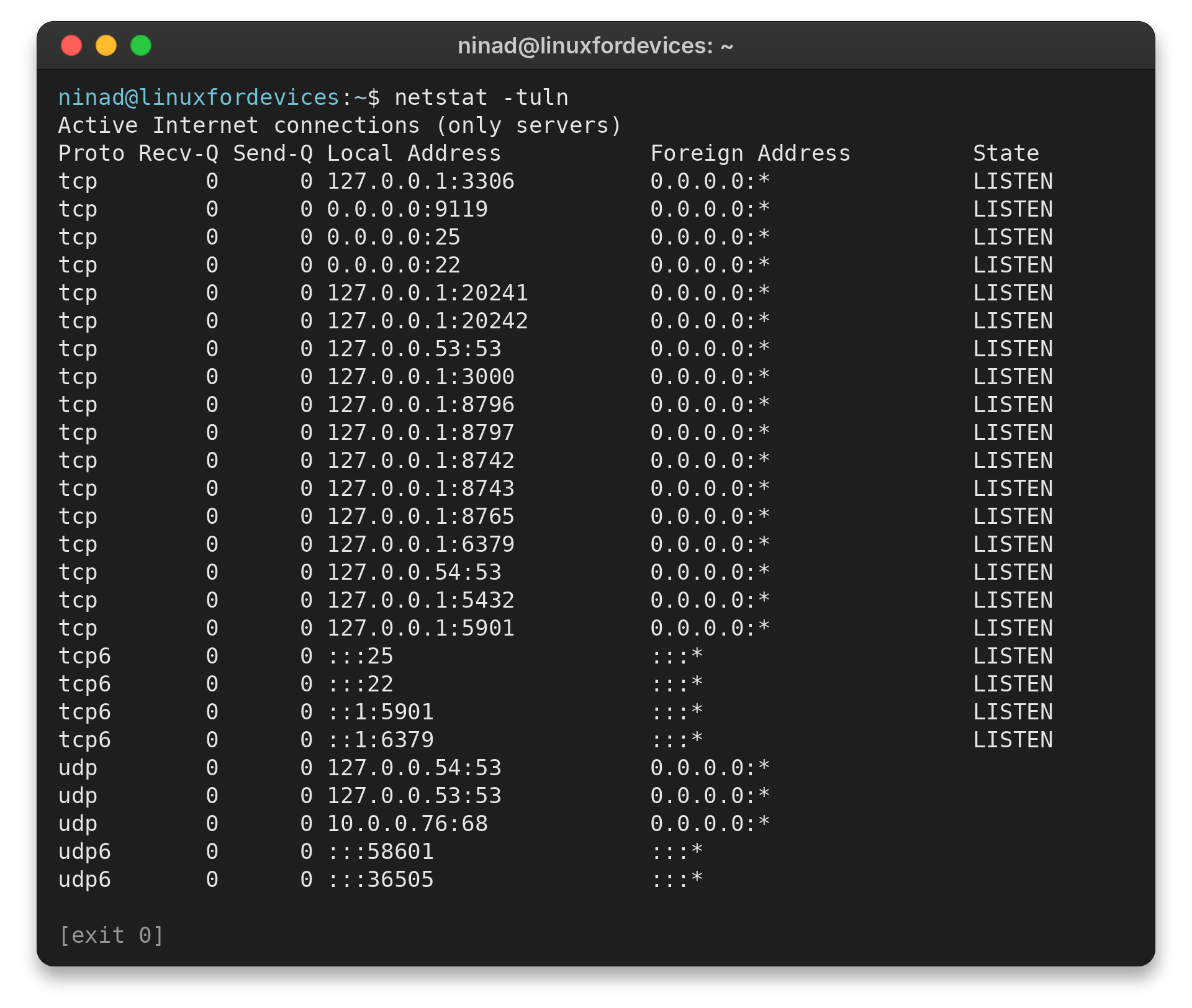
Addresses 127.0.0.1 and ::1 are loopback addresses. Wildcard binds use 0.0.0.0 or ::.
Recv-Q and Send-Q show queued data. A nonzero value may be temporary, so compare repeated observations before treating it as persistent.
A wildcard bind does not prove public reachability because routing and host policy still apply. Loopback-only listeners accept local traffic rather than connections arriving directly from another machine.
The output separates IPv4 and IPv6 sockets. A service may listen on only one address family.
Step 2: Use ss for current socket inspection
For new socket checks, I prefer ss -tuln because the netstat manual identifies it as the replacement. Use ip route to see the kernel’s selected route and its gateway and interface fields.
ss -tuln
Its columns show protocol, state and local endpoint in ss format.
Netid State  Recv-Q Send-Q    Local Address:Port  Peer Address:PortProcess
udp   UNCONN 0      0            127.0.0.54:53         0.0.0.0:*
udp   UNCONN 0      0         127.0.0.53%lo:53         0.0.0.0:*
udp   UNCONN 0      0      10.0.0.76%enp0s6:68         0.0.0.0:*
udp   UNCONN 0      0                     *:58601            *:*
udp   UNCONN 0      0                     *:36505            *:*
tcp   LISTEN 0      80            127.0.0.1:3306       0.0.0.0:*
tcp   LISTEN 0      2048            0.0.0.0:9119       0.0.0.0:*
tcp   LISTEN 0      100             0.0.0.0:25         0.0.0.0:*
tcp   LISTEN 0      4096            0.0.0.0:22         0.0.0.0:*
tcp   LISTEN 0      4096          127.0.0.1:20241      0.0.0.0:*
tcp   LISTEN 0      4096          127.0.0.1:20242      0.0.0.0:*
tcp   LISTEN 0      4096      127.0.0.53%lo:53         0.0.0.0:*
tcp   LISTEN 0      511           127.0.0.1:3000       0.0.0.0:*
tcp   LISTEN 0      2048          127.0.0.1:8796       0.0.0.0:*
tcp   LISTEN 0      5             127.0.0.1:8797       0.0.0.0:*
tcp   LISTEN 0      32            127.0.0.1:8742       0.0.0.0:*
tcp   LISTEN 0      32            127.0.0.1:8743       0.0.0.0:*
tcp   LISTEN 0      2048          127.0.0.1:8765       0.0.0.0:*
tcp   LISTEN 0      511           127.0.0.1:6379       0.0.0.0:*
tcp   LISTEN 0      4096         127.0.0.54:53         0.0.0.0:*
tcp   LISTEN 0      200           127.0.0.1:5432       0.0.0.0:*
tcp   LISTEN 0      5             127.0.0.1:5901       0.0.0.0:*
tcp   LISTEN 0      100                [::]:25            [::]:*
tcp   LISTEN 0      4096               [::]:22            [::]:*
tcp   LISTEN 0      5                 [::1]:5901          [::]:*
tcp   LISTEN 0      511               [::1]:6379          [::]:*
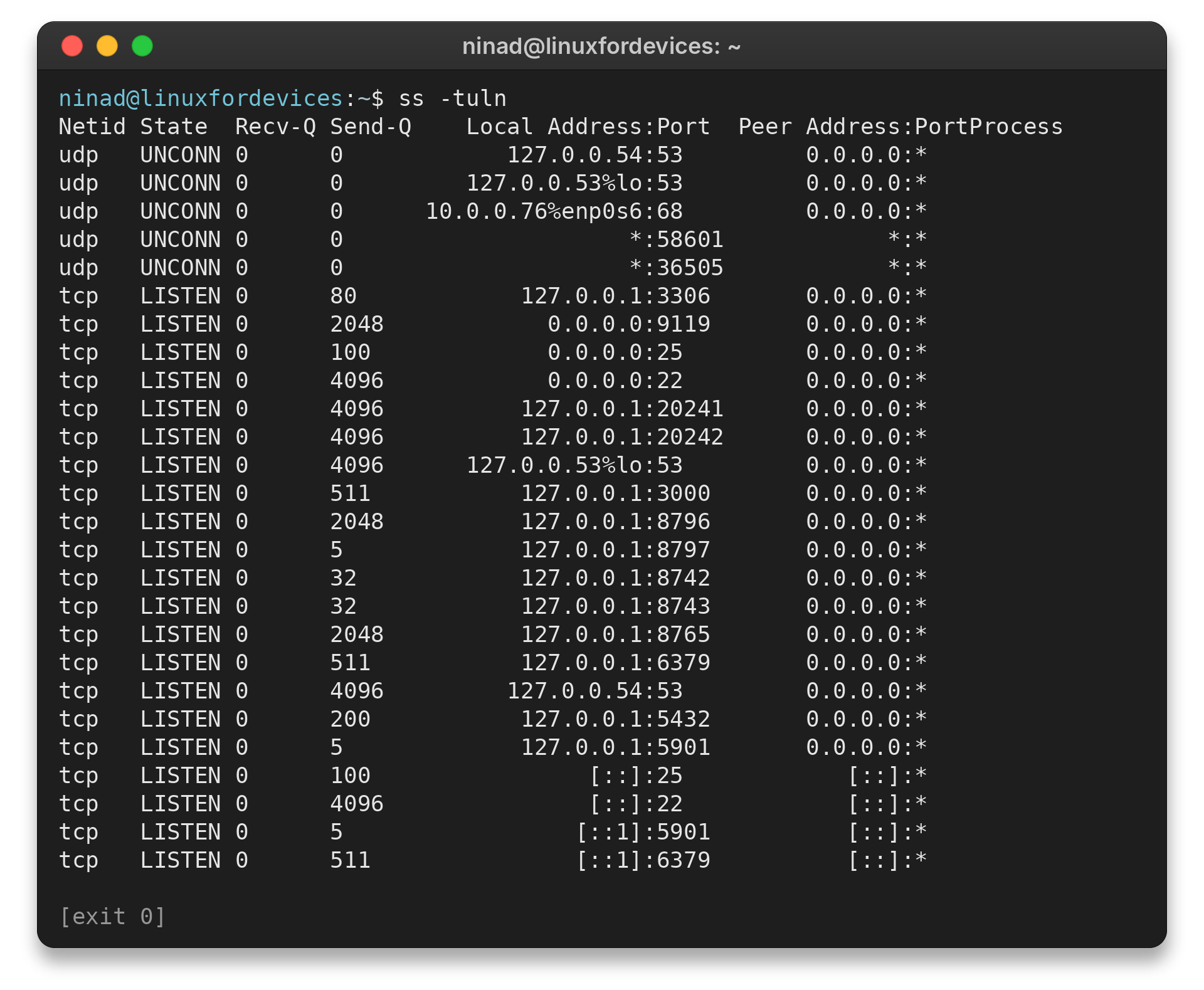
Use the -p flag with either utility when you need the process ID and program name. An unprivileged user may not see process details for every socket. The related Linux open-port guide covers focused checks for a particular port.
Step 3: Resolve a hostname with nslookup
I ran the command below. The response names the resolver and returns IPv4 and IPv6 addresses for example.com.
nslookup example.com
Captured output:
Server:         127.0.0.53
Address:        127.0.0.53#53

Non-authoritative answer:
Name:   example.com
Address: 172.66.147.243
Name:   example.com
Address: 104.20.23.154
Name:   example.com
Address: 2606:4700:10::6814:179a
Name:   example.com
Address: 2606:4700:10::ac42:93f3
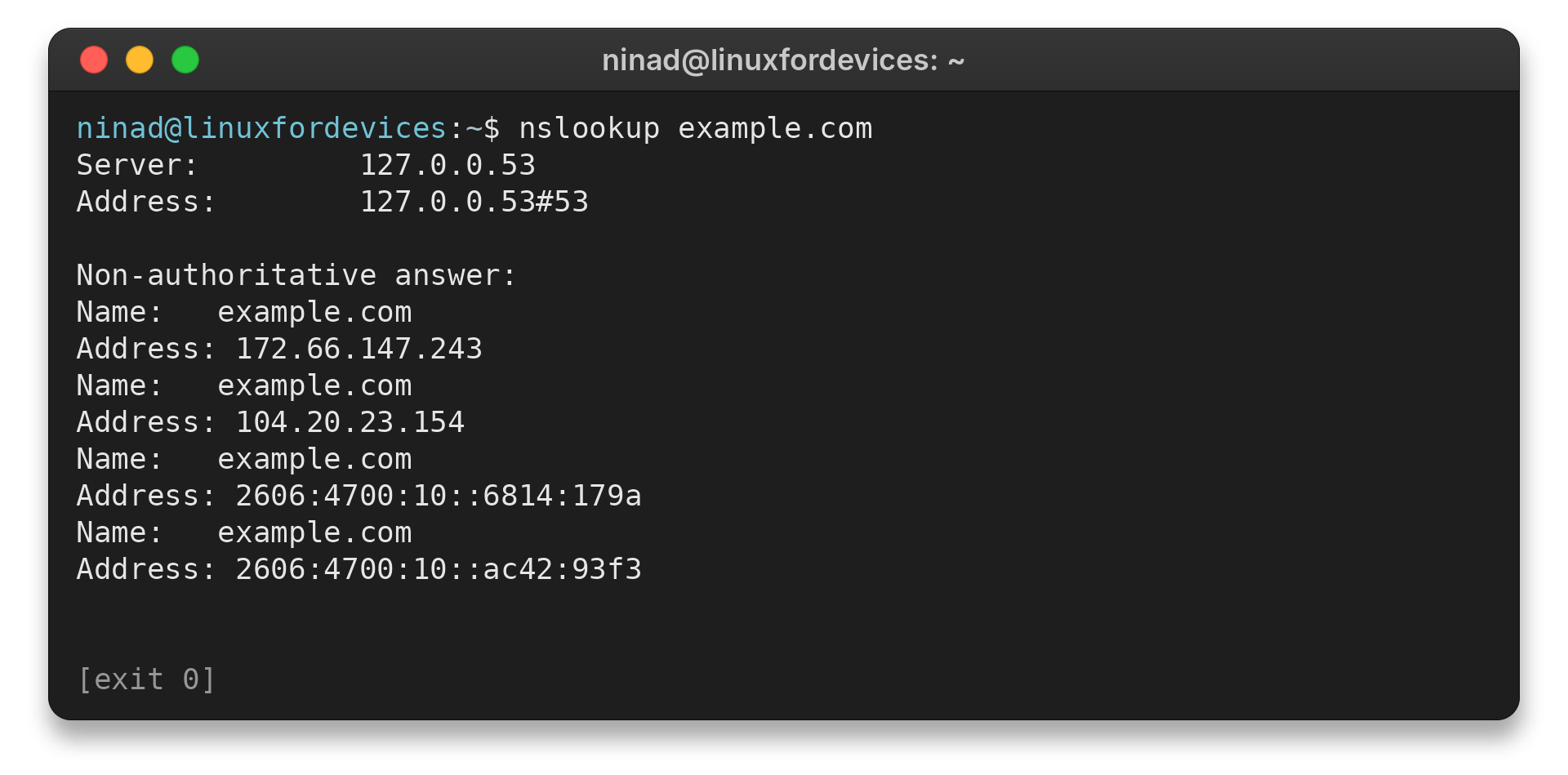
A “non-authoritative answer” came through a recursive resolver rather than directly from the domain’s authoritative server. DNS answers can vary with time and resolver policy.
nslookup accepts record type options for focused queries. The table above maps common types to their meaning. A name can have multiple address records.
What should you check when results look wrong?
A missing netstat binary usually means the net-tools package is absent. Install net-tools through your distribution’s package manager when a legacy workflow requires it. Check protocol and state filters before installing because TCP-only queries omit UDP endpoints and listening-only queries omit established TCP sessions.
A listener alone does not confirm that an application is healthy. Choose the next check based on the failed layer.
| Need | nslookup query | Meaning |
|---|---|---|
| IPv4 address | nslookup -type=A example.com | A record |
| IPv6 address | nslookup -type=AAAA example.com | AAAA record |
| Mail exchanger | nslookup -type=MX example.com | MX records for mail routing |
| Reverse lookup | nslookup 8.8.8.8 | PTR answer, if one exists |
NXDOMAIN means the queried name does not exist in DNS. A timeout means the client received no response in time, which can point to a resolver or network issue.
Before changing network settings, repeat the query against the configured resolver and compare it with a public resolver only when policy permits. A difference can reflect caching or split-horizon DNS, where internal clients receive records that public clients do not.
For a detailed response with query and answer sections, use dig. Keep the command focused on the layer under investigation, then use the next tool only if that result leaves the question open.
Conclusion: match the tool to the question
Use netstat when a workflow specifically requires it, ss for current socket checks, and nslookup for DNS questions.
FAQ
These quick answers cover common netstat and DNS questions.
What command replaces netstat in Linux?
Use ss for socket information, ip route for routing tables, and ip -s link for interface statistics.
How do I find the process using a port?
Run netstat -tulpn or ss -tulpn. Process details may require elevated permissions, which should be used only when appropriate.
Can nslookup find a hostname from an IP address?
It can request a reverse DNS lookup, which depends on a PTR record being configured for that address.