
When an application needs to store data on a Debian or Ubuntu machine, Redis can serve as its data store. Redis is an in-memory data store that accepts commands from client programs.
I’ll show how to install Redis on Debian or Ubuntu and check that its local service responds to redis-cli.
TL;DR
Install the redis-server package from your distribution repository, then use redis-cli to confirm that the local Redis service answers.
- Install with sudo apt install redis-server after refreshing package metadata.
- Check the redis-server service with systemctl and test it with redis-cli ping.
- Keep the listener local unless you have designed and secured remote access.
What is Redis on Debian and Ubuntu?
Redis is an in-memory data store that accepts commands from clients.
The server process is provided by redis-server, while redis-cli is the terminal client. A key-value command stores a value under a key. The client sends the command over a local connection.
Redis can persist data according to its configuration, even though it serves client commands from memory. This package-based route follows the Redis Linux installation guide.
| Part | Role |
|---|---|
| Redis server | Receives and processes Redis commands |
| Redis CLI | Sends commands from a terminal |
| APT package | Installs the server and package dependencies |
| Redis configuration | Controls runtime behavior, including listening and persistence |
This distinction separates a missing client binary from an installed but inactive server service.
How to install Redis on Debian and Ubuntu step by step
Use APT to install the server package, then verify the service before sending Redis commands. These commands change system packages or service state and should be run on the Debian or Ubuntu machine where you want Redis.
Step 1: Refresh the package index
APT’s package index records versions available from enabled repositories. Refresh it before installation so the package manager resolves against current metadata.
sudo apt update
This command refreshes metadata without upgrading installed packages. The apt command guide explains the package-manager interface.
Step 2: Install the Redis server package
Install redis-server from the configured distribution repository. APT also installs required dependencies and asks for confirmation before making the package changes. A package manager is preferable to downloading an arbitrary archive because it tracks dependencies and records the installed package in the system package database.
sudo apt install redis-server
The exact package version follows the configured distribution release. Check APT’s result on the target machine rather than adding an unrelated repository to chase a version number.
Step 3: Check the service state
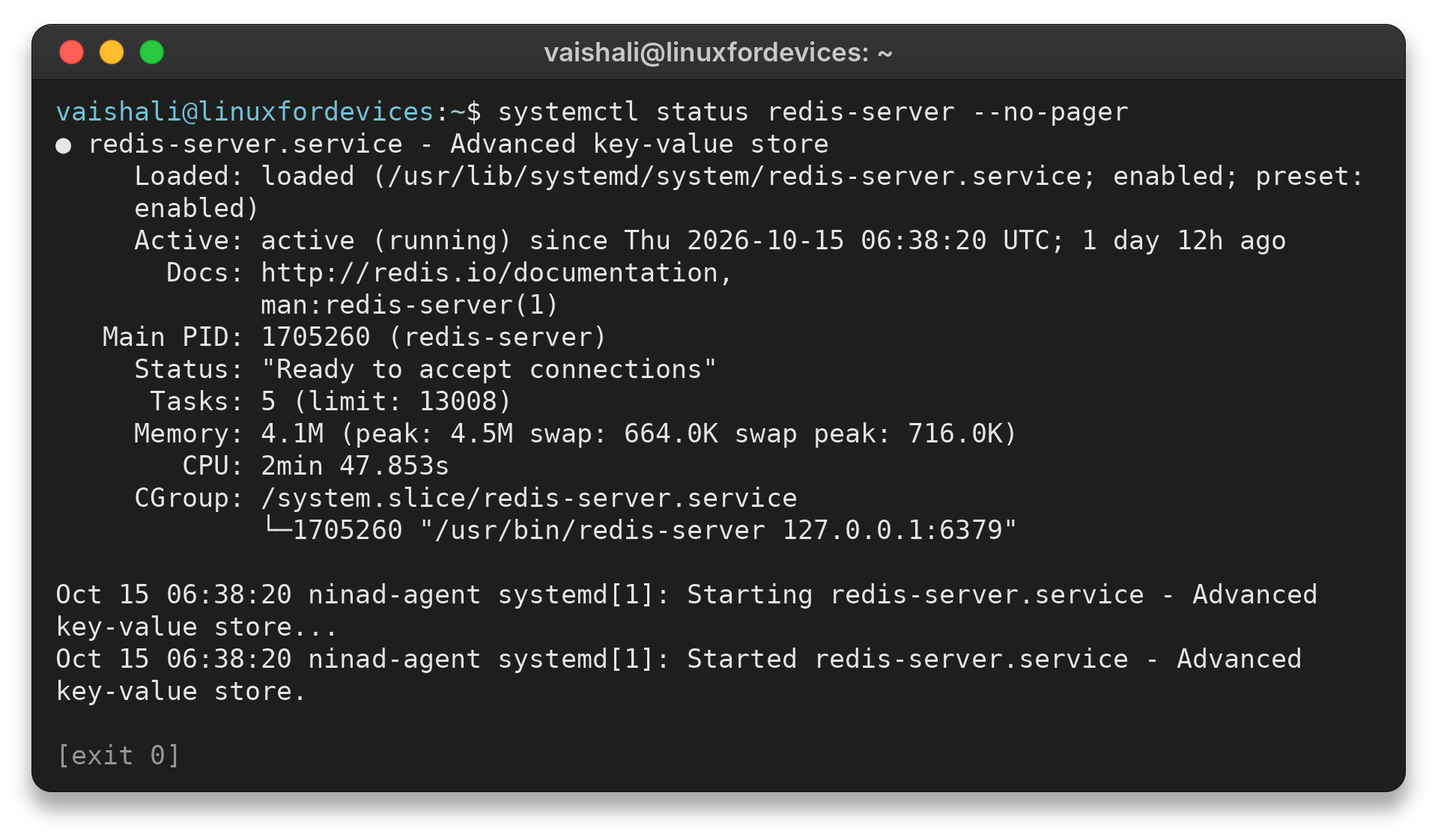
Many package installations start the service, but confirm its state instead of assuming it is active. systemctl status is a read-only check and also shows recent service information.
I ran this check here and it reported the unit active and ready to accept connections. That observation verifies this service state only, not every Debian or Ubuntu installation.
systemctl status redis-server --no-pager
vaishali@linuxfordevices:~$ systemctl status redis-server --no-pager
● redis-server.service - Advanced key-value store
     Loaded: loaded (/usr/lib/systemd/system/redis-server.service; enabled; preset: enabled)
     Active: active (running) since Thu 2026-10-15 06:38:20 UTC; 1 day 12h ago
       Docs: http://redis.io/documentation,
             man:redis-server(1)
   Main PID: 1705260 (redis-server)
     Status: "Ready to accept connections"
      Tasks: 5 (limit: 13008)
     Memory: 4.1M (peak: 4.5M swap: 664.0K swap peak: 716.0K)
        CPU: 2min 47.853s
     CGroup: /system.slice/redis-server.service
             └─1705260 "/usr/bin/redis-server 127.0.0.1:6379"

Oct 15 06:38:20 ninad-agent systemd[1]: Starting redis-server.service - Advanced key-value store...
Oct 15 06:38:20 ninad-agent systemd[1]: Started redis-server.service - Advanced key-value store.
The captured output reports Active: active (running), followed by Status: “Ready to accept connections.” If it is inactive, an administrator can start it with systemctl start redis-server.
Restarting or enabling a service changes system state, so use those actions only when they match your setup.
Step 4: Send a PING with redis-cli
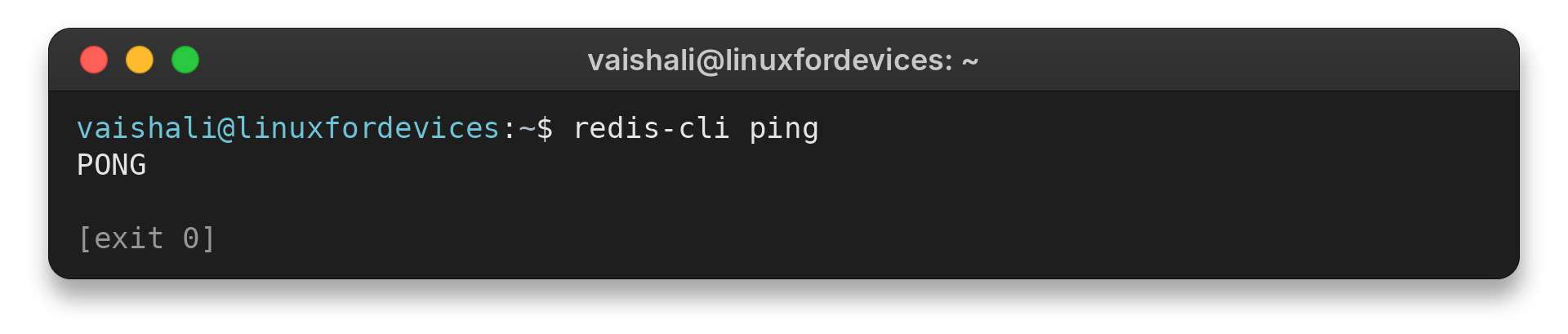
redis-cli opens a client connection to the local default endpoint. The ping subcommand checks whether a Redis server responds, and a PONG response confirms that the request reached a server. I ran redis-cli ping and received PONG, which is the expected response for this local service.
redis-cli ping
vaishali@linuxfordevices:~$ redis-cli ping
PONG
For an interactive session, run redis-cli without a subcommand, then issue PING at its prompt. The Redis CLI documentation covers client options and connection behavior. If it returns a connection error rather than PONG, confirm the daemon is active before editing its configuration.
Step 5: Store and retrieve a test value
A SET followed by GET checks a basic write and read through the command-line client. Use a disposable key so the test does not overwrite application data.
redis-cli SET lfd-check ready
redis-cli GET lfd-check
| Command | Effect |
|---|---|
| SET lfd-check ready | Stores the temporary string |
| GET lfd-check | Reads the stored string |
| DEL lfd-check | Removes the temporary key |
Redis installation and connection issues to check
Initial checks separate package availability, service health and network access. A version mismatch or startup warning can have a different cause from a failed client connection, so check each layer in order.
| Symptom | What to check | Next action |
|---|---|---|
| Package not found | Enabled repositories and the distribution release | Refresh APT metadata and verify repository configuration |
| redis-cli not found | Whether redis-server installation completed | Inspect APT’s installation result and package status |
| Connection refused | Service status and local endpoint | Check systemctl status redis-server before changing configuration |
| Remote client cannot connect | Listener binding, firewall and authentication policy | Do not expose Redis publicly. Design the network boundary first |
Use the distribution package when the release-provided version meets your needs. It follows that distribution’s package lifecycle and avoids a second repository configuration.
| Installation route | When it fits | Trade-off |
|---|---|---|
| Distribution APT package | Default choice for a standard server install | Version follows the distro release |
| Redis official APT repository | When its supported package stream is required | Adds a source and signing-key configuration to maintain |
| Build from source | When a specific build or compile choice is required | You manage build dependencies, service integration and updates |
The official Redis documentation describes its APT repository route, while the distribution archive may package a different release. Do not mix instructions from both routes without checking which repository will provide updates.
For a normal single-machine setup, start with the distribution package used in the steps above. Move to another route only when you have a concrete version or build requirement, then document how that source will receive security updates.
If APT reports that redis-server cannot be located, inspect the release’s enabled software repositories and refresh package metadata. Avoid downloading a similarly named package from an unverified mirror.
A server can be installed without the application that will use it. Redis CLI is helpful for the basic connection test, but an application normally connects with its own Redis client library and configuration. Keep that client configuration pointed at localhost when the application runs on the same host.
Redis logs can help explain a service startup failure. Read the journal for the service before editing redis.conf, and compare any reported setting with the documentation for the installed version. An old forum fix may refer to a different package unit or a prior release.
Redis protected mode and bind settings reduce exposure from an unauthenticated network listener. Do not comment out a loopback bind or disable protected mode as a generic fix. Redis’s security documentation explains the risk.
Redis is designed for trusted clients, and its documentation advises against direct internet exposure. A local loopback binding keeps the service available to same-host applications without opening it to remote clients.
Authentication details differ by Redis version and configuration. For a server reachable beyond localhost, configure an appropriate access policy and network restriction, then test from the intended client. Avoid putting a reusable password in a shell command that may be saved in history.
Redis 6 and later support access control lists, which can assign permissions to named users. A password alone does not replace network restrictions, because reachable clients still need to be limited to trusted systems. Follow the security guide for the Redis version you have installed before changing authentication directives.
If you need a Redis version newer than the one in the distribution archive, compare its support window and upgrade path before adding another package source. The Redis documentation describes an official APT repository route. That route is distinct from installing the distribution-maintained package, so choose one deliberately and check which repository will supply updates.
Building from source is another option when a specific build or compile-time choice is required. It adds work that the package route avoids, including managing the build, installation location, service integration and future updates.
Redis documents source build instructions by supported platform. Use those instructions for your exact distribution rather than adapting commands from an older tutorial.
A service can be active while a client still fails to connect if it listens on another address or port, or if a client points to the wrong endpoint. Inspect the service state and the Redis configuration before changing a firewall. Avoid broad network changes when a local application only needs the loopback connection.
Redis can persist data, but installation alone does not decide your durability needs. Check the active configuration and choose persistence behavior for the workload before treating Redis as the only copy of important data. A cache that can be rebuilt has different recovery needs from a session store or queue whose contents matter after a restart.
Conclusion: keep Redis local unless remote access is required
Install redis-server with APT, verify the service, and use redis-cli ping before connecting an application. A successful local response confirms the basic server-client path without requiring an exposed network listener.
For additional detail, use the official Redis installation guide and the LinuxForDevices sudo command reference. If you need a particular Redis release, compare the official repository instructions with the versions in your distribution archive before changing package sources.
FAQ
These answers cover the package and verification questions that commonly follow an installation.
Does installing redis-server also install redis-cli?
The redis-server package normally provides the server and its command-line client through the distribution package dependencies. Confirm the installed package contents on your release if redis-cli is missing.
How do I check whether Redis is running?
Check the redis-server service with systemctl status redis-server, then run redis-cli ping. An active service and a PONG response confirm the local service and client connection.
Can I connect to Redis from another computer?
Remote access requires deliberate network binding, firewall restrictions and an appropriate authentication policy. Do not expose Redis publicly or disable protected mode as a shortcut.