
If you are searching for the best YouTube SEO tools, you are already on the right path. Good SEO helps your videos show up when people search for topics you cover, and the right tool makes that process much easier. In this guide, we review five popular options side by side. For each tool, you will see the key features, advantages, disadvantages and pricing, so you can decide which one fits your needs. We start with YTGrowAI, then move through four other well-known tools. Let us look at what to check before you choose.
What Makes a Good YouTube SEO Tool
A good YouTube SEO tool helps you understand what people are searching for and what is working in your niche. It can help you find useful keywords, discover popular topics, analyze competing channels and improve your video titles and descriptions.
How We Evaluated These Tools
We compared each tool based on keyword research, channel analytics, competitor research, content planning, ease of use, free features and overall value for YouTube creators.
| Feature | YTGrowAI | TubeBuddy | vidIQ | Ahrefs | Keyword Tool |
|---|---|---|---|---|---|
| Keyword research | ✓ | ✓ | ✓ | ✓ | ✓ |
| Video SEO score | ✓ | Limited | ✓ | — | — |
| Tag suggestions | ✓ | ✓ | ✓ | — | — |
| Title & description checker | ✓ | ✓ | ✓ | — | — |
| Thumbnail testing | — | ✓ | Limited | — | — |
| Competitor tracking | ✓ | Limited | ✓ | — | — |
| Channel analytics | ✓ | ✓ | ✓ | — | — |
| Comment analysis | ✓ | Limited | Limited | — | — |
| Upload time analysis | ✓ | Limited | Limited | — | — |
| AI content planner | ✓ | — | Limited | — | — |
| AI chat assistant | ✓ | — | Limited | — | — |
| Free plan or free credits | ✓ | ✓ | ✓ | — | ✓ |
1. YTGrowAI
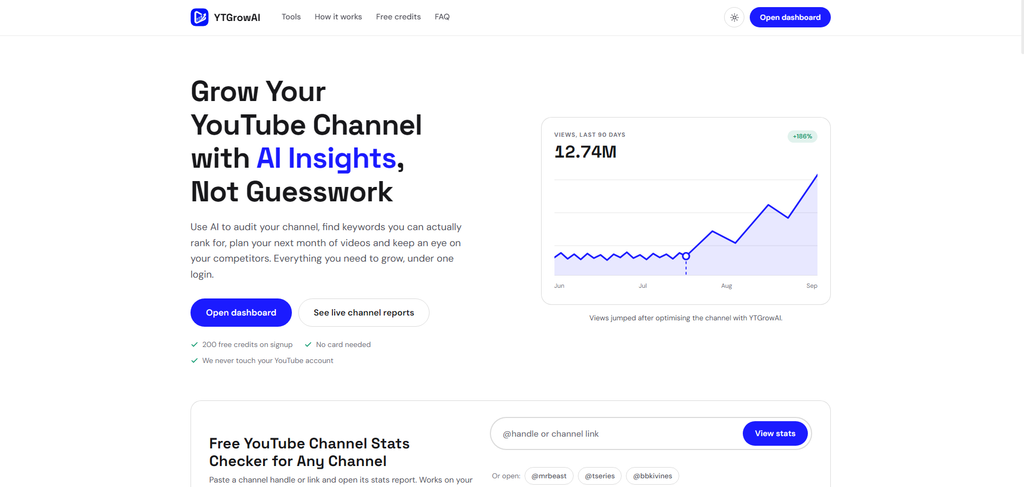
YTGrowAI is a web platform built for creators who want clear answers without a long learning curve. You can search for any YouTube channel and see its stats, upload patterns, and top videos all on one page.
Its Analytics tool pulls data from your own or anyone else’s channel, allowing you to study everything in one place. You can also audit a YouTube channel. The audit doesn’t just analyze video titles, descriptions, hashtags, and tags, but also video comments to understand what viewers like and dislike. It finds the best times to upload based on factors such as when your audience is most active. For example, if most of your videos perform better when uploaded at 8 PM, it can identify that pattern and help you understand why. It can also suggest what a channel is lacking, why it may not be growing, and what you can improve to increase its chances of growth.
The AI Content Planner turns your ideas into a plan for upcoming videos, while the Chat Assistant answers your questions about your channel and growth.
Its Keyword Research tool is crazy useful. It finds topics with real audience interest and helps you discover what people are actually searching for.
The Video Audit checks a single upload in detail, while the Competitor Tracker keeps an eye on the channels you follow. The Dashboard brings all the important numbers together so you can see your progress at a glance.
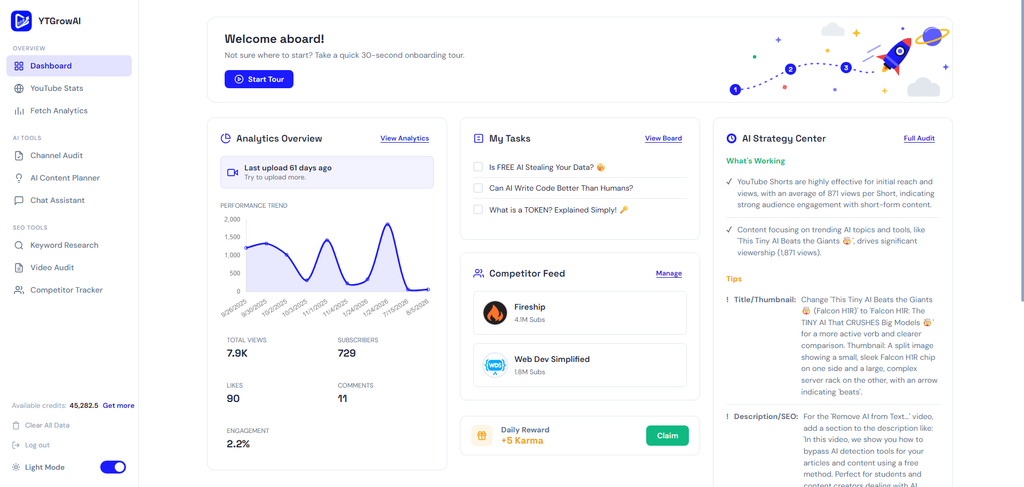
Key Features
- Channel stats pages with upload patterns and top videos
- Keyword research for finding topics with search interest
- AI content planner that turns topics into video ideas with outlines
- Channel audit with suggestions for titles, descriptions and tags
- Competitor tracking for channels you want to follow
- Video audit for checking individual uploads
Advantages
- Everything sits in one platform, so you do not need several tools to get started
- The layout is simple, and beginners can understand it quickly
Disadvantages
- Credits cannot be bought right now. There are many ways to get credits for free, such as karma, referrals, social posts, etc.
Pricing
New accounts get 200 credits. You can earn more through daily check-ins, 7-day streak bonuses and referrals. Credits cover the features that use the AI. Data services like YouTube analytics, keyword research tools, competitor trackers, etc require no credits.
2. TubeBuddy
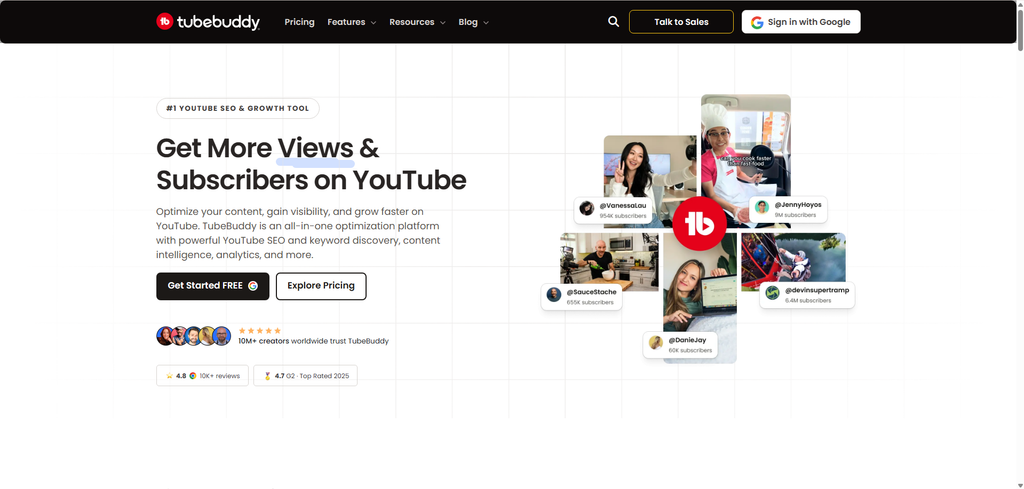
TubeBuddy is one of the most well known tools for YouTube creators. It works as a browser extension and adds extra features right inside the YouTube Studio screen. This means you can research keywords, check your title and description and update tags without leaving your workspace. Many creators use it as their main SEO helper for daily uploads.
Key Features
- Keyword explorer with search volume estimates and competition scores
- Tag suggestions for new uploads
- Title and description checker
- Thumbnail testing to compare two designs
- Bulk tools for editing several videos at once inside YouTube Studio
Advantages
- Works directly inside YouTube Studio, which saves a lot of switching between tabs
- Thumbnail testing gives you real click data to guide design choices
- Large user base means many guides and video tutorials exist
Disadvantages
- Many features can feel overwhelming in the first week
- Some useful tools sit behind paid plans
- It only works in a supported browser with the extension installed
Pricing
TubeBuddy has a free plan with basic YouTube optimization features. Its paid plans include Pro at $4.50 per month and Legend at $23.19 per month when billed monthly. Annual billing can reduce the cost, with Pro listed at $3.60 per month on annual billing. The higher-tier Legend plan adds features such as advanced analytics, competitor tools, video A/B testing and AI features.
3. VidIQ
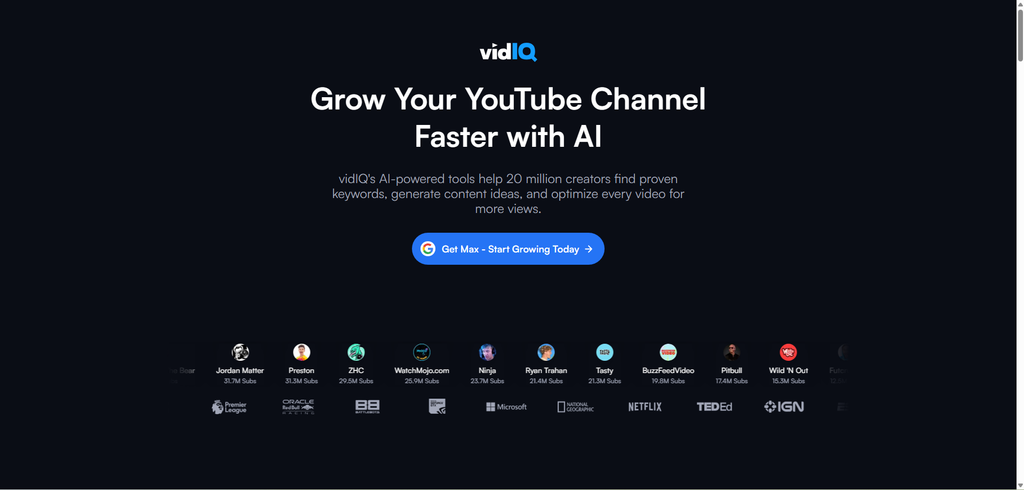
VidIQ is another popular option that works inside the browser and on YouTube itself. It gives each video idea a score that estimates how well the topic may perform in search. The tool also shows trending topics in your niche, so you can publish while a subject is still growing. This is a useful habit for creators who want to catch a wave of interest early.
Key Features
- Video SEO score for titles, tags and descriptions
- Keyword research with search and competition data
- Trending topics for your niche
- Competitor tracking and channel analytics
- Daily ideas to help you stay consistent
Advantages
- Trend data helps you act while a topic is still rising
- The score is easy to read, even for beginners
- Channel analytics show how fast other channels grow
Disadvantages
- Some of the best features sit behind paid plans
- The score is a guide, not a promise, so you still need to test ideas
- It depends on the browser extension for many of its features
Pricing
vidIQ offers a free plan with basic tools for YouTube creators. Its paid plans are Boost and Max, which add more advanced keyword research, content ideas, analytics and AI-powered features. Pricing can vary depending on the billing cycle and promotional offers, so the free plan is a good way to test the platform before upgrading.
4. Ahrefs YouTube Keyword Generator
Ahrefs is a large SEO company that is famous for its website tools, and it also offers a YouTube keyword generator. This tool is a good choice when you want to see how people search for a topic and which related phrases they use. You type in a seed keyword and the generator returns a list of related ideas with estimated search volume. This makes it easy to find longer phrases that have less competition but still get steady searches.
Key Features
- Keyword ideas based on a seed phrase
- Search volume estimates for each suggestion
- Related phrase lists for planning several videos
- Data from a large SEO platform used by many professionals
Advantages
- Very deep data for people who want serious keyword research
- Trusted brand with strong support for SEO topics
- Useful for both YouTube and website SEO if you run both
Disadvantages
- Can feel heavy for beginners who only want a few ideas
- The best value comes when you use the wider platform, which can cost more for solo creators
- Some data is estimated, so you should compare it with real results
Pricing
Ahrefs offers a free plan with limited access to its SEO tools. Its paid plans start with the Starter plan at $29 per month, while the main Lite plan starts at $129 per month. The higher Standard and Advanced plans cost $249 and $449 per month respectively. For creators who only need YouTube keyword ideas, the free or Starter options may be enough, while the full platform is better suited to users who also need broader SEO and website research tools.
5. Keywordtool.io YouTube Keyword Tool
Keywordtool.io is a simple and friendly option for finding video keyword ideas. It uses YouTube autocomplete suggestions to show the phrases people type into the search bar. Because these suggestions come from real search behavior, they give you a clear picture of what viewers look for. You can get a list of ideas in a few seconds, which makes it a helpful tool for quick brainstorming.
Key Features
- Keyword suggestions based on YouTube autocomplete
- Simple search with fast results
- Support for other platforms besides YouTube
Advantages
- Very easy to use, with almost no learning curve
- Fast for brainstorming new video topics
- Good for checking the search terms around a new idea
Disadvantages
- The basic version shows less search volume data than larger platforms
- Autocomplete suggestions do not show how hard it is to rank for a phrase
- Works better as a helper than as your only research tool
Pricing
Keyword Tool offers free keyword suggestions without requiring an account. Its paid plans start at $68 per month for Starter, followed by $148 per month for Growth, $308 per month for Scale and $628 per month for Agency. Paid plans add features such as search volume data, competition metrics, historical trends and higher usage limits. Annual billing offers additional savings.
Final Thoughts on the Best YouTube SEO Tools
The best YouTube SEO tools are the ones you will actually use. Each tool in this list can help you find keywords, study your niche and plan better videos. YTGrowAI gives you a simple path from research to planning, while TubeBuddy, VidIQ, Ahrefs and Keywordtool.io offer strong features for creators who want to dig deeper. Choose the one that fits your budget, your skill level and your goals, then give it a fair test on your own channel.
Remember that every great channel started with a single video and a single good idea. When you use these tools with patience and consistency, your videos get a better chance to reach people who are already searching for them. So take the first step today. Pick one tool, find one keyword and make one video that answers a real question.