

Install Xorg when you need an X11 session or an application that depends on one, not as a substitute for your distribution’s default desktop session. Use the package names for your distribution, then start X through your display manager or xinit rather than launching the server by hand.
Choose the Xorg package for your distribution
Xorg is the display server behind an X11 session. A display server gives graphical applications a screen, keyboard, pointer, and window system connection, but it does not provide a desktop environment or window manager on its own.
Use your package manager’s named package instead of a wildcard install. The following commands install the server or the distribution’s supported Xorg bundle.
| Distribution | Command | What it installs |
|---|---|---|
| Debian or Ubuntu | sudo apt install xorg | The Xorg meta-package and its dependencies |
| Fedora | sudo dnf install xorg-x11-server-Xorg xorg-x11-xinit | The Xorg server and xinit |
| Arch Linux | sudo pacman -S xorg-server xorg-xinit | The Xorg server and xinit |
| Void Linux | sudo xbps-install -S xorg | Void’s comprehensive Xorg bundle |
Install Xorg on Debian and Ubuntu
On Debian and Ubuntu, the xorg package is the straightforward starting point when you need the standard X11 stack. Add a desktop environment, window manager, or display manager separately when you need a complete graphical login.
sudo apt update
sudo apt install xorg
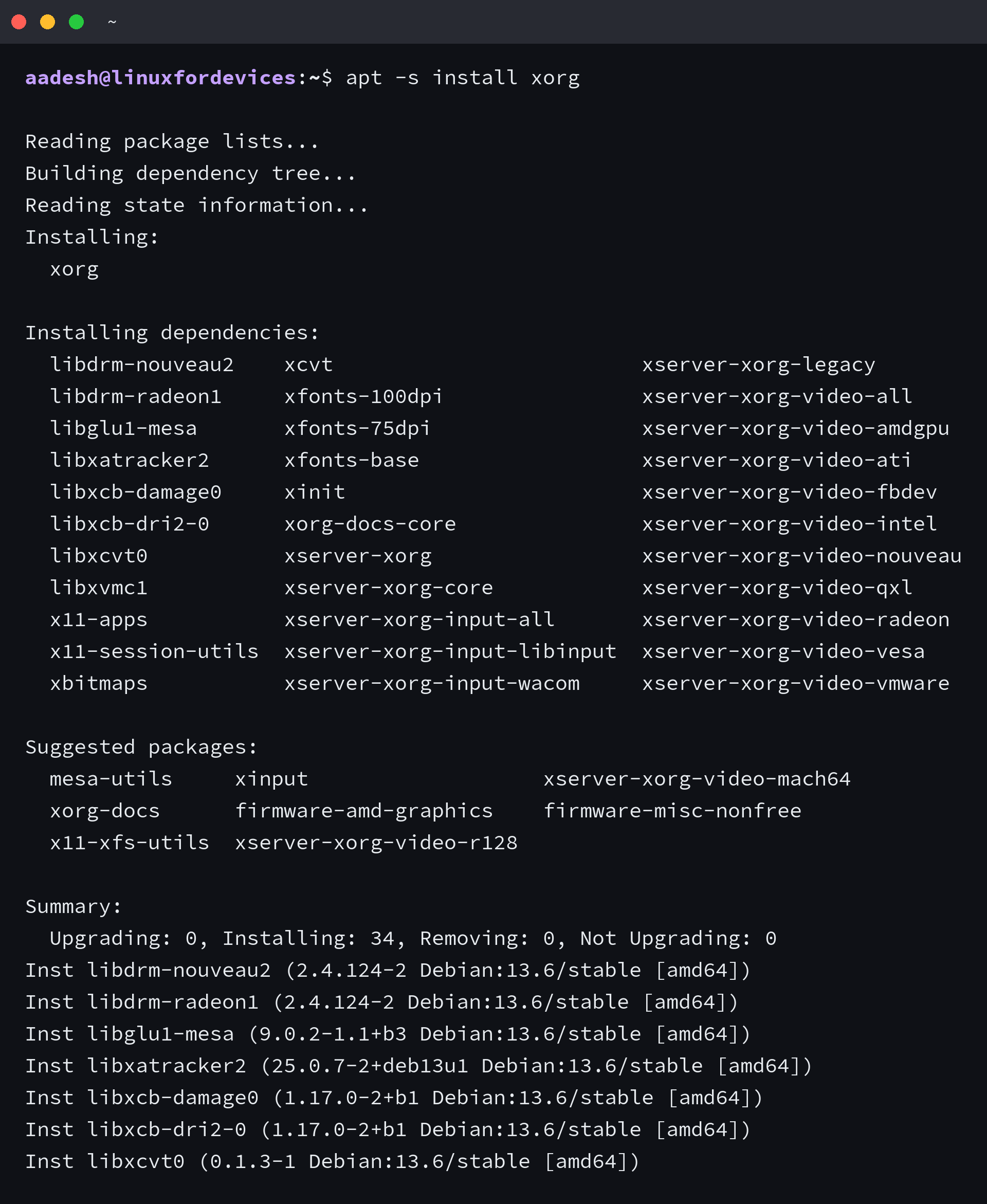
I checked this command against Debian 13’s current repository on the publication host, where the resolver selects xserver-xorg, xserver-xorg-core, xinit, input drivers, video drivers, and supporting X11 packages rather than a single standalone server package.
Install Xorg on Fedora
Fedora packages the server as xorg-x11-server-Xorg, and xorg-x11-xinit adds the startx path for a session that does not begin at a display manager.
sudo dnf install xorg-x11-server-Xorg xorg-x11-xinit
Fedora Workstation uses Wayland for its default GNOME session. If Xorg is already installed and you only need an X11 GNOME login, choose GNOME on Xorg from the session selector at the login screen instead of reinstalling the desktop.
Install Xorg on Arch Linux
Arch separates the server from the programs you may use around it. Start with xorg-server and xorg-xinit, then add a window manager, display manager, fonts, and any input or video packages your hardware needs.
sudo pacman -S xorg-server xorg-xinit
The ArchWiki recommends starting the server through a display manager or xinit, because installing the server alone does not create a usable desktop session.
Install Xorg on Void Linux
Void provides an xorg package that includes the server, free video and input drivers, fonts, and base applications, which makes it the supported choice when you want the complete bundle.
sudo xbps-install -S xorg
Start an X11 session after installation
Restart your display manager or return to its login screen and select an X11 or Xorg session if your desktop offers one. On a minimal installation without a display manager, configure a window manager before starting the session with startx.
startx
Do not run startx from an existing graphical session. Use it from a text console after you have installed a window manager and created the configuration it needs.
Check whether the session uses X11
After signing in, check the session type. X11 confirms that the current desktop session uses Xorg or another X11 display server.
echo $XDG_SESSION_TYPE
If the command prints wayland, return to the login screen and select an Xorg session where your desktop provides one. Do not edit xorg.conf unless automatic detection fails or a distribution document calls for a specific change.
Sources
- ArchWiki: Xorg
- Fedora Packages: xorg-x11-server-Xorg
- Fedora Docs: Configuring Xorg as the default GNOME session
- Ubuntu Packages: xorg
- Void Linux Handbook: Xorg
Does installing Xorg give me a desktop environment?
No. Xorg provides the X11 display-server stack. Install or select a desktop environment, window manager, and a display manager separately when you need a complete graphical session.
Should I use startx after installing Xorg?
Use startx from a text console only when you are building a minimal X11 session and have configured a window manager. Use the display manager’s session selector on a regular desktop installation.